

Hello, flight - again
You wrote your first program on echo.pitsco.com. Now let’s do the same thing in AT-66BL so you learn the one big difference: programs start with the green flag (a when 🏳 clicked block), not with take off.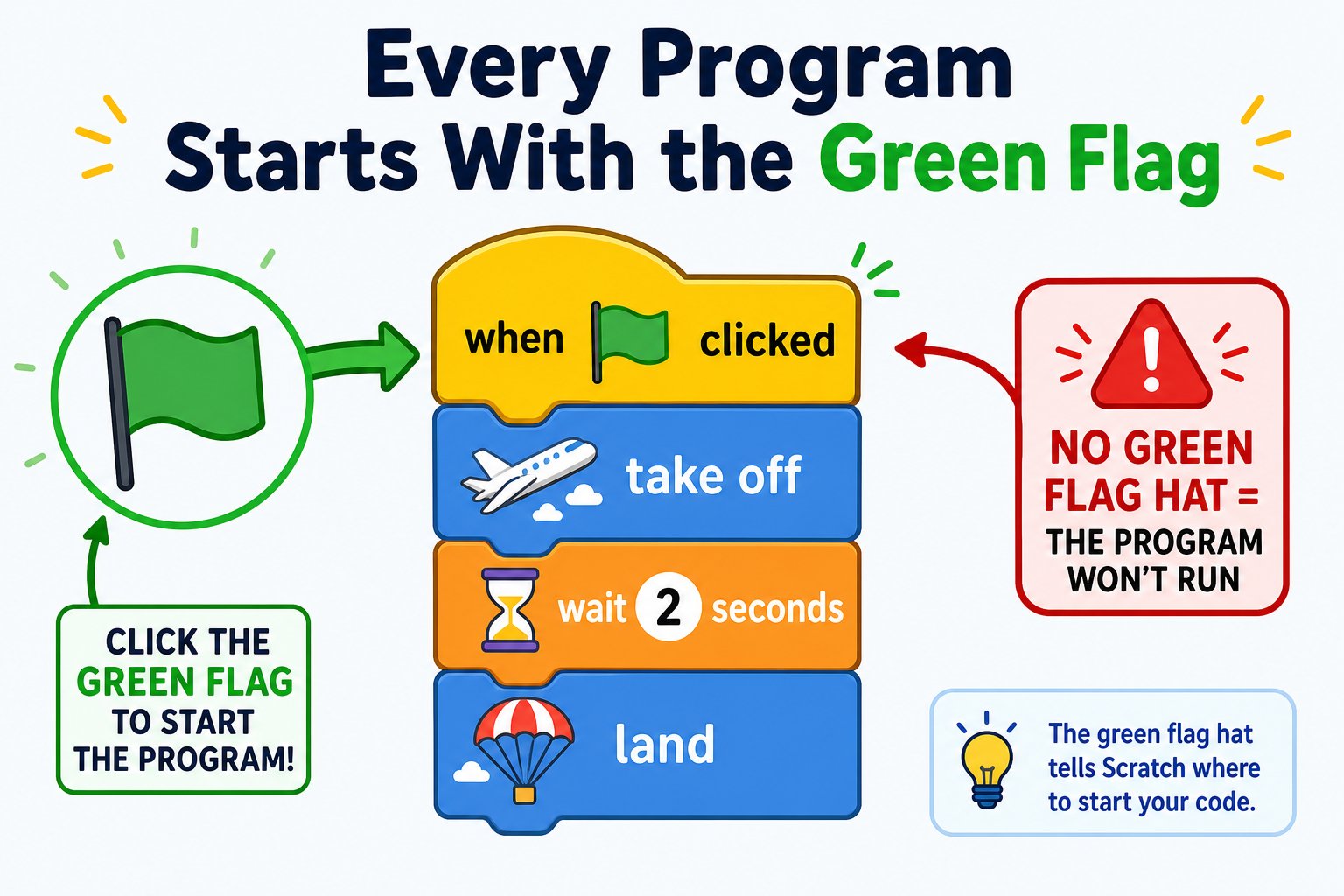
Nothing runs until the green flag is clicked - it's the 'start here' of every program
The workspace, one more time
Open Program mode. Blocks are on the left, your canvas is the middle, and the run controls (green flag, stop, no-entry, save) are top-right.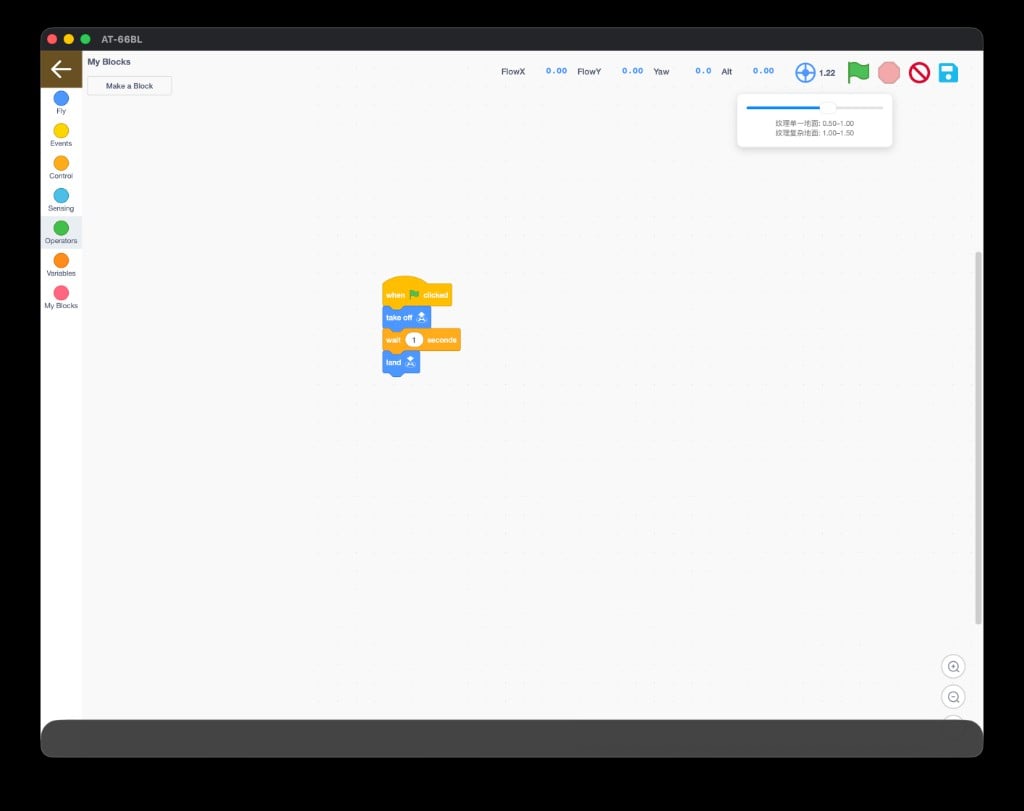
A finished first program: when flag clicked, take off, wait, land
Build it block by block
Start with the green flag
Open Events (yellow) and drag out a when 🏳 clicked block. This is the “start here” for every AT-66BL program.
Add take off
Open Fly (blue) and snap a take off block under the flag. The drone will rise and hover.
Hover with a wait
Open Control (orange) and snap a wait [1] seconds block. Change it to 3 so the drone holds steady for a moment.
Finish with land
Back in Fly, snap a land block at the very bottom. Always end a program by landing.
Run it
Check your connection
Make sure the Bluetooth icon shows you’re still paired to your drone.
Click the green flag
Click the 🏳 green flag in the top-right. The drone takes off, hovers for 3 seconds, and lands.
Stop anytime
If anything looks wrong, click the 🔴 red stop to end the program, or the 🚫 no-entry button to cut the motors instantly.
Save your work
Click the 💾 save icon and choose Save. Give it a clear name likefirst_flight. You can reopen it later with Load.
Now make it yours
Longer hover
Change wait 3 seconds to 5. Does the drone hold longer?
Add a move
Between take off and land, add vertical move up 20 cm and watch it climb.
Add a spin
Try turn right 90 degrees before landing.
Add a pause
Stack two wait blocks with a move between them for a step-pause-step feel.
You built a when 🏳 clicked → take off → wait → land program, ran it with the green flag, and saved it with a name you can find again.
Next: advanced programs
Add loops, variables, decisions, and custom blocks to build real missions.