

Make the drone fly a shape
Now that your drone takes off and lands from code, let’s send it on a journey. You’ll program it to fly a square - and then discover how loops make it far easier.The movement blocks
Two Flight blocks do all the moving:- fly [forward] for [1] second(s) at [50] % speed - flies a direction for a set time
- spin [left / right] for [1] second(s) at [50] % speed - rotates in place for a set time
Notice turns are measured in time, not degrees. To turn about a quarter-circle, you spin for a short time and tune it. Start with a small spin time and adjust until the turn looks like a corner.
Fly a square, the long way
A square is four “fly forward, then spin” steps. Build it block by block:Fly a square, the smart way: loops
Notice you repeated the exact same two blocks four times. A loop does the repeating for you. Open the Loops category and use a repeat [4] times block: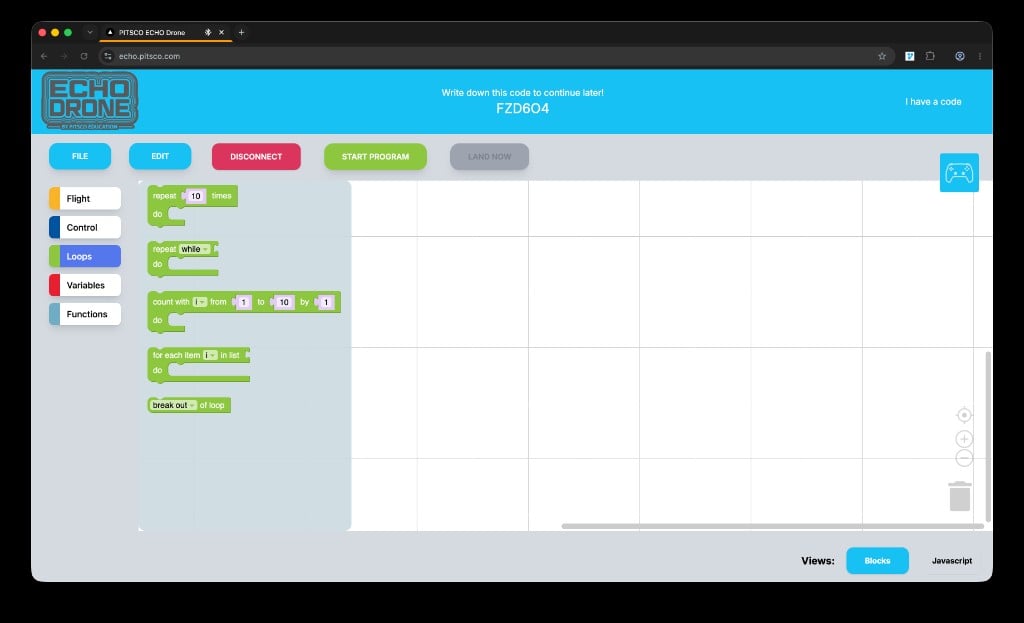
The Loops blocks: repeat, repeat while, count with, for each, and break
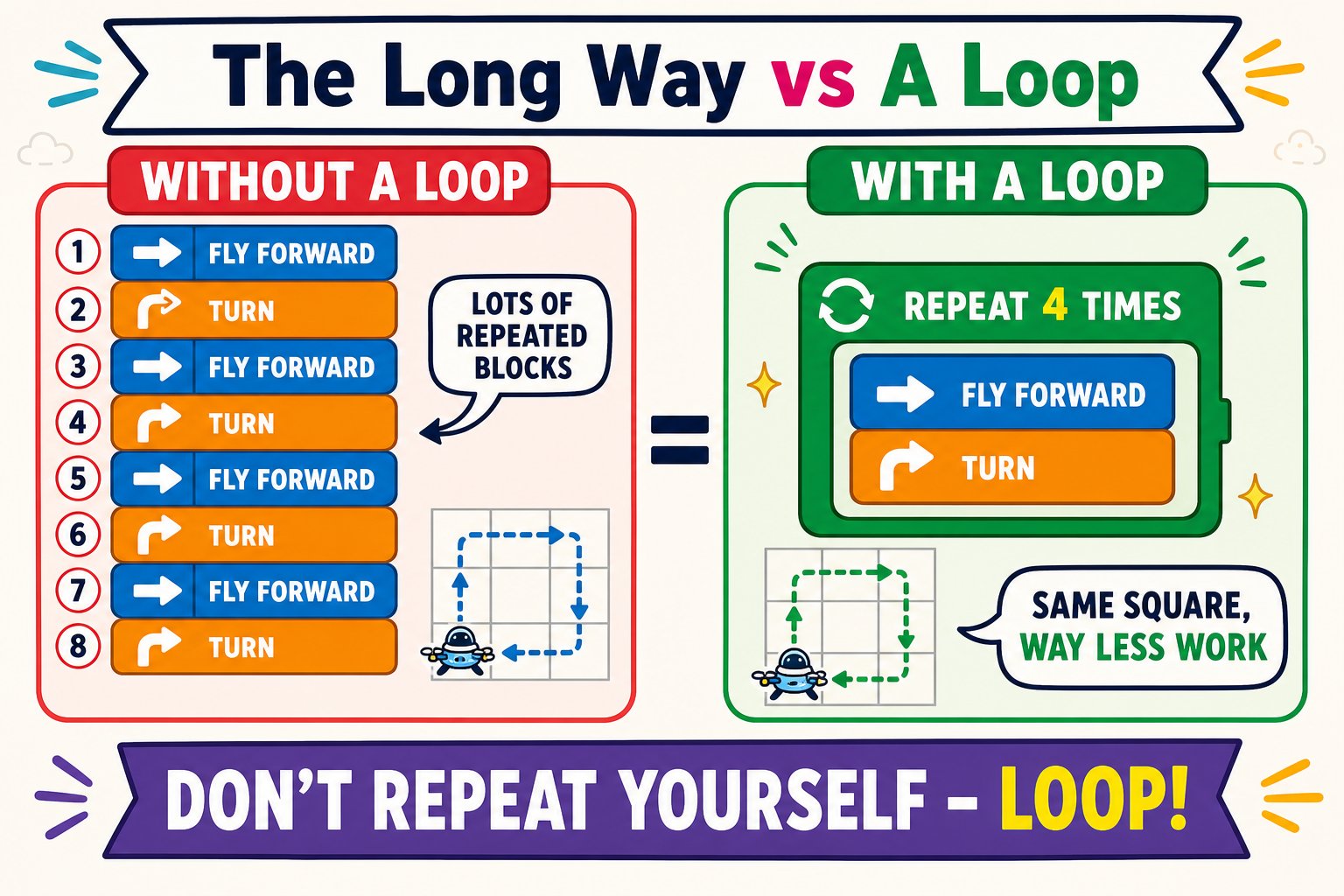
Nine blocks the long way, or three blocks with a loop - same square
The two blocks inside “repeat 4 times” run four times total - four sides and four turns make a square back to the start.
Try other shapes
Change the repeat count and the spin time and you can fly almost any shape. The more sides a shape has, the more repeats you need - and the shorter each turn.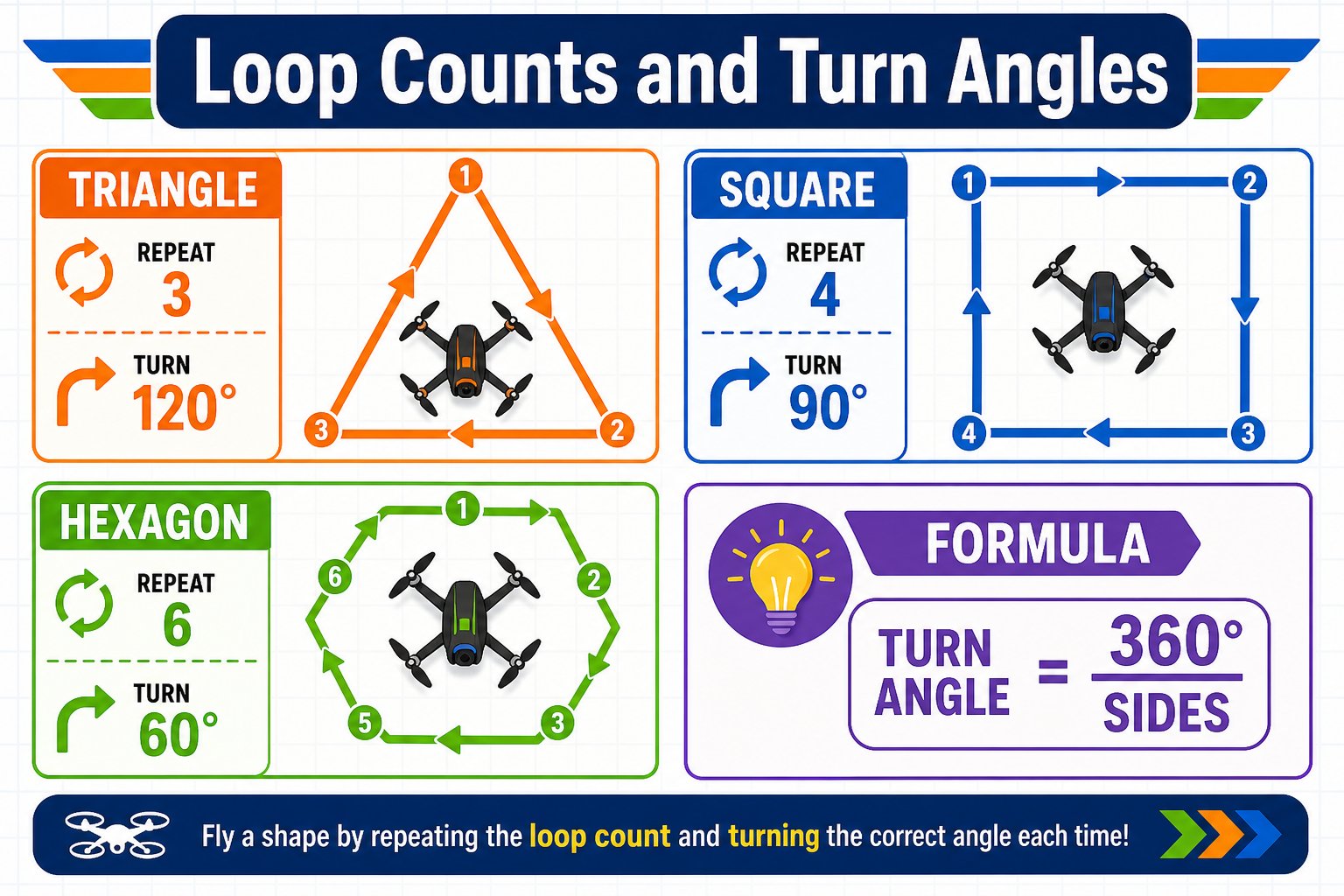
Repeat counts and turn amounts for common shapes
Triangle
Repeat 3 times with a slightly longer spin time for sharper turns.
Hexagon
Repeat 6 times with a shorter spin time between sides.
Rectangle
Alternate a long and short fly forward time inside the loop.
Spin in place
Just repeat several small spins with no forward flight.
Debug like a pro
If your shape comes out wrong, don’t guess - change one thing at a time:Watch which step fails
Run it and note exactly where the path goes wrong.
Adjust one value
Tweak a single spin time or fly time, then run again.
Compare
See if it improved. Repeat until the shape is clean.
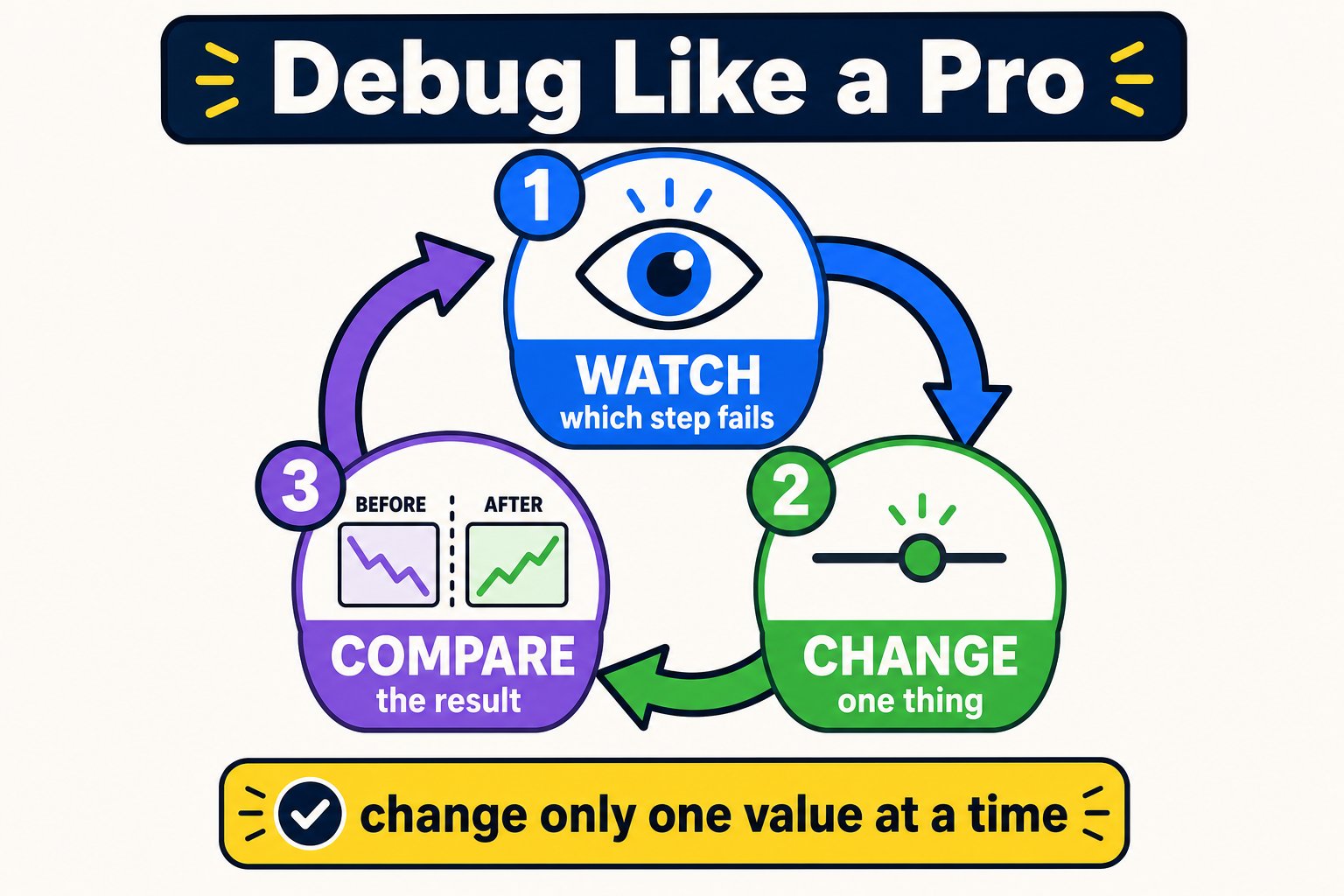
The debugging loop every engineer uses: watch, change one thing, compare, repeat
You programmed the drone to fly a square both the long way and with a loop, and you tuned the spin time to shape the turns.