

Every pilot hits snags
Drones misbehave sometimes - that’s normal. The skill is knowing how to diagnose the problem. This is your field guide to the most common Echo Drone issues and their fixes.Start here: is it battery or pairing?
The most common problem - “my drone won’t respond” - almost always comes down to one quick check: are the lights blinking?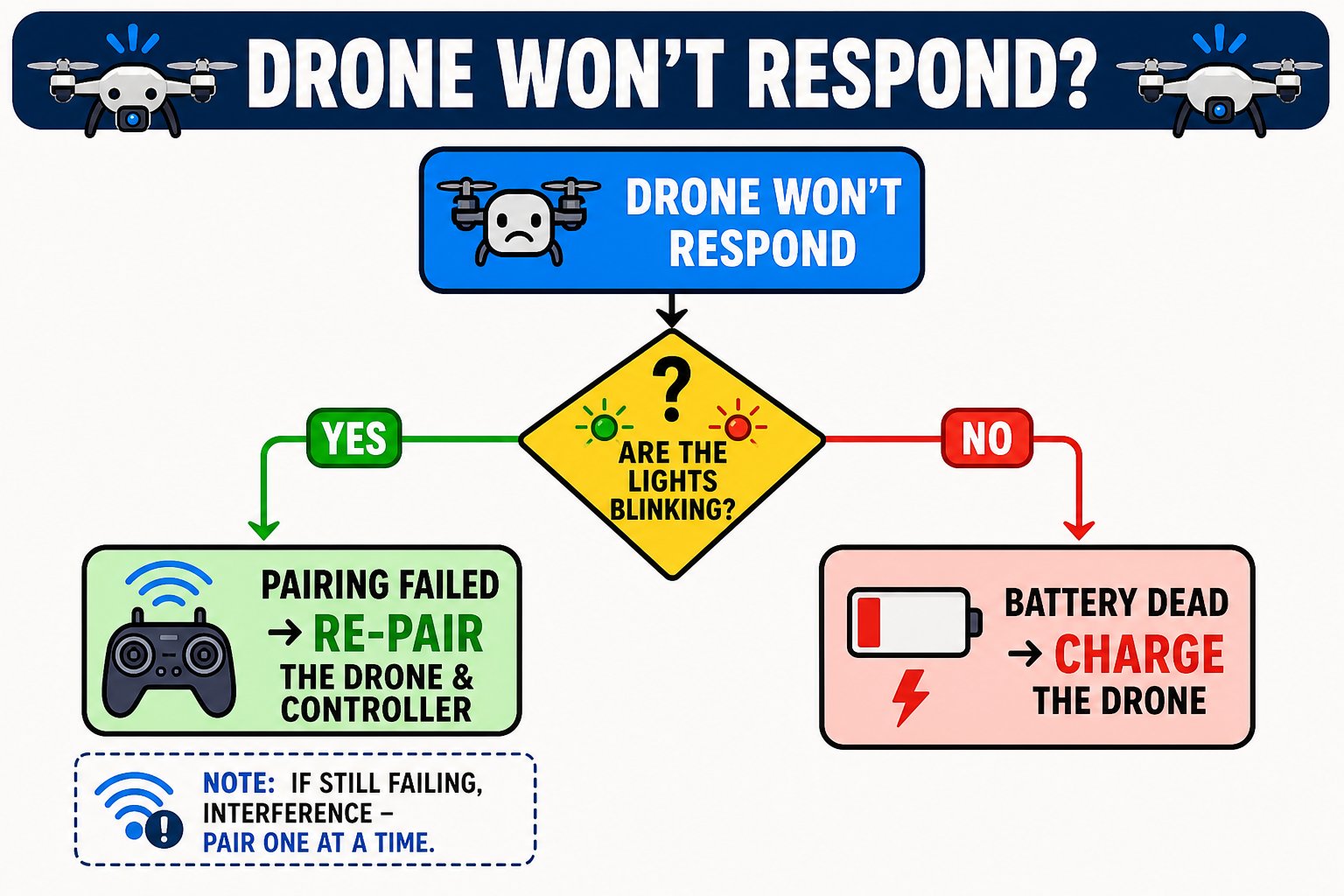
The first question to ask when a drone goes unresponsive
Common problems
Drone won't respond, lights blinking
Drone won't respond, lights blinking
The pairing between drone and controller failed. Re-pair them. If it still won’t respond, interference may be the cause - if several drones are nearby, pair them one at a time.
Drone won't respond, lights NOT blinking
Drone won't respond, lights NOT blinking
The battery has died. Charge the drone and try again.
Propellers keep spinning after landing
Propellers keep spinning after landing
The left joystick isn’t centered at zero. Return it to the middle. If they still spin but the drone won’t lift, the propellers may be installed wrong or the battery is low - check A/B placement and charge.
Drone drifts while hovering
Drone drifts while hovering
Use the trim buttons to correct the drift (trim opposite to the direction it moves). Also make sure you’re flying over a textured, well-lit floor so the optical-flow sensor can hold position.
Drone spins or props sound uneven after trimming
Drone spins or props sound uneven after trimming
Usually a propeller problem: (1) propellers installed in the wrong A/B spots, (2) a damaged propeller, or (3) lost pairing. Reinstall or replace propellers, then re-pair.
Won't take off after a crash
Won't take off after a crash
Propellers may have come loose or been damaged in the crash. Tighten or replace them, and restart the drone (especially before using headless mode again).
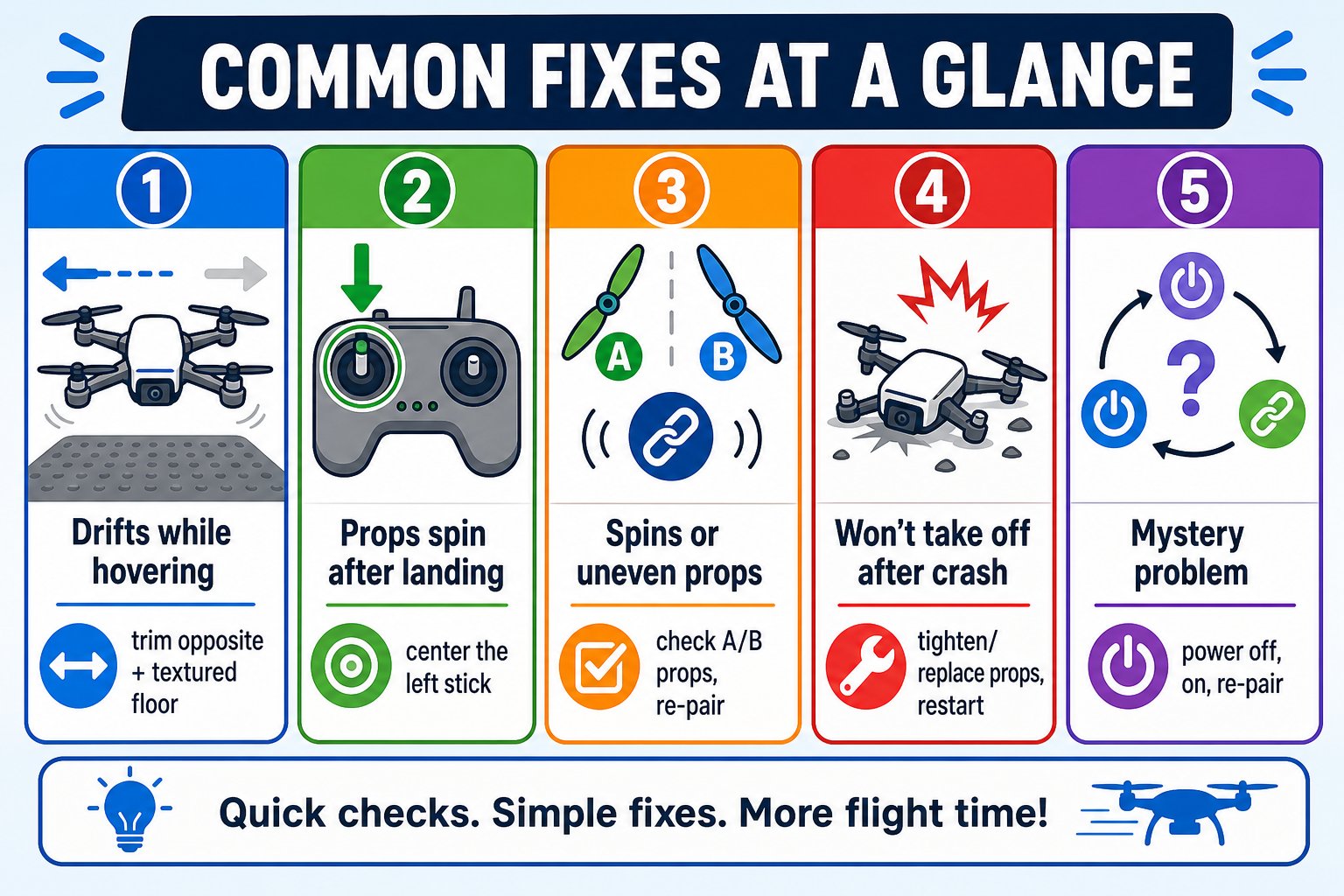
Keep this handy - the top five fixes at a glance
Replacing a propeller
Damaged propellers are the most common casualty of learning to fly. To replace one: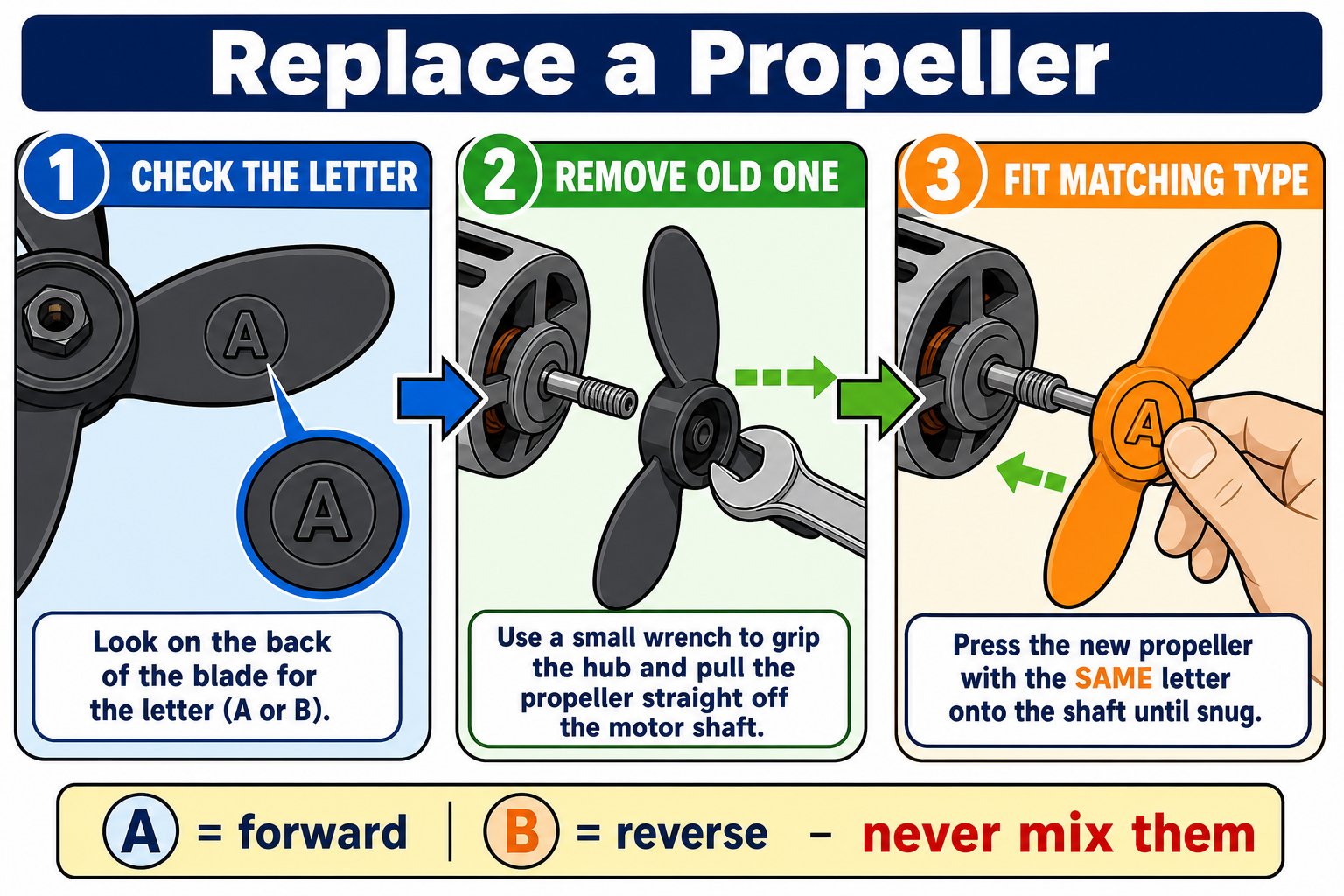
Three steps to swap a propeller - always match the A/B letter
Check the letter
Every propeller has an A or B on the back of a blade. Note which one you’re replacing.
Remove the old one
Use the included wrench to grip and pull the propeller straight off the motor shaft.
Fit the matching type
Press on a new propeller with the same letter. A is forward-rotating, B is reverse - mixing them up makes the drone unstable.
Replacing a prop guard
When in doubt: restart
Many mysterious problems vanish with a clean restart: power the drone off, power it back on, and re-pair. It resets the sensors and the drone’s sense of direction.You can diagnose an unresponsive drone (battery vs pairing), fix drift with trim, and correctly replace a propeller with the matching A/B type.