

Power is everything
A drone is only as good as its charge. Your Echo Drone flies on a small lithium battery that needs proper care to stay safe and last. Learning to charge and read it now means more flying time all week.Charging your drone battery
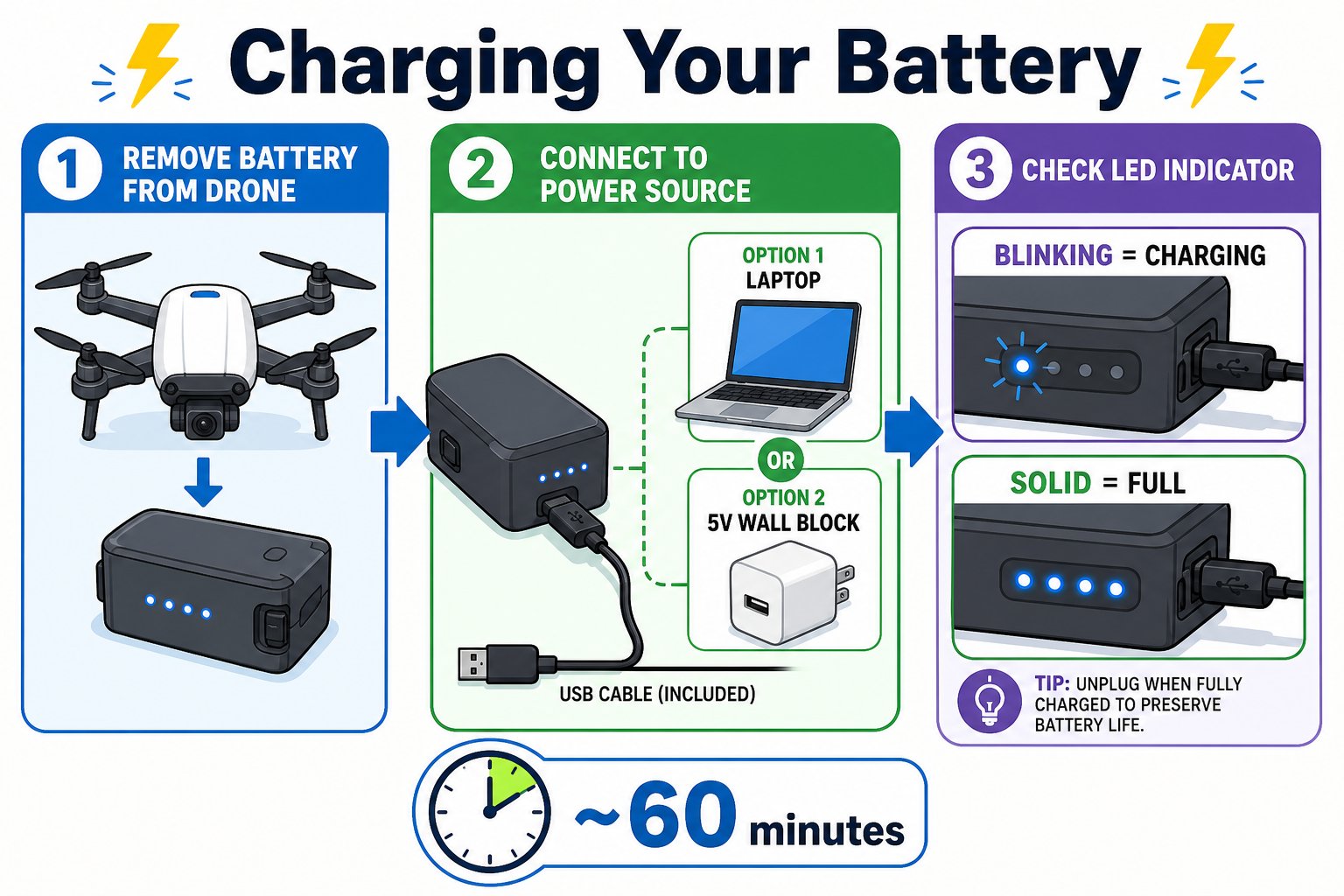
Three steps to a full charge - remove, connect, and watch the light
Remove the battery
Slide the lithium battery out of the drone’s body.
Connect the charging cable
Plug one end of the USB cable into the battery, and the USB end into a computer or a 5 V wall block.
Watch the light
The battery’s light flashes while charging and turns solid when full. A full charge takes about 60 minutes.
For best results, use the cable that came with your Echo Drone (or one with a USB “trident” mark). Poor-quality cables can charge slowly or unreliably.
Battery and charging specs
Reading the power signals
Your gear tells you when power is running low - learn the signals so you never lose a drone mid-flight.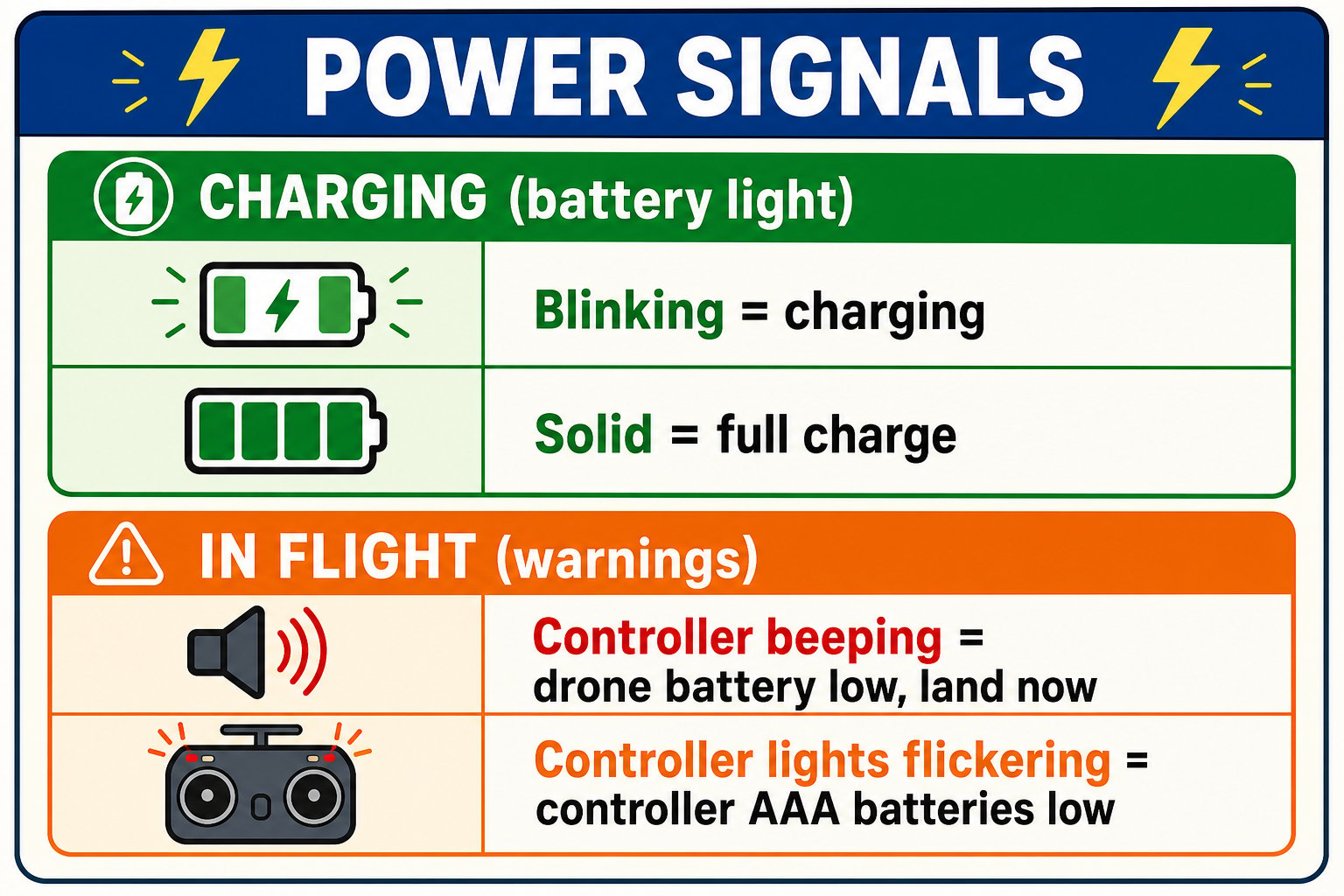
Know the difference between charging lights and in-flight low-power warnings
Controller beeping
During flight, beeping means the drone’s battery is dying. Land it and recharge.
Controller lights flickering
Flickering indicator lights mean the controller’s AAA batteries are dying and need replacing.
Lithium battery safety
Lithium batteries are powerful and safe when treated correctly - but they demand respect. When in doubt, follow this simple do / don’t guide.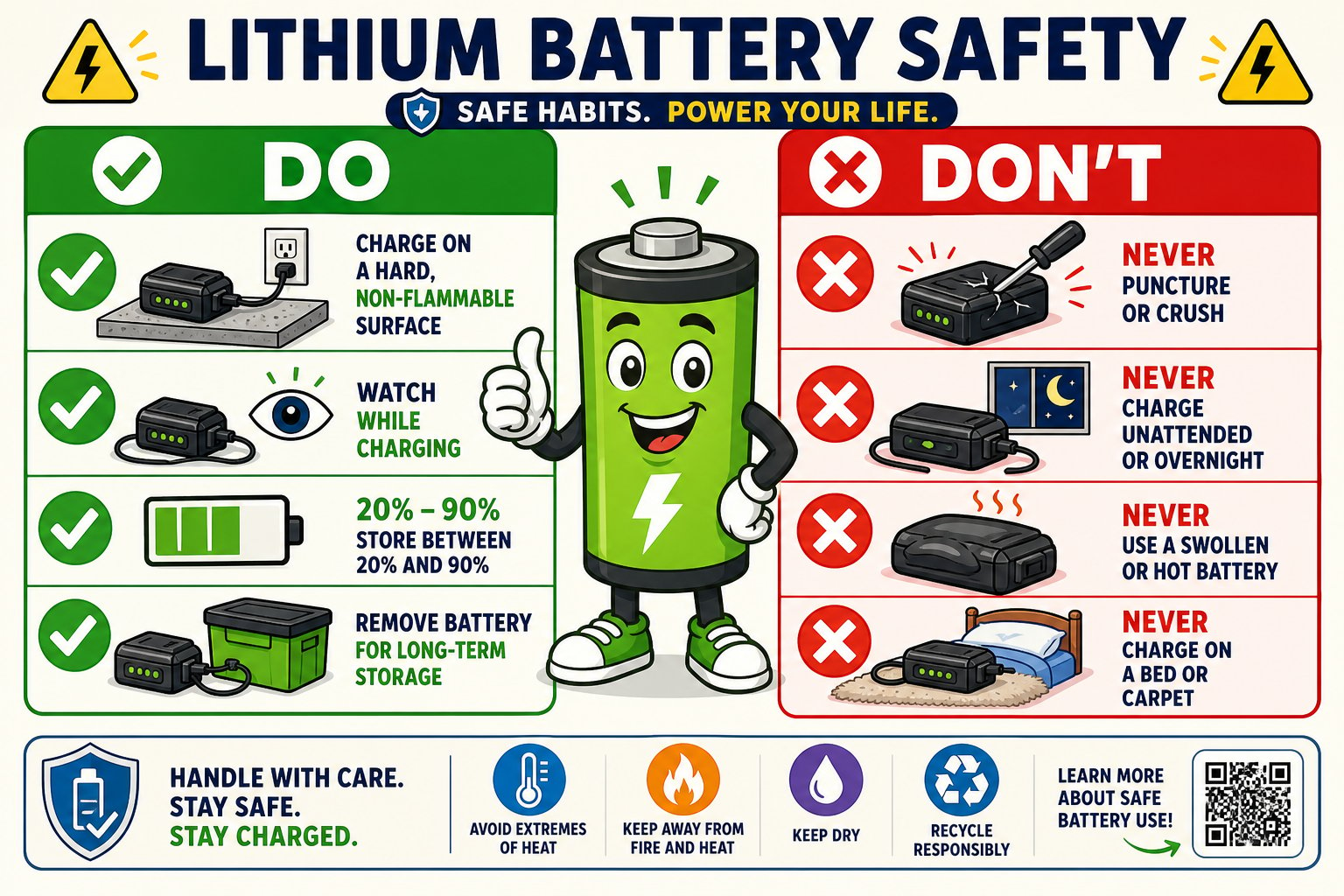
The do's and don'ts of lithium battery safety
Make your battery last
A little care means many more flights over the life of your drone.Don't drain to empty
Land and swap at low power instead of flying until it dies.
Keep it cool
Let a warm battery cool before charging or flying again.
Store half-charged
For long storage, leave it around half full - not empty, not stuffed.
Do the math
Charge-to-fly ratio
A charge takes ~60 minutes and gives ~10 minutes of flight. How many chargers or spare batteries would keep one student flying non-stop for an hour?
Plan your session
If your class has 90 minutes of flying time, how will you schedule charging so no one is stuck waiting?
Your battery is fully charged (solid light), you know the two low-power warning signals, and you can state three lithium battery safety rules.