

Know your drone inside and out
Before you build and fly, get to know the parts. Every component has a job, and knowing them makes building, flying, troubleshooting, and coding far easier.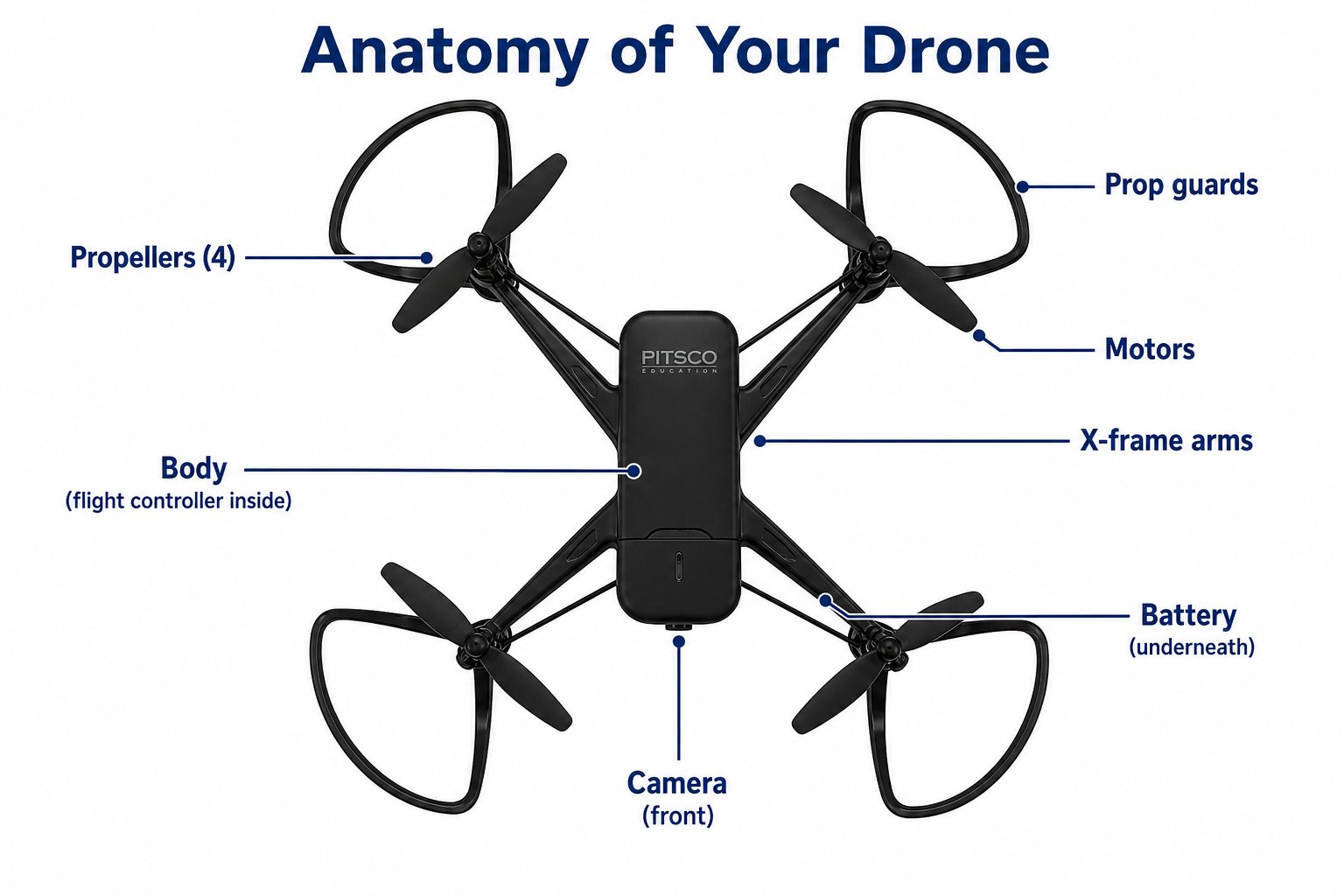
The major parts of your Echo Drone
Every part, pulled apart
Sometimes it’s easiest to understand a machine by taking it apart. Here’s your Echo Drone “exploded” into its main pieces - stacked in the order they fit together.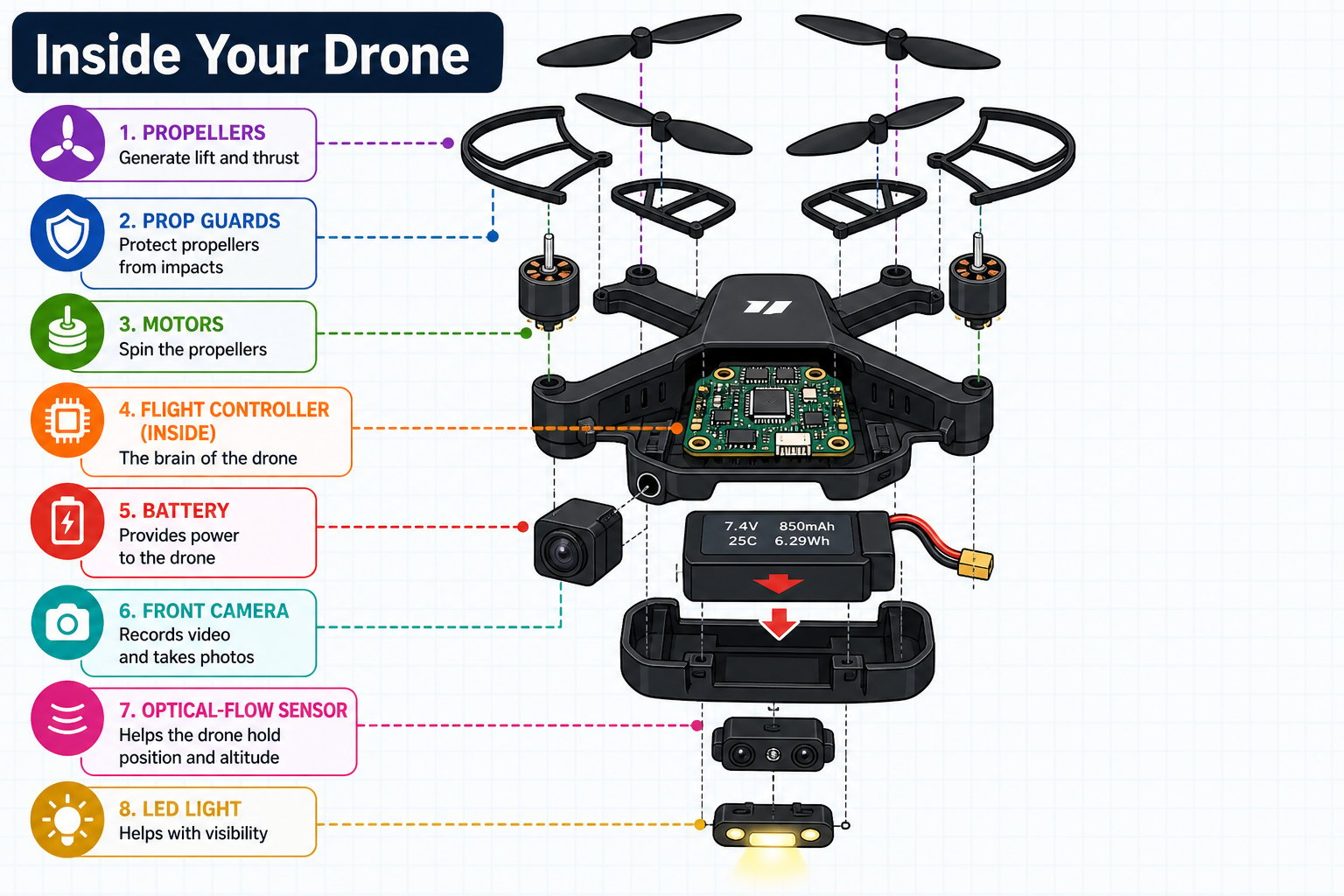
An exploded view - every layer of your drone, from propellers on top to sensors on the bottom
The major parts
Propellers
Propellers
Four spinning blades that create lift by throwing air downward. Your drone has two A (forward) and two B (reverse) propellers arranged in an alternating pattern.
Motors
Motors
Four small electric motors, one at the end of each arm. Changing their speeds is how the drone rises, tilts, and turns.
Prop guards
Prop guards
Circular rings around each propeller. They protect the blades - and your fingers and walls - during indoor flight and crashes.
Frame / body
Frame / body
The central chassis that holds everything together and houses the flight controller (the drone’s brain).
Battery
Battery
A clip-in 3.7 V lithium battery that powers the motors and electronics. It provides 9-10 minutes of flight and recharges in about an hour.
Camera
Camera
A front-facing 720p camera that streams live video over Wi-Fi. This is the camera you’ll fly with in first-person view on Day 4.
LED indicator light
LED indicator light
Shows the drone’s status through different flash patterns - pairing, headless mode, low battery, and more.
Optical-flow sensor
Optical-flow sensor
A downward-facing sensor that watches the ground to hold the drone’s position steady when hovering indoors.
The brain: the flight controller
Hidden inside the body is the flight controller - a tiny computer that runs the show. Many times every second it repeats the same three-step loop: sense what’s happening, think about what to change, and act by adjusting the motors.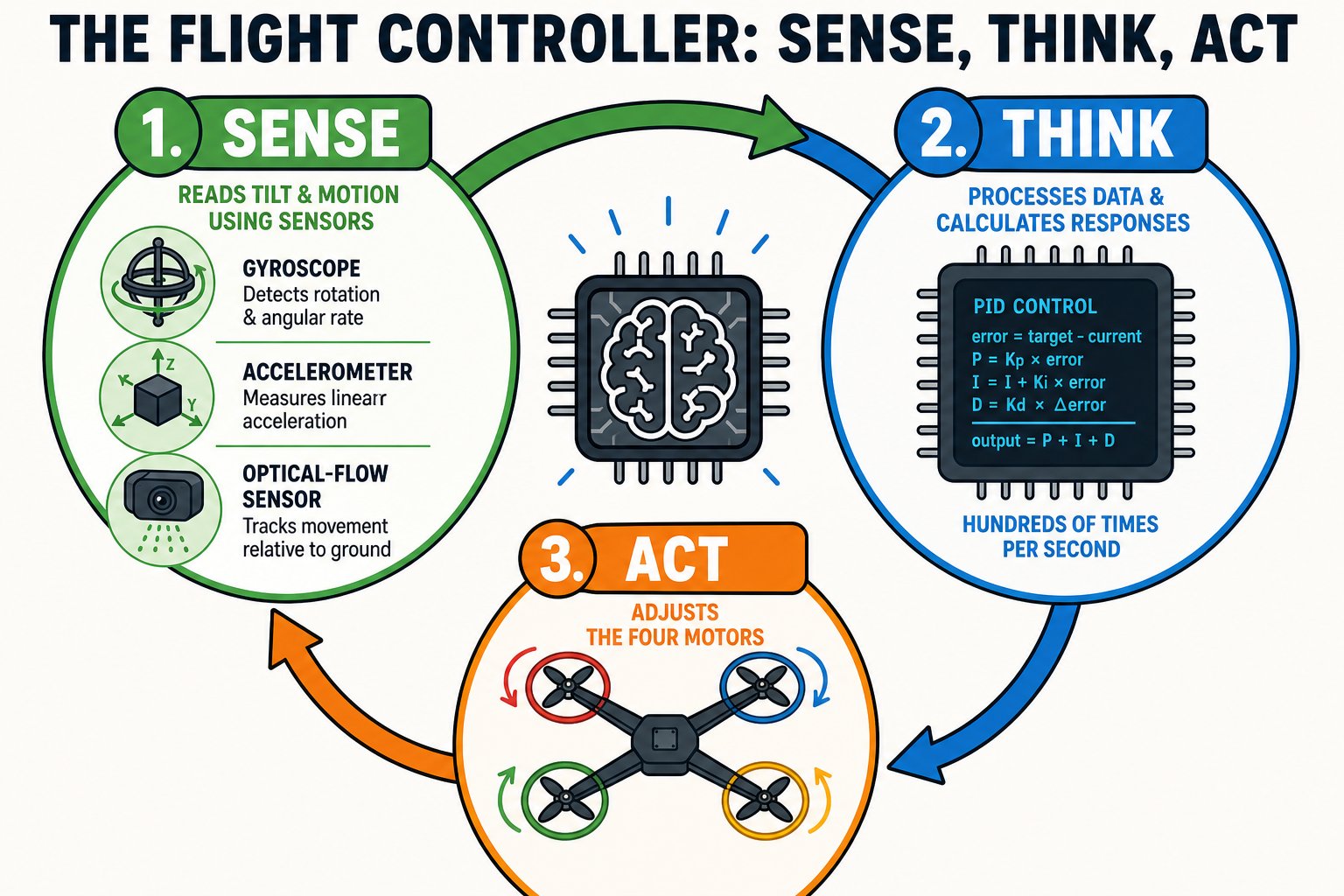
The flight controller loops through sense, think, and act hundreds of times per second
When you fly, you don’t control motors directly - you tell the flight controller what you want (go forward, turn left), and it does the fast motor math for you. Later, your code will send it those same requests.
The sensors that keep it steady
The flight controller is only as smart as the sensors feeding it. Three tiny sensors - the same kind inside your phone - let your drone balance itself.Gyroscope
Detects how fast the drone is tipping or spinning, so it can level out.
Accelerometer
Measures speeding up and slowing down, and which way is down.
Optical-flow
Watches the floor’s texture to hold position instead of drifting.
Reading the LED light
Your drone talks to you through its LED light. Learning the flash patterns means you’ll always know what it’s doing - pairing, ready, or low on power.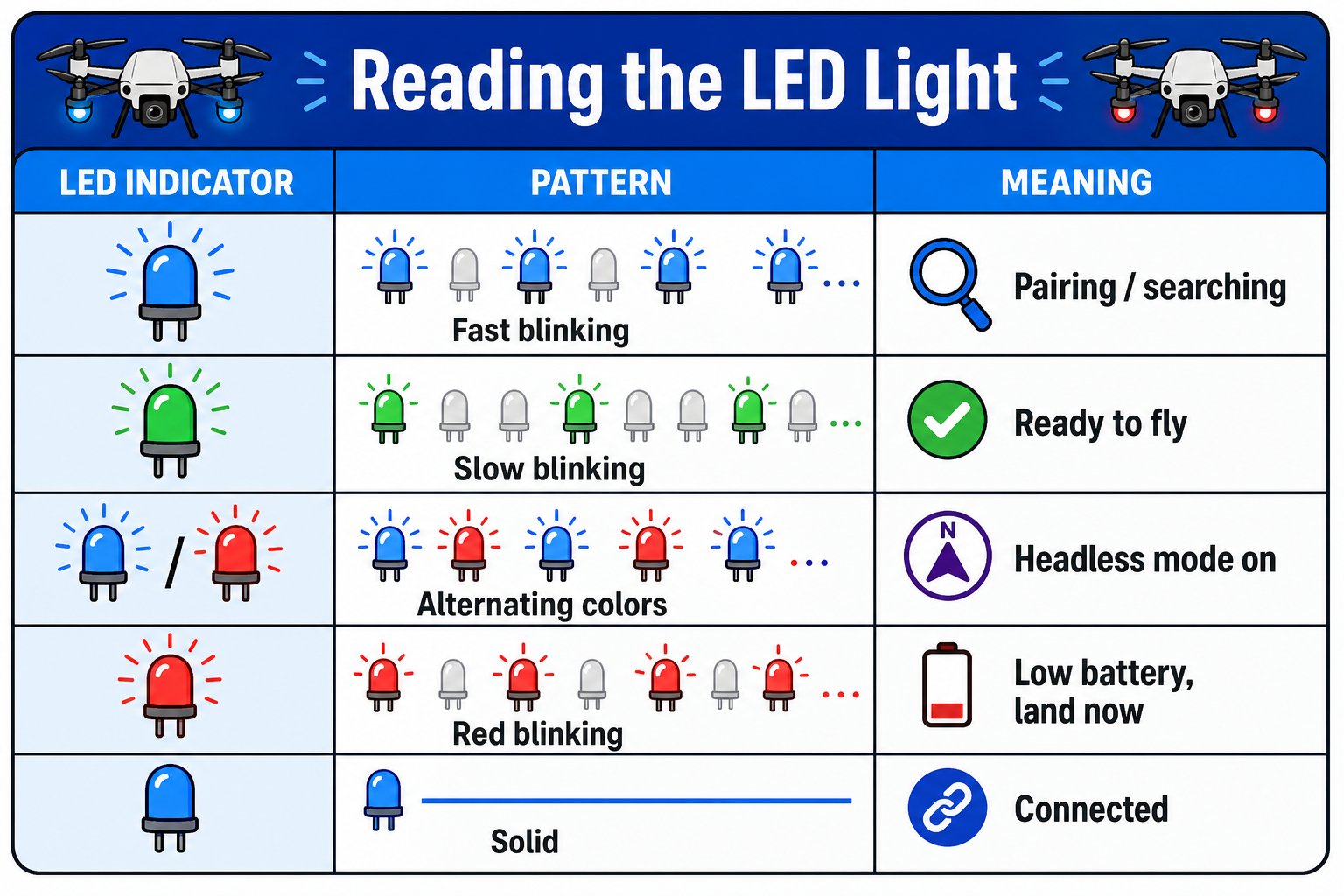
The LED's color and blink pattern tells you exactly what the drone is doing
Quick quiz
Which part does the math?
You tell the drone “go forward.” Which part figures out how fast to spin each motor?
Why does it stay put?
Indoors with no GPS, which sensor keeps your drone from slowly drifting across the room?
You can find and name the propellers, motors, prop guards, battery, camera, LED, and optical-flow sensor on your drone, explain what the flight controller does, and read the basic LED patterns.