

Wheels up
This is the moment - your first flight! Go slow, stay calm, and build skills in order. Every professional pilot started exactly where you are now.Take off and land
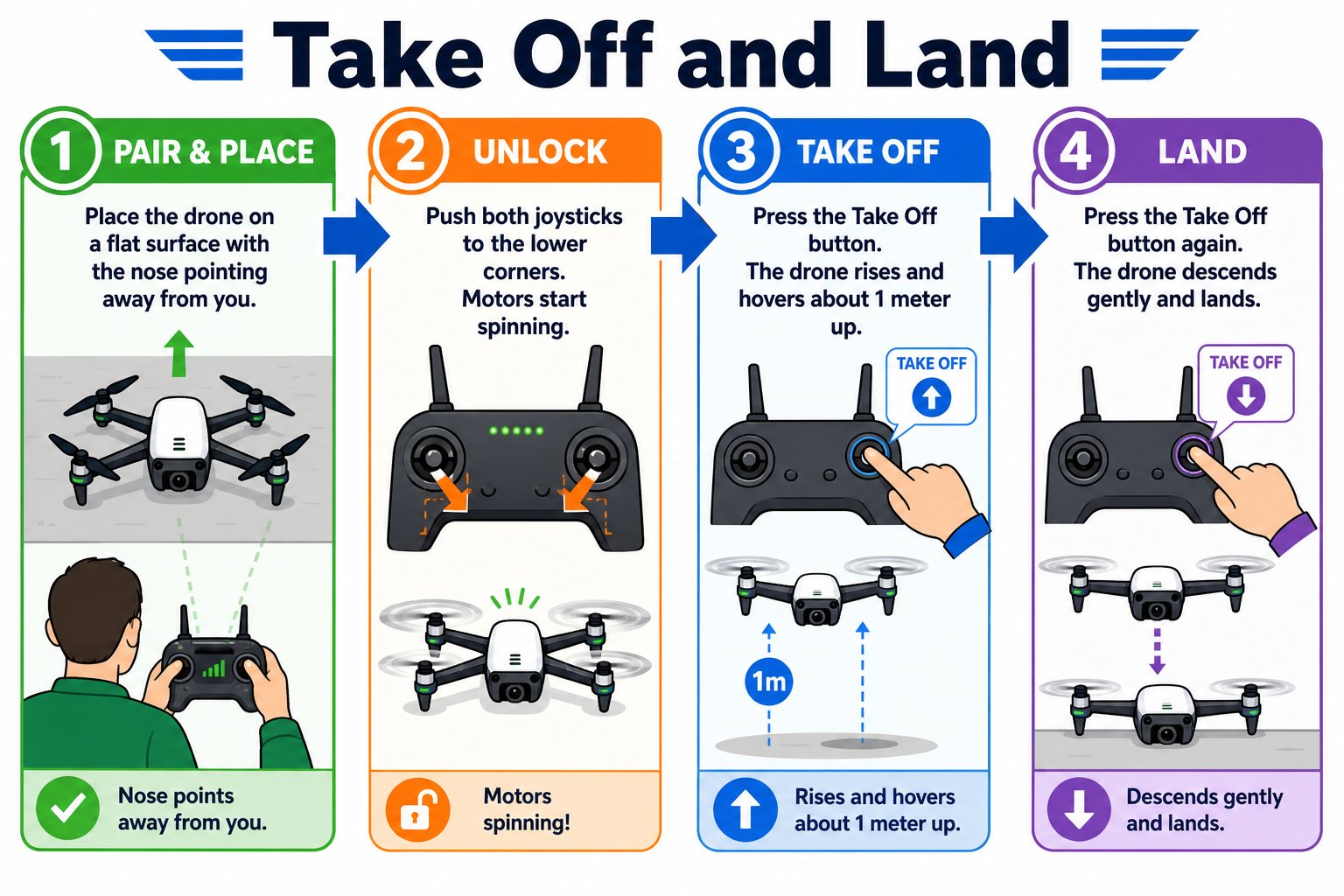
The full sequence: pair and place, unlock, take off, land
Pair and place
Pair the drone and controller, and set the drone on a flat, open floor with its nose pointing away from you.
Unlock the motors
Push the left stick to the lower-left and the right stick to the lower-right at the same time. The motors spin up.
Take off
While the propellers are spinning, press the Take Off button. The drone rises and hovers about one meter up.
Land
Press the Take Off/Land button again to land automatically. Well done - that’s a complete flight!
Build your skills in order
Don’t try everything at once. Master each skill before moving to the next - each one builds on the last.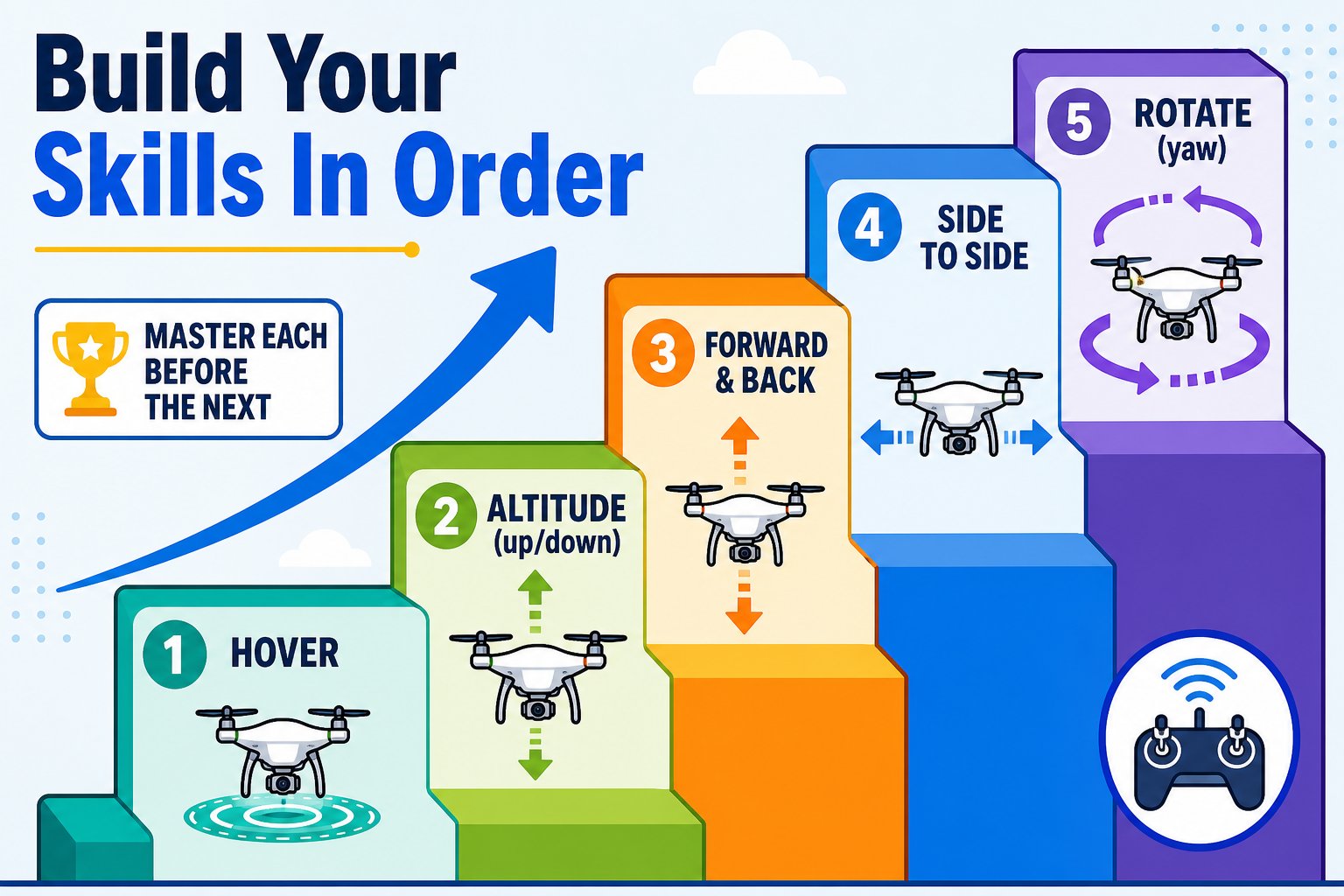
Climb the ladder one rung at a time - don't skip ahead
1. Hover
Just take off and let it hover. Get used to the drone holding position. Practice taking off and landing a few times until it feels calm and predictable.
2. Altitude
Gently push the left stick up to rise, then release to hold. Pull down slightly to descend, then release. Practice going to different heights and back.
3. Forward and back
With the right stick, ease forward about a meter, then back. Small, gentle inputs - the drone keeps moving briefly after you release.
4. Side to side
Use the right stick to slide left and right (roll). Keep movements small and smooth.
5. Rotate
While hovering, gently push the left stick left and right to yaw. Watch the drone spin to face new directions.
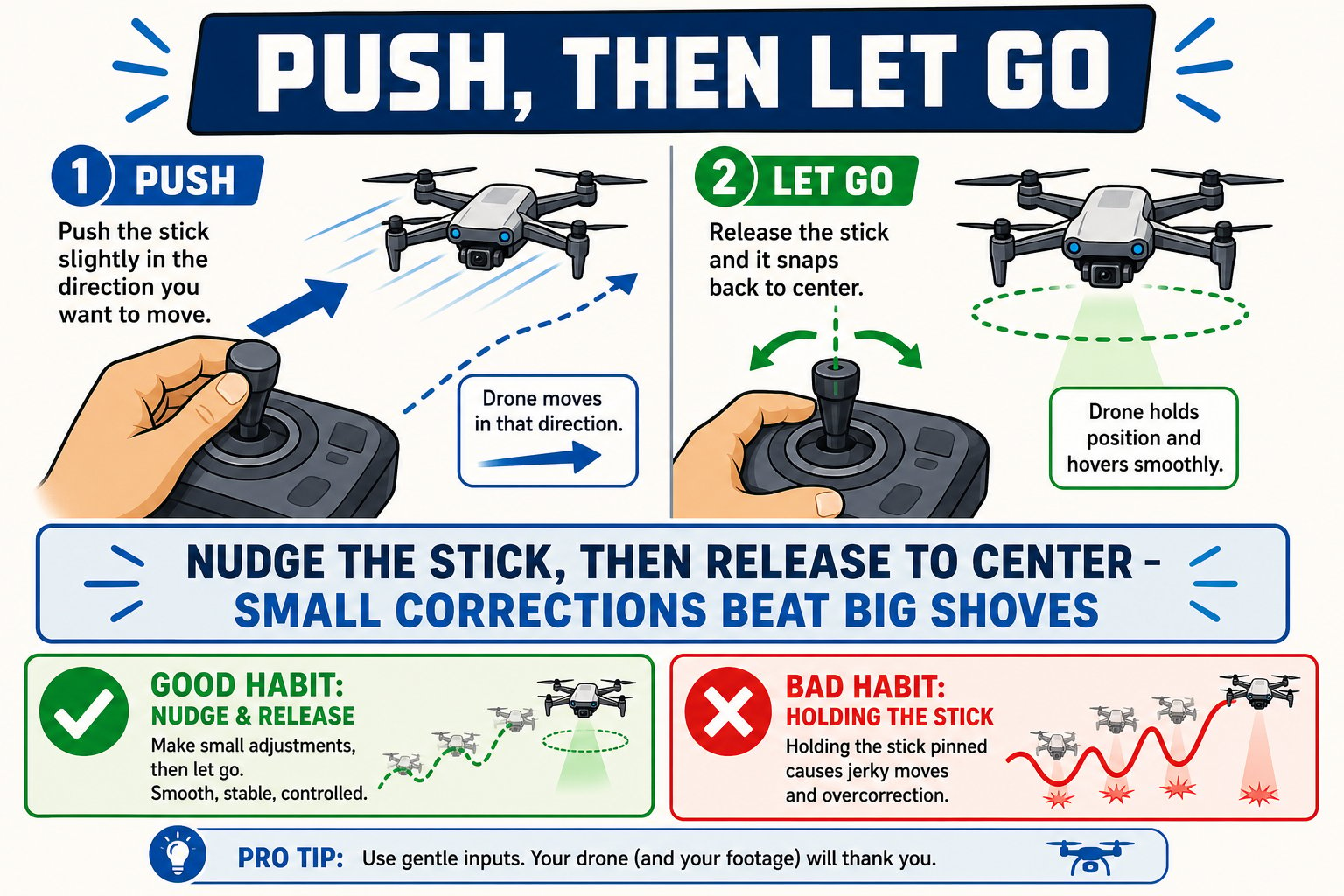
The golden rule: nudge the stick, then let it snap back to center
Precision practice
Once the basics feel comfortable:Fly a circle
Draw or imagine a large circle on the floor and practice keeping the drone inside it. Shrink the circle as you improve.
Change your position
Move to the drone’s side instead of behind it and fly again. Controlling from different angles is a key skill - and a great time to try headless mode.
You can take off, hover, control altitude, fly in all directions, rotate, and land smoothly. You’re a pilot!