

From blocks to real code
Blocks are a great way to start, but every block stands for a line of real code. echo.pitsco.com lets you switch to JavaScript - the most popular programming language in the world - and see the same program as text.Look for the Views: Blocks | Javascript toggle in the bottom-right corner of echo.pitsco.com. Click Javascript to see your blocks turn into code.
Blocks and code are the same thing
Every block you used has a JavaScript equivalent. Build a program in blocks, flip to the JavaScript view, and you’ll see the matching text. Your take off, hover, and land program becomes a few clean lines of code - each block is one line. Here’s the idea: Blocks:Your square in JavaScript
Remember the loop that flew a square? In JavaScript, a loop is written withfor:
for line means “repeat 4 times.” Everything inside the { } runs each time - exactly like the repeat block.
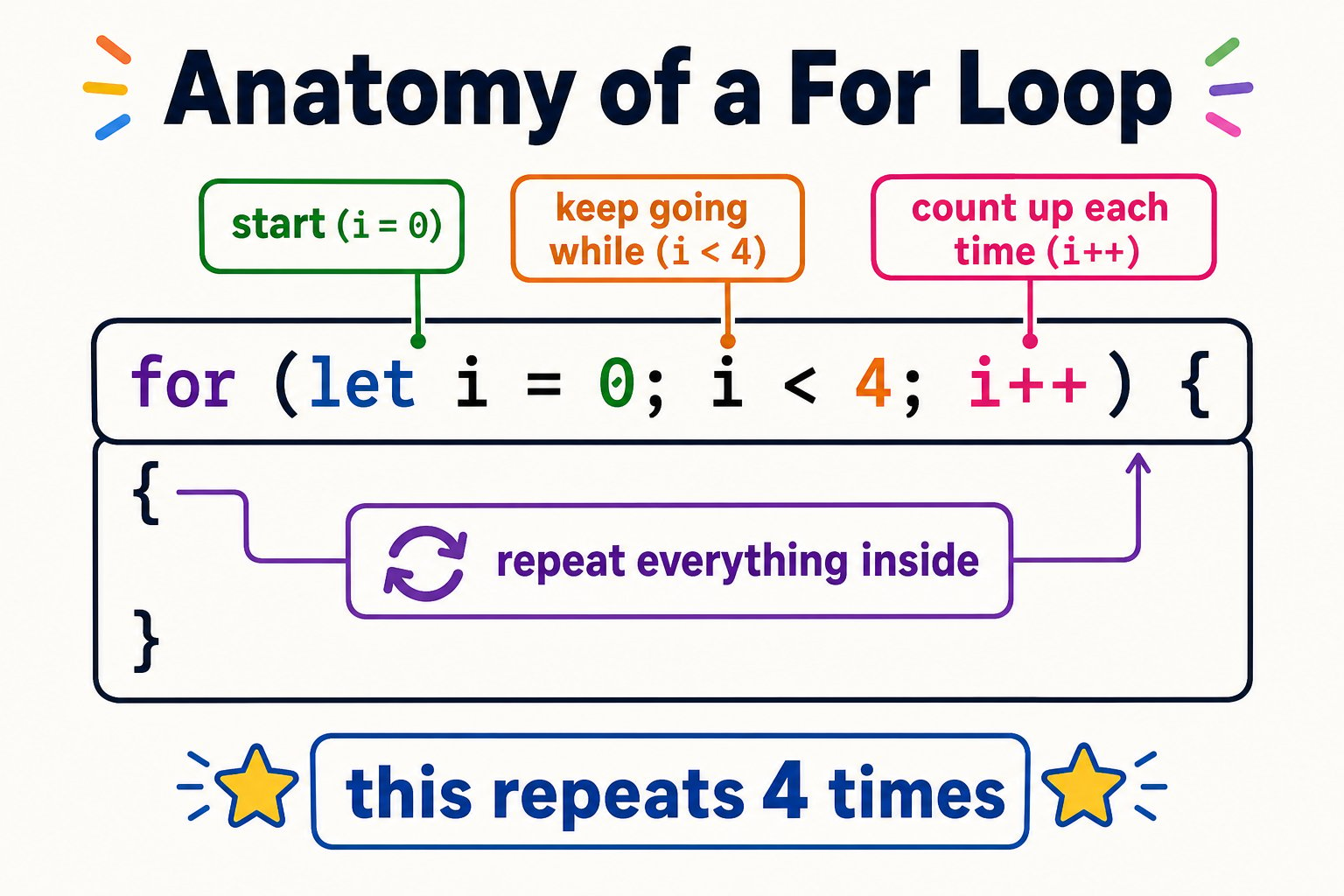
Every part of a for loop, decoded - it looks scary but it's just 'repeat 4 times'
for (let i = 0; i < 4; i++) line scare anyone - it’s just three small jobs bolted together: start counting at 0, keep going while the count is under 4, and add 1 each time. The block palette wrote all of that for you.
Why learn the text version?
It's faster
Once you know the commands, typing is quicker than dragging blocks.
It's real-world
JavaScript,
for loops, and functions are used by professional programmers every day.It's precise
Text code makes it easy to fine-tune exact numbers and see your whole program at once.
It grows with you
The same concepts carry into Python, app development, and game design.
Try it
Build in blocks
Make a short program with blocks - take off, fly forward, spin, land.
Flip to Javascript
Click Javascript in the Views toggle and read the code your blocks created.
Change a number
Edit a value in a line - change a speed or a time - then run it with START PROGRAM.
You can switch to the Javascript view, explain that each block equals a line of code, and edit a value in the code.