

From pilot to programmer
For two days you’ve flown your drone by hand. Today it levels up: instead of you holding the sticks, your code flies the drone. You’ll give it a list of instructions - take off, fly forward, spin, land - and it carries them out on its own.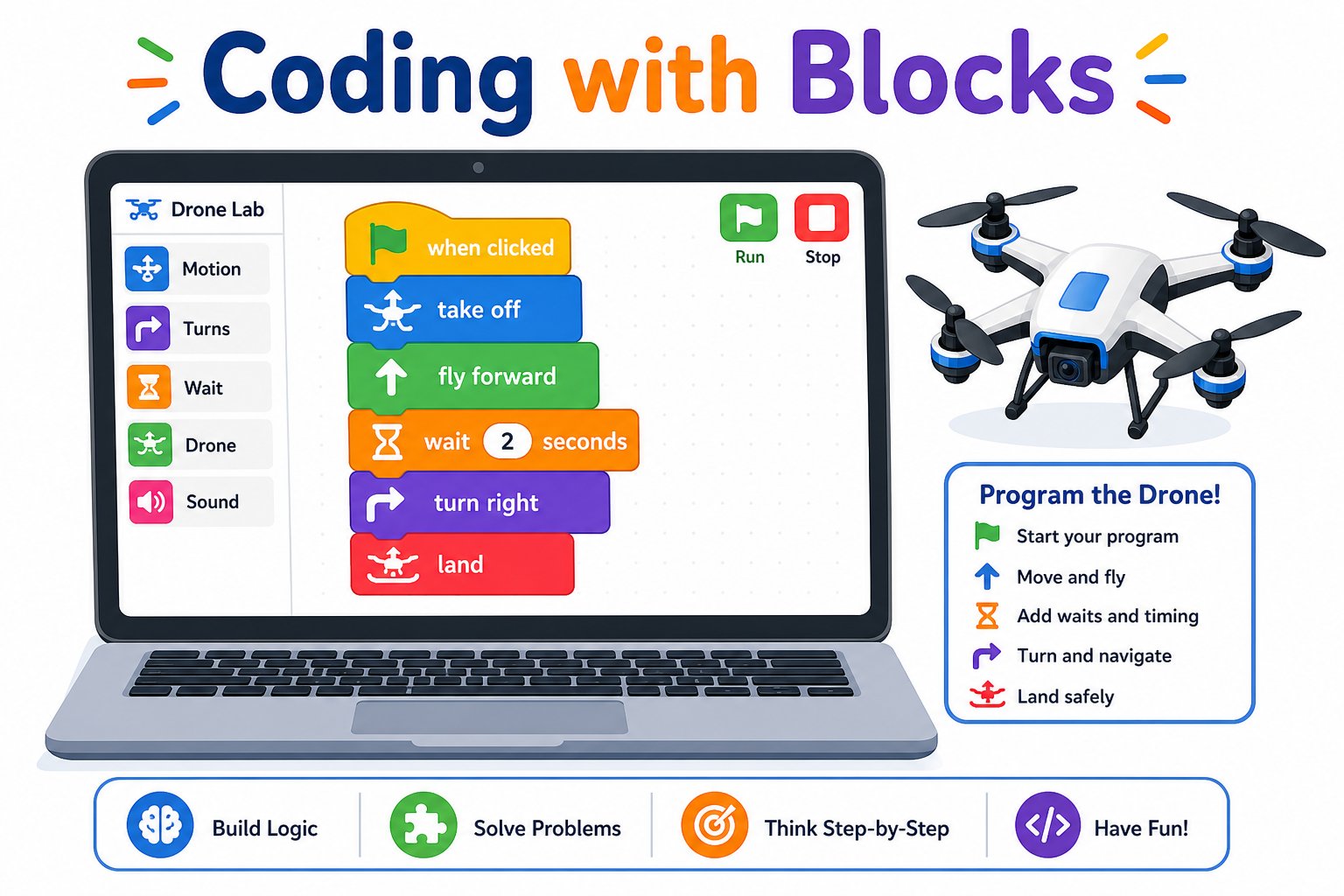
You snap together blocks, and the drone flies the program
What is a program?
A program is just a list of instructions a computer follows in order. You already think this way - a recipe or a set of directions is a program for a person. A drone program is a set of steps for the drone: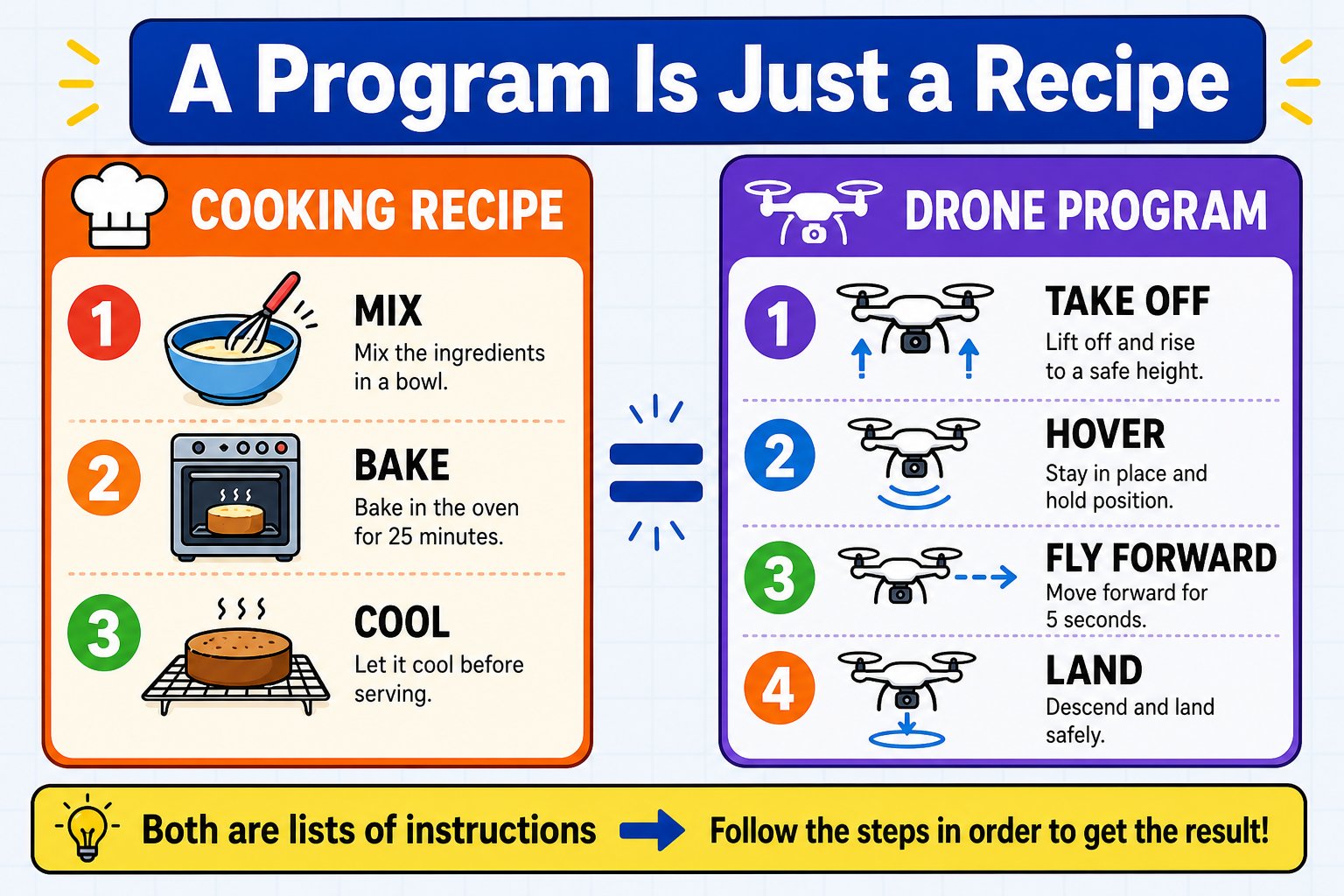
A program is a recipe: the drone follows your steps in order, exactly, every time
The three things every program does
Almost every program - from a drone flight to a video game - is built from just three simple ideas. You’ll use all three this week:Sequence
Steps run in order, top to bottom. Take off before you fly forward.
Loops
Repeat steps without copying them. Fly a square with one small loop instead of eight blocks.
Decisions
If-then choices let a program react - “if battery is low, land.” (You’ll dig into these on Day 5.)
Block coding
You’ll write programs by snapping together blocks - no typing, no syntax errors. Each block is one instruction (like “take off” or “fly forward”). You drag them into order and press play. It’s the same idea as Scratch, and it’s how most people start coding.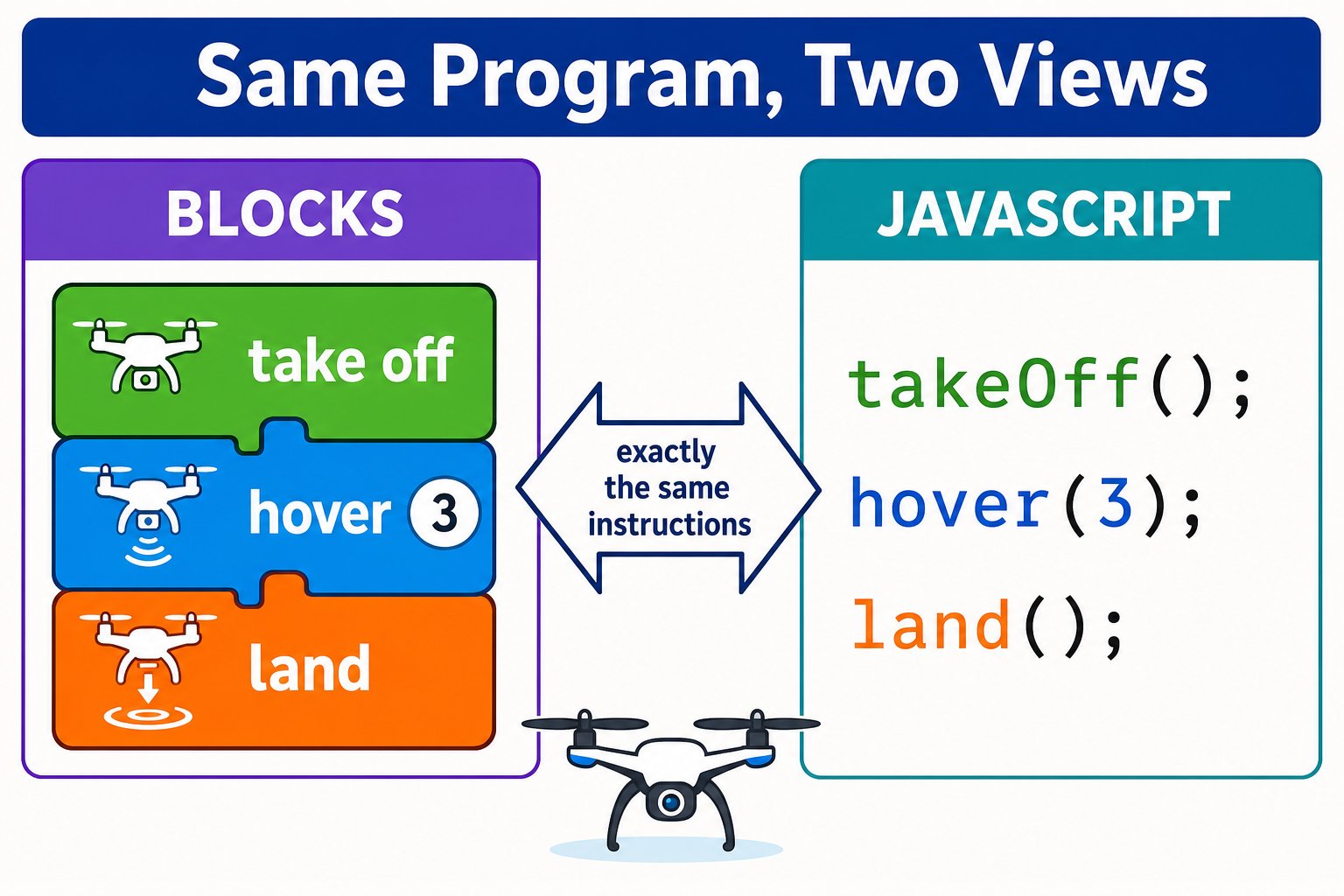
Blocks on the left, the real JavaScript they stand for on the right - same program, two views
Meet echo.pitsco.com
This week’s coding tool is echo.pitsco.com - a free website that talks to your drone. There’s nothing to install and no account needed.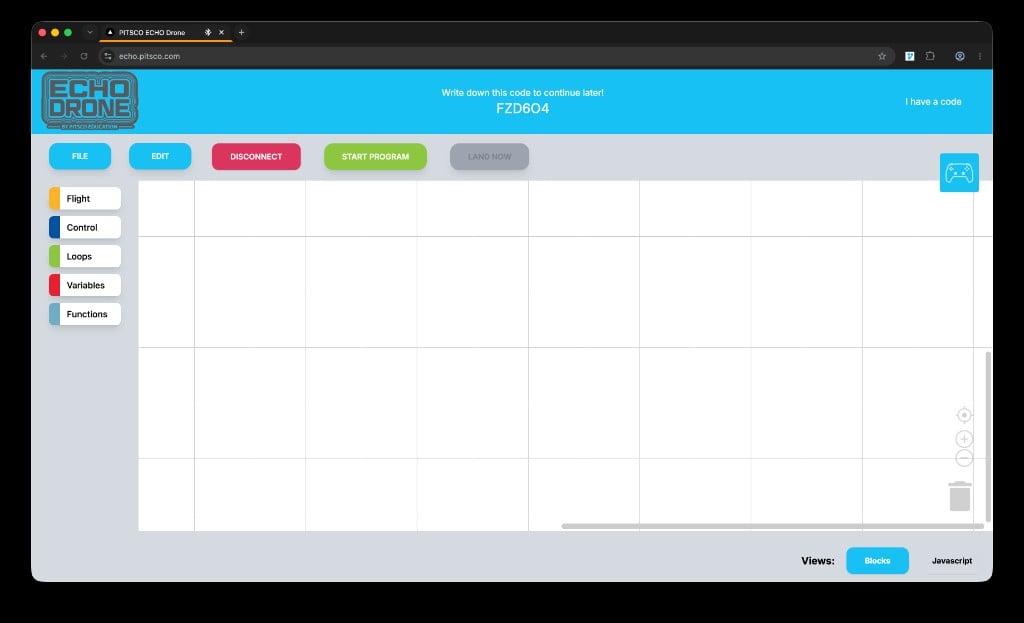
The echo.pitsco.com workspace once your drone is connected
Block categories (left)
Flight, Control, Loops, Variables, and Functions - each is a drawer of blocks you drag into your program.
Toolbar (top)
FILE, EDIT, CONNECT, START PROGRAM, and LAND NOW control your drone and your work.
Your save code (top center)
A short code (like
FZD6O4) that saves your work so you can continue later with I have a code.Blocks / Javascript (bottom right)
Switch between drag-and-drop blocks and real JavaScript with the Views toggle.
echo.pitsco.com connects to your drone over Bluetooth, straight from your web browser. Open the site in Google Chrome or Microsoft Edge (Bluetooth coding isn’t supported in Safari).
Bluetooth vs the controller
Your drone can listen to the controller or to your code, but not both at once:- Controller (Days 1-2): you fly by hand with the joysticks.
- Bluetooth code (today): the website sends your program to the drone.
Why code a drone at all?
Precision
Code repeats the exact same flight every time. Your hands never will.
Repeatability
Run the same mission a hundred times - for inspections, mapping, or delivery.
Autonomy
A coded drone flies itself. Real drones survey fields and film movies with no pilot touching the sticks.
Superpowers
Loops, timers, and decisions let one program do things no human pilot could do by hand.
Talk about it
Discussion prompts to keep the room buzzing:
- What’s a “program” you follow every morning before school? (A morning routine is a sequence!)
- If a self-driving car ran its instructions too literally, what could go wrong?
- Would you rather fly the drone by hand or write code that flies it perfectly every time? Why?
You can explain what a program is, name the three building blocks of every program (sequence, loops, decisions), name the five block categories in echo.pitsco.com, and describe how it connects to your drone.