

Build it. Fly it. Code it.
Welcome to the Drone Flight & Coding STEM Workshop. Over five days you go from a boxed-up drone to a confident pilot who can program the drone to fly missions on its own - all with beginner-friendly block coding, no experience needed.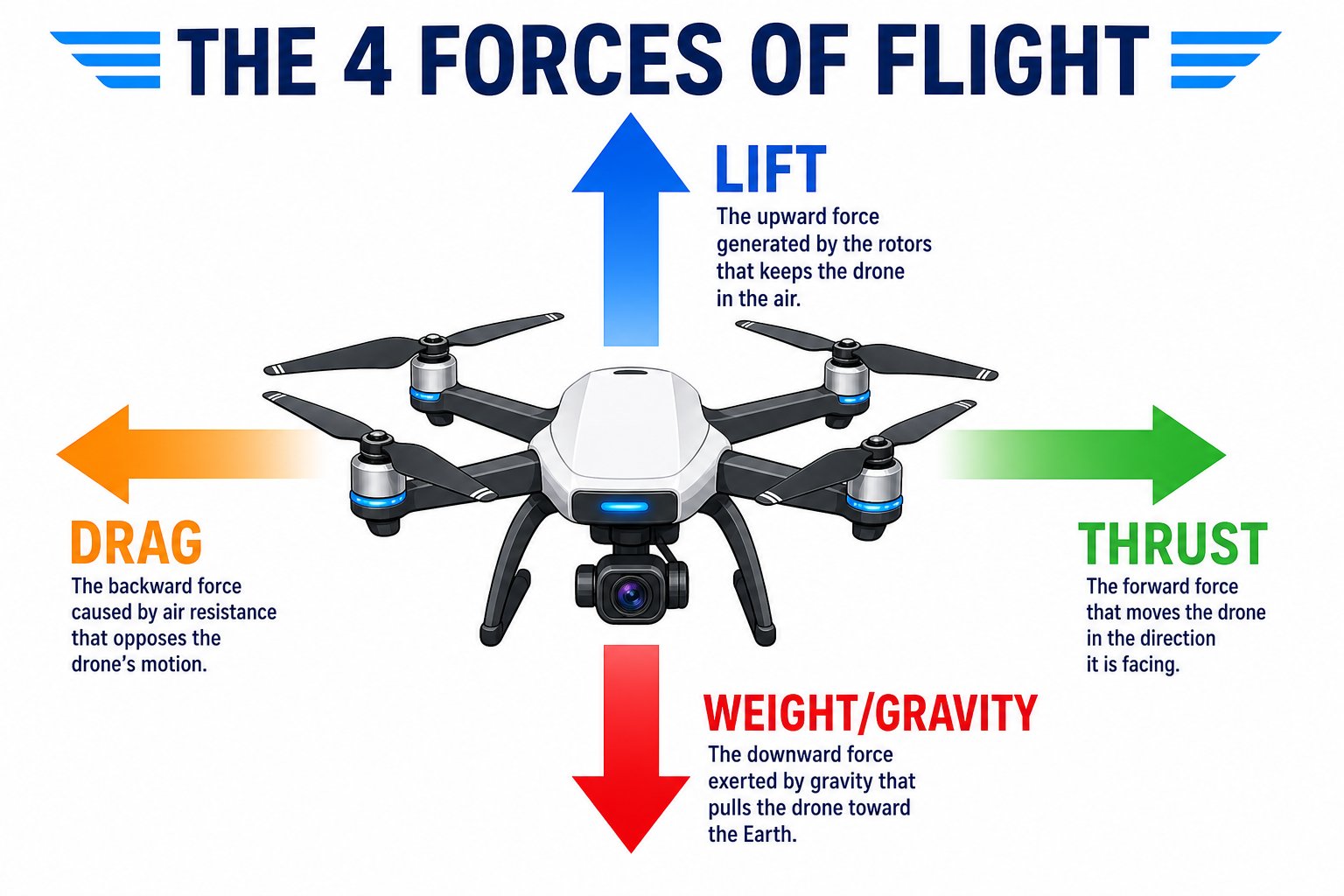
This week you'll master the four forces that keep every drone in the air
This is a fully virtual, facilitator-led camp. Every student gets a Pitsco Echo Drone to build, fly, and keep. For the coding days you’ll use a laptop or Chromebook and, for the camera, a phone or tablet.
What you’ll do this week
- Build your Echo Drone and learn how drones fly
- Fly it by hand - hover, turn, and navigate with the controller
- Code it over Bluetooth with drag-and-drop blocks at echo.pitsco.com
- See through its camera with live first-person-view video
- Program more advanced autonomous missions with the AT-66BL app
- Create a capstone project and show it off
Your week at a glance
1
Day 1: Unboxing, basics and safety
Build your drone, learn how drones fly, and master flight safety.
2
Day 2: Test flight and flying
Pair the controller, learn every control, and fly your first flights, plus more drone concepts.
3
Day 3: Coding with echo.pitsco.com
Connect over Bluetooth and write your first block programs to fly the drone automatically.
4
Day 4: Camera, FPV and concepts
Connect your phone to see the live camera, fly first-person-view, and explore more drone topics.
5
Day 5: Advanced coding and capstone
Use the AT-66BL app for more complex programs, then build and present your capstone.
Meet the Echo Drone
The Pitsco Echo Drone is a classroom quadcopter built for learning. It’s light (85 g), safe to fly indoors, needs no FAA registration, and can be flown three ways: with the controller, with block/JavaScript code over Bluetooth, and from the camera app over Wi-Fi.How the coding works
You’ll program your drone two ways this week, both beginner-friendly:- echo.pitsco.com (Day 3): a free website that connects to your drone over Bluetooth. You snap together blocks - or write JavaScript - to fly missions. Nothing to install.
- AT-66BL app (Day 5): a more advanced app that also connects over Bluetooth, with loops, events, sensors, variables, and custom blocks for more complex programs.
You’re ready to start when your drone battery is charged, your controller has fresh AAA batteries, and you have a laptop/Chromebook (for coding) and a phone/tablet (for the camera).