

Why your drone doesn’t just fall over
Balancing a quadcopter by hand would be impossible - it would need thousands of tiny motor corrections every second. Your drone does exactly that automatically, thanks to a set of sensors feeding data to the flight controller.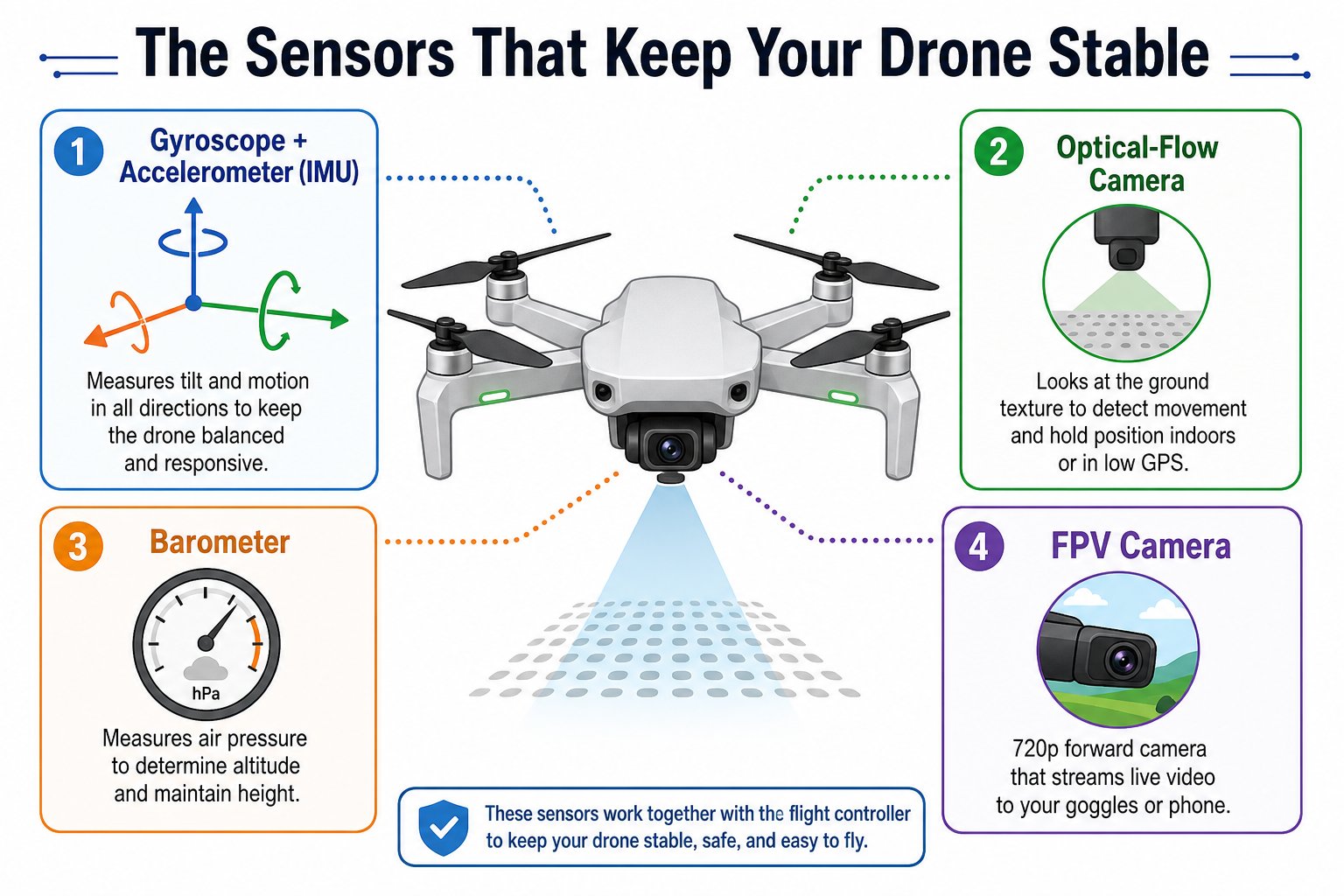
Four sensors work together to keep your drone stable and aware
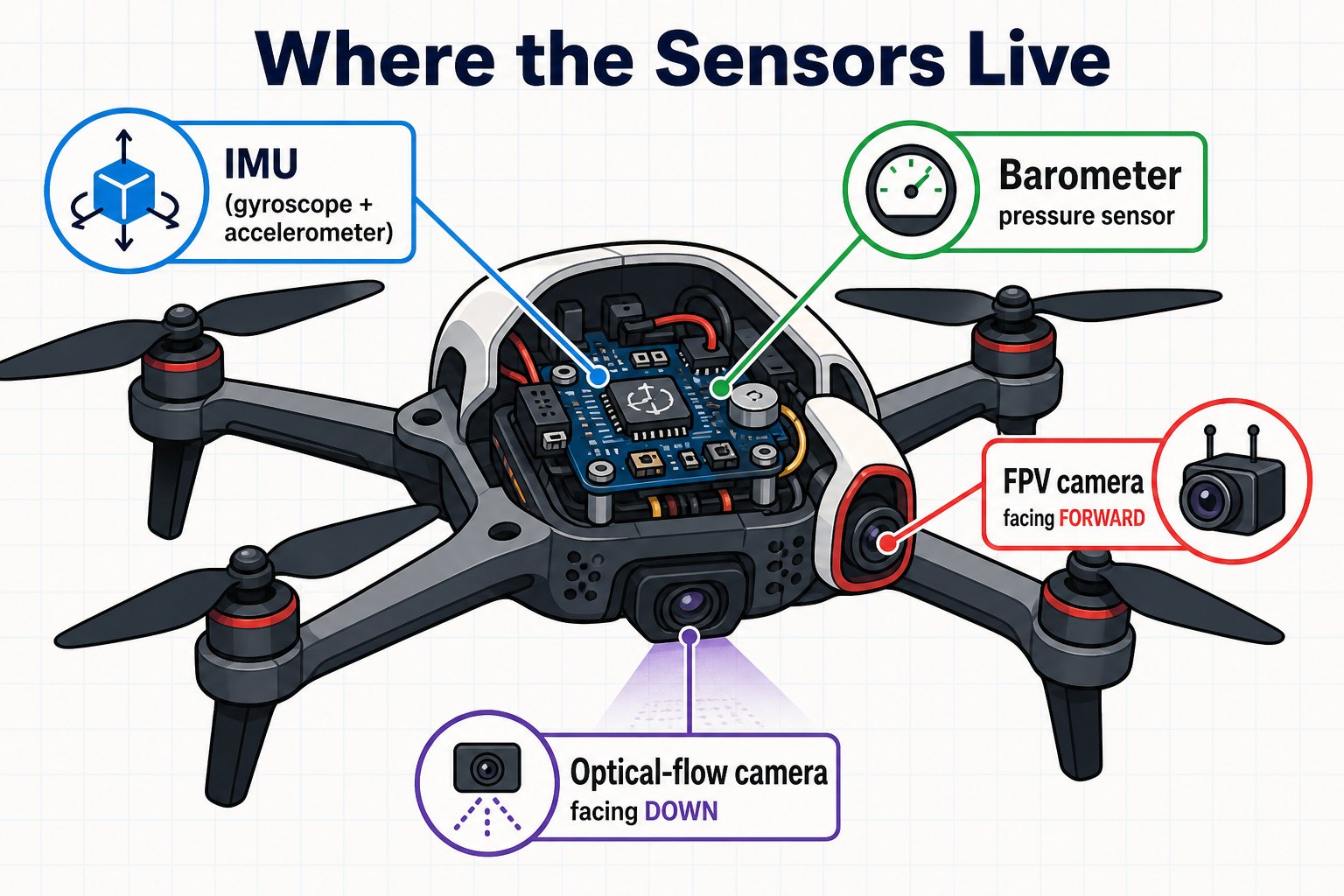
Where each sensor lives on the drone
The key sensors
Gyroscope + accelerometer (the IMU)
Gyroscope + accelerometer (the IMU)
The Inertial Measurement Unit senses rotation and acceleration in every direction. It tells the flight controller how the drone is tilting and moving - the core of staying level. These are the same chips inside your phone that rotate the screen and count your steps.
Optical-flow camera
Optical-flow camera
A downward-facing camera that watches the texture of the ground and measures how it slides past. This lets the drone hold its position when hovering, even with no GPS. It works best indoors, in good light, over a patterned (not blank or shiny) floor.
Barometer
Barometer
A pressure sensor that measures tiny changes in air pressure to estimate altitude. It helps the drone hold a steady height when you let go of the throttle.
FPV camera
FPV camera
The forward 720p camera that streams First-Person-View video to your device over Wi-Fi. It’s your eyes in the sky - you’ll fly with its live view on Day 4.
Sensors + flight controller = stable flight
Here’s the loop that repeats hundreds of times per second while your drone is in the air: This constant sense - think - act loop is the same idea behind self-driving cars and robots. It’s why you can let go of the sticks and your drone just hovers.A closer look at optical flow
The optical-flow camera is the sensor you’ll notice most while flying. It watches the floor pattern slide past and tells the flight controller to cancel out any unwanted drift - which is why the kind of floor you fly over matters so much.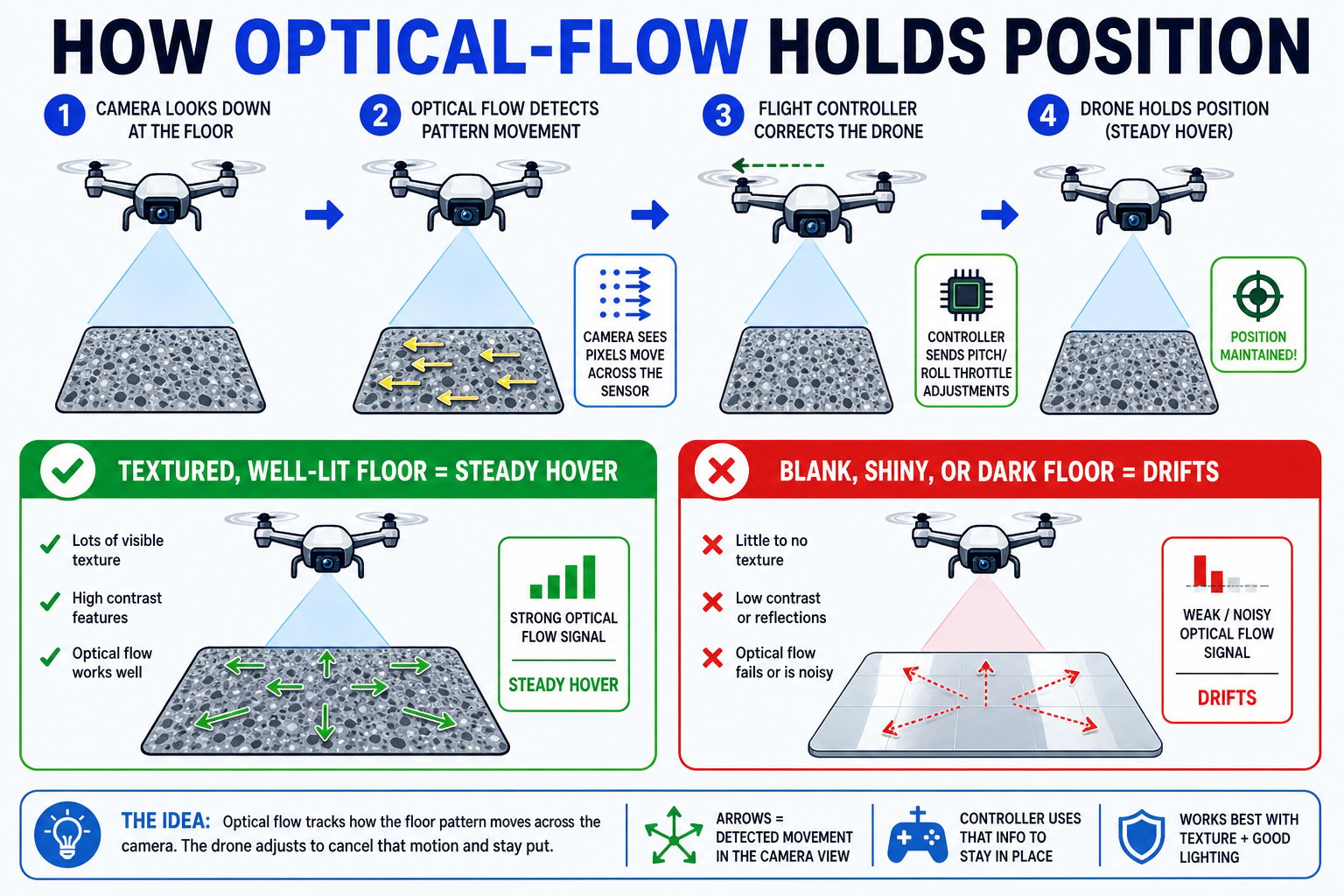
How the down-facing camera keeps your drone locked in place - and why the floor matters
You can name the four main sensors on your drone and explain how the sense-think-act loop keeps it stable.