

Getting the drone and controller talking
Before your drone will respond to a single joystick move, the drone and controller have to pair - like connecting Bluetooth headphones to a phone. You’ll do this at the start of every flight session.Make sure you have two AAA batteries in the controller and a charged battery in the drone before you start.
Pairing steps
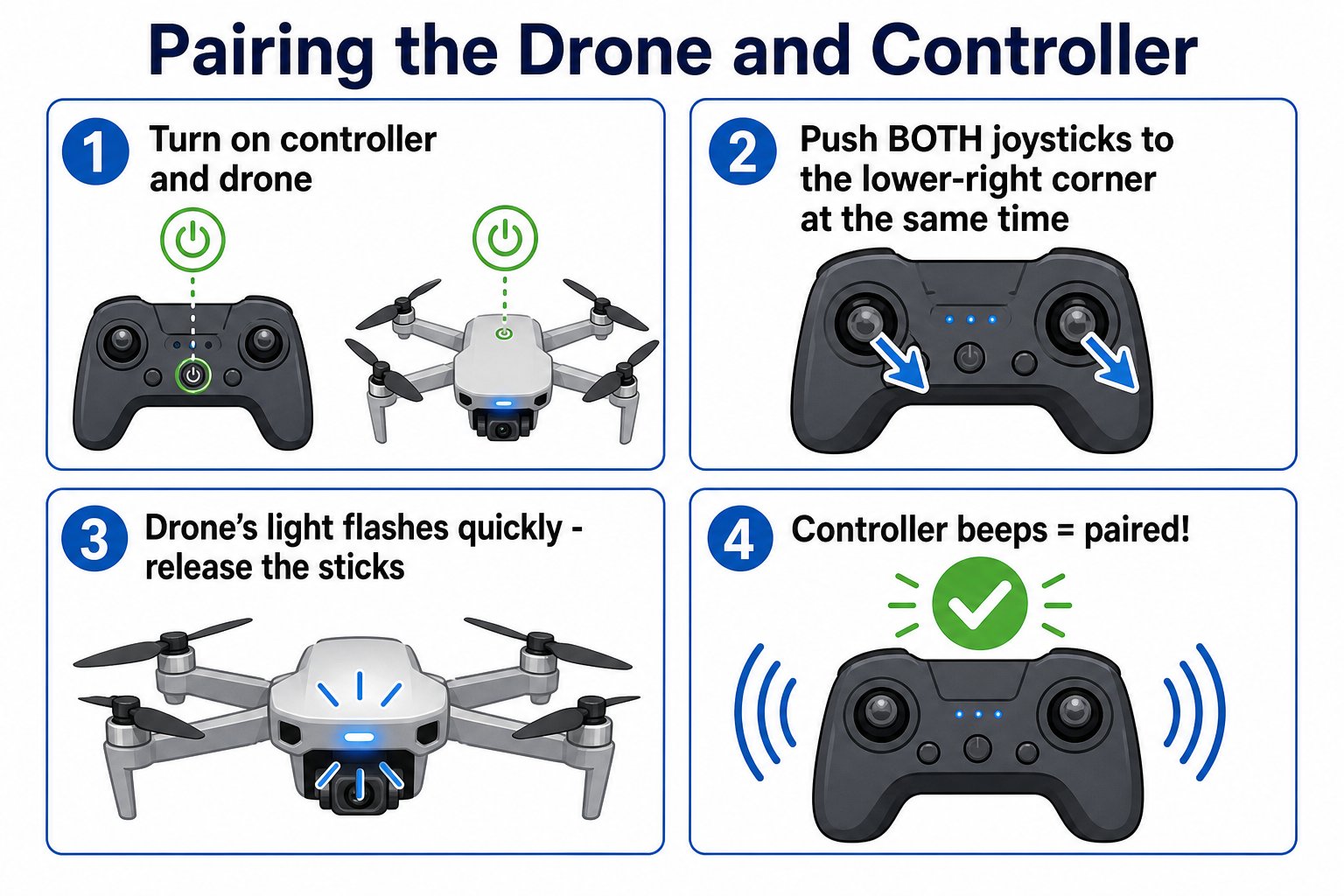
The four steps to pair your drone and controller
Power on both
Place the drone on a flat surface. Press and hold the controller’s On/Off button, then flip the drone’s power switch on. The controller starts beeping.
Push both sticks to the lower-right
Push both joysticks to the lower-right corner at the same time and hold.
Watch for the fast flash
When the drone’s indicator light flashes quickly, release the joysticks.
Wait for the beep
The light keeps flashing until the controller beeps again. That beep means the drone and controller are paired and ready.
Getting the sticks right
The trickiest part is Step 2. Both joysticks go to the lower-right corner at the same time and you hold until the drone’s light flashes fast.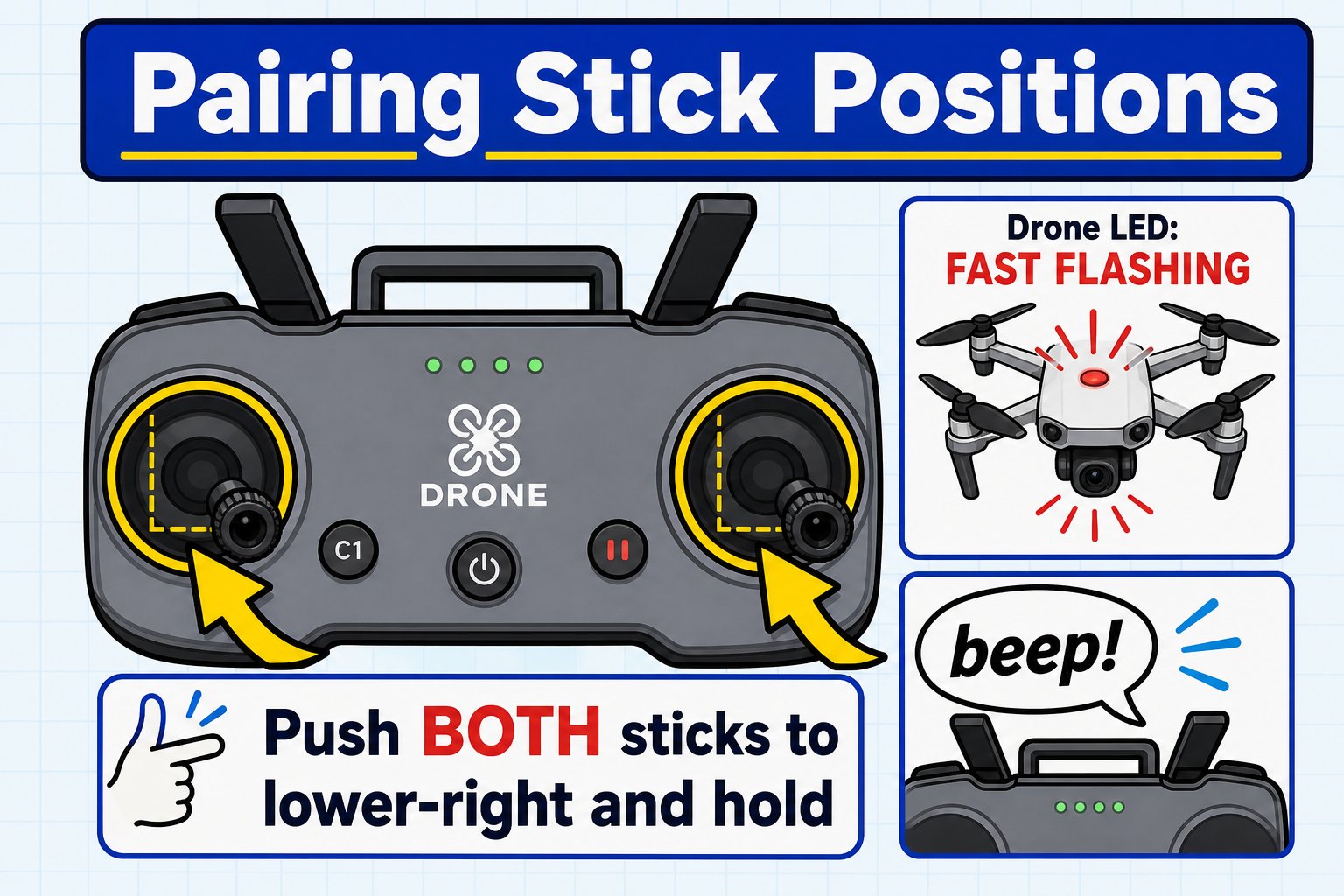
Push both sticks to the lower-right and hold until the light flashes and the controller beeps
How to tell if it worked
Pairing gives you two clear signals: the drone’s light and the controller’s beep. Use this chart to check.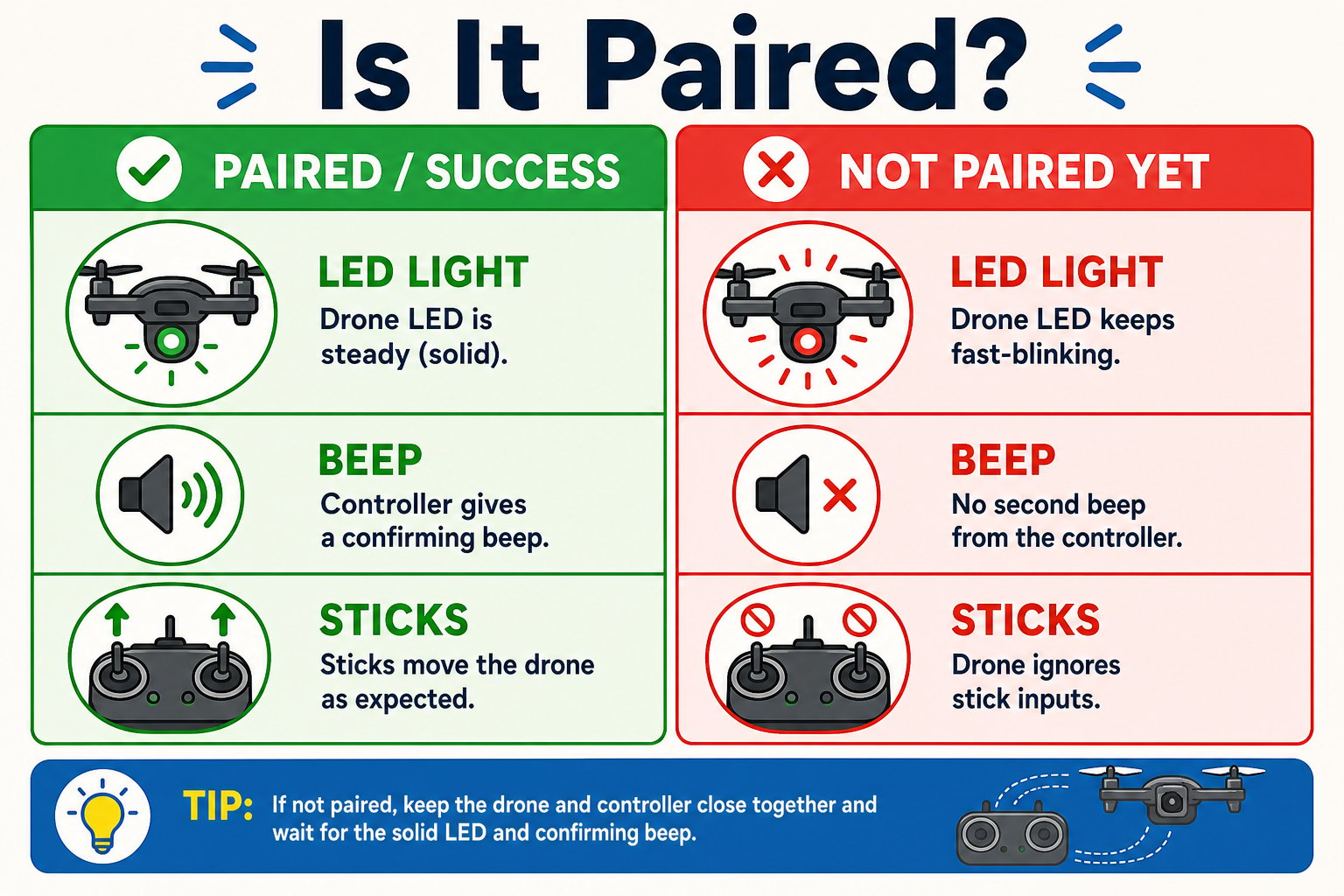
How to read the signals: paired vs not paired yet
Do a quick test after pairing: nudge the left stick up a tiny bit (motors must be unlocked first). If the drone reacts, you’re paired. If not, re-pair before takeoff.
If pairing fails
The light keeps blinking and never beeps
The light keeps blinking and never beeps
Turn both off and try again from step one. Make sure the drone is still and on a flat surface.
Nothing happens at all
Nothing happens at all
Check the drone battery is charged and clicked in, and that the controller has fresh AAA batteries.
Multiple drones nearby
Multiple drones nearby
Move apart from other students and pair one drone at a time to avoid interference.
Your drone and controller are paired - the controller has beeped and the drone’s light is steady. You’re ready to learn the controls.