

Your command center
The controller is how you talk to your drone. Before flying, get familiar with every button so your hands know what to do without looking.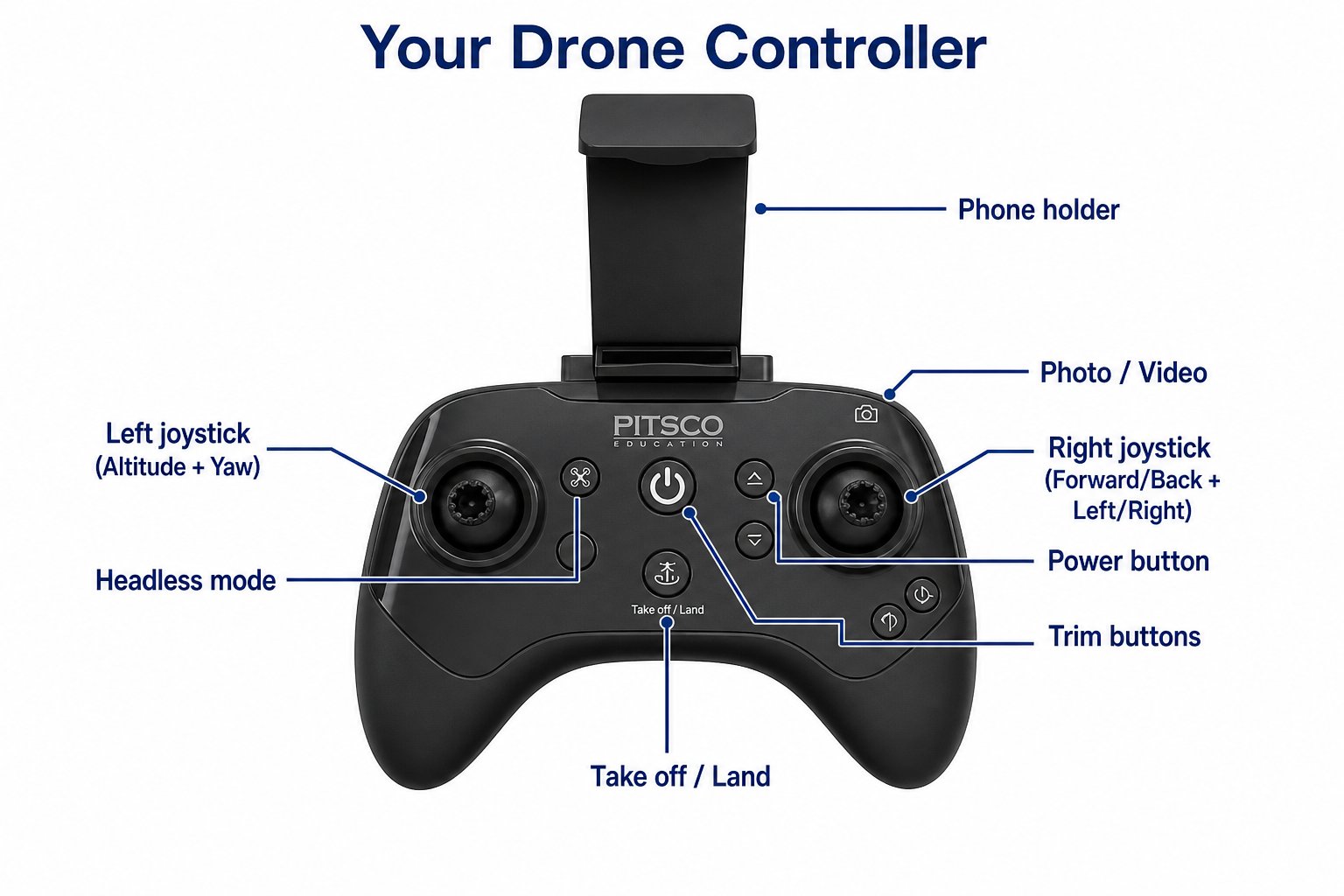
Every control on your drone's remote
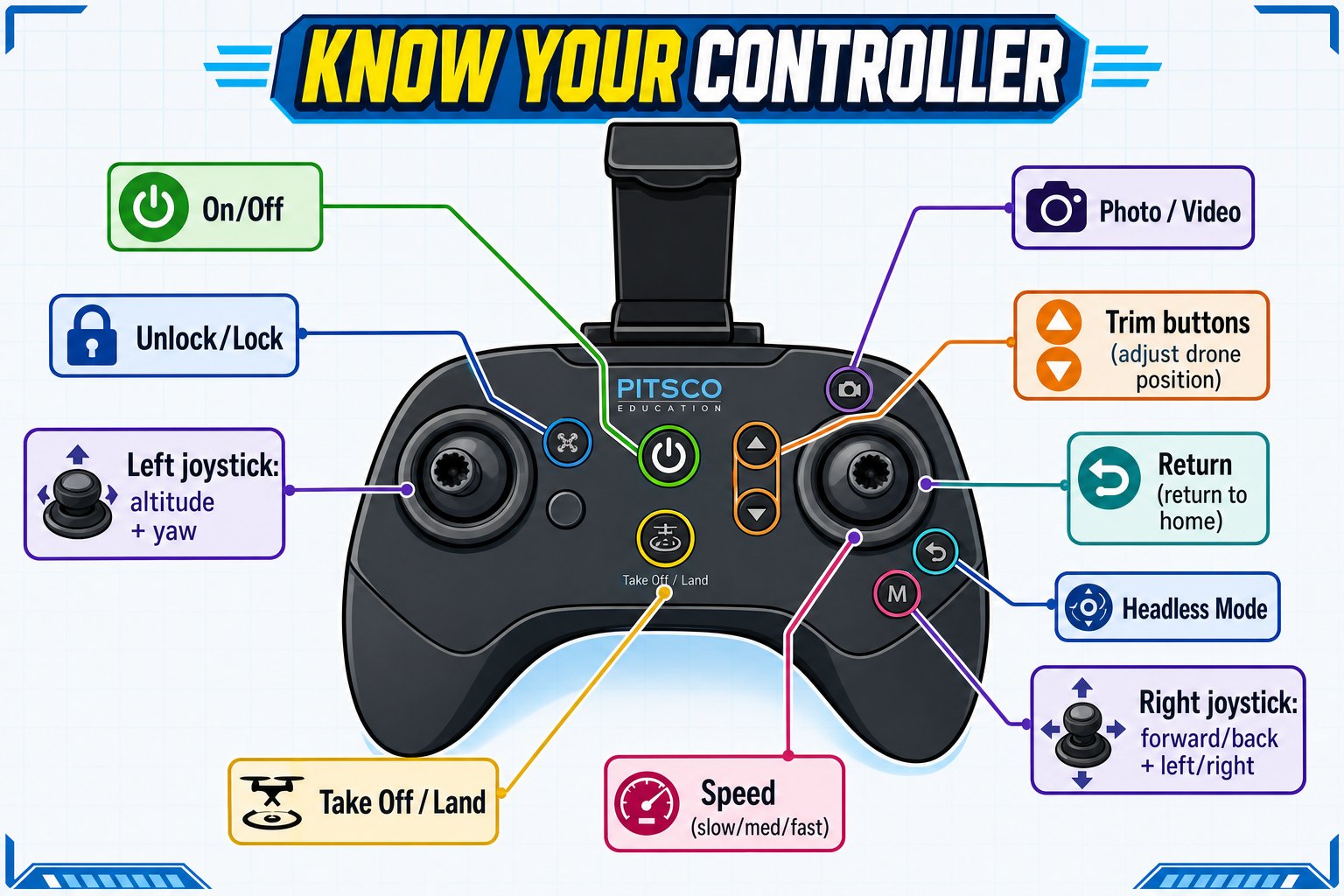
Full button map - point to each one as you learn its job
The buttons
On/Off
On/Off
Press and hold to turn the controller on or off.
Unlock / Lock
Unlock / Lock
The drone must be unlocked to fly. Unlock by pushing the left stick to the lower-left and the right stick to the lower-right at the same time - the motors start spinning. Lock (motors stop) by doing the mirror image: left stick lower-right, right stick lower-left.
Take Off / Land
Take Off / Land
After unlocking (motors spinning), press this once and the drone takes off and hovers about one meter up. Press again to land automatically.
Speed
Speed
The left bumper cycles through three speeds. The controller beeps to tell you which: slow (one beep), medium (two beeps), fast (three beeps). Start slow!
Unlock and lock the motors
Before the Take Off button does anything, the motors must be spinning. You start them with a stick gesture - and stop them with the mirror image.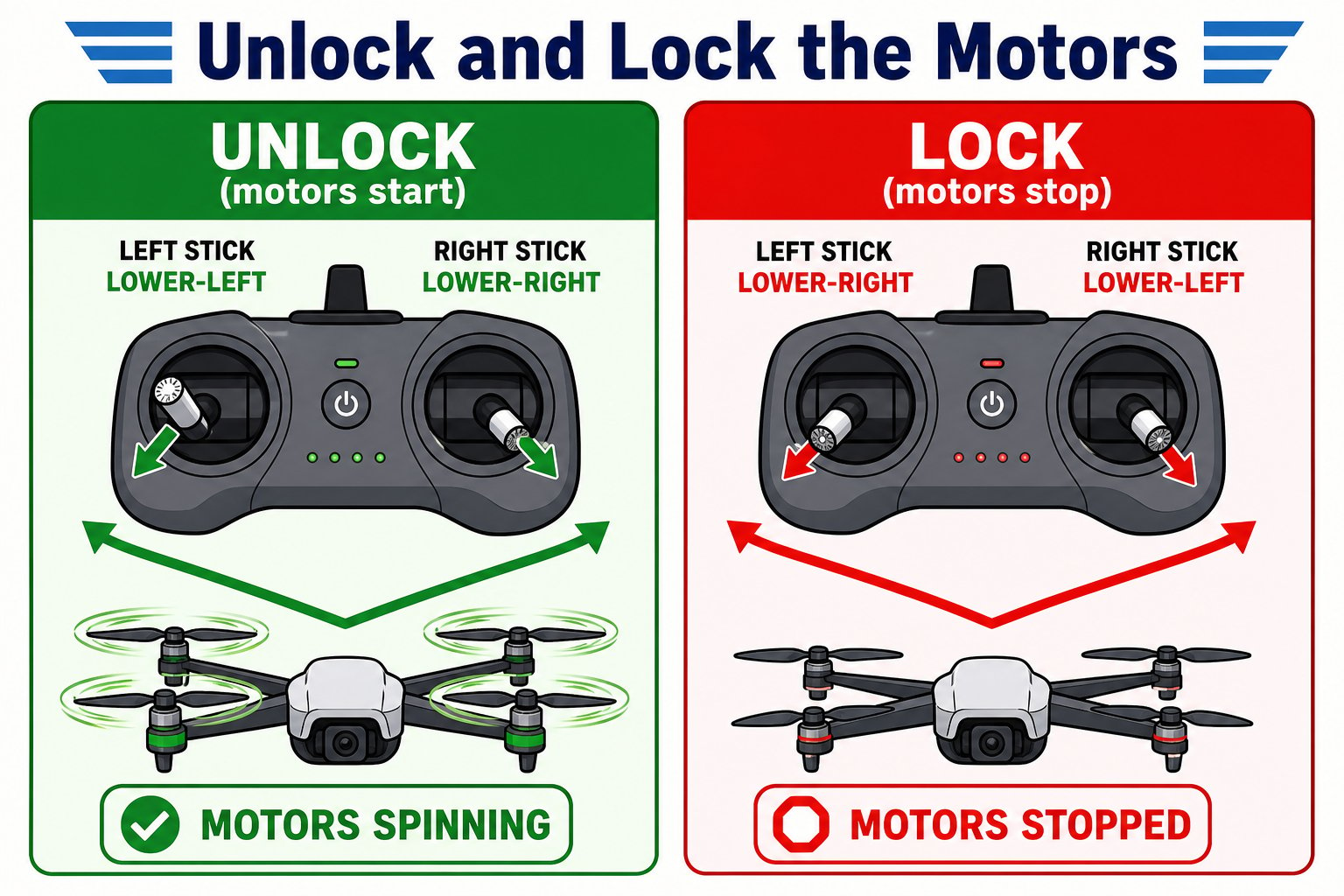
Unlock spins the motors up; lock shuts them down
The three speed modes
The Speed button cycles slow → medium → fast, and the controller beeps so you always know which mode you’re in without looking.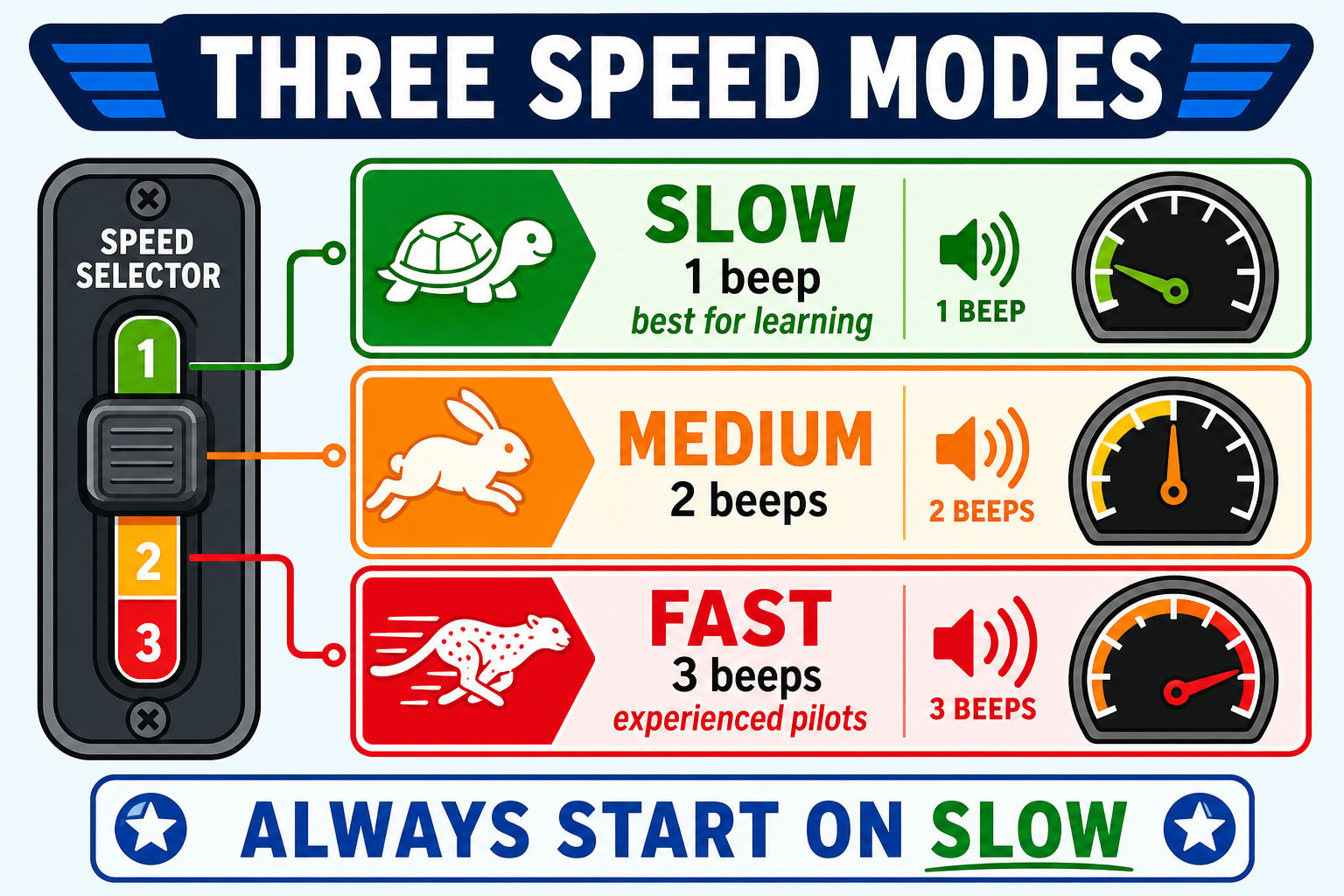
Three speeds, and the beep count that tells you which is active
More buttons
Trim
Trim
Small buttons that nudge the drone’s balance if it drifts on its own while hovering. More on these next page.
Headless Mode
Headless Mode
Switches between normal flight and headless mode (covered on the next page). One beep on, two beeps off.
Return
Return
In headless mode, sends the drone back toward where it took off.
Take Photo / Video
Take Photo / Video
Press to snap a photo, press and hold for video. Media is saved in the app (when connected).
The two joysticks
The joysticks are the heart of flying. Each one controls two things:Left joystick
Altitude (up/down) and yaw (turn left/right).
Right joystick
Forward/backward and left/right movement.
You can point to and name every button on your controller and explain what each joystick controls.