

A well-kept printer prints well
Your Ender 3 is a mechanical machine. A few minutes of care keeps it accurate and reliable for years. This page covers the maintenance habits that prevent most problems before they start.Routine maintenance
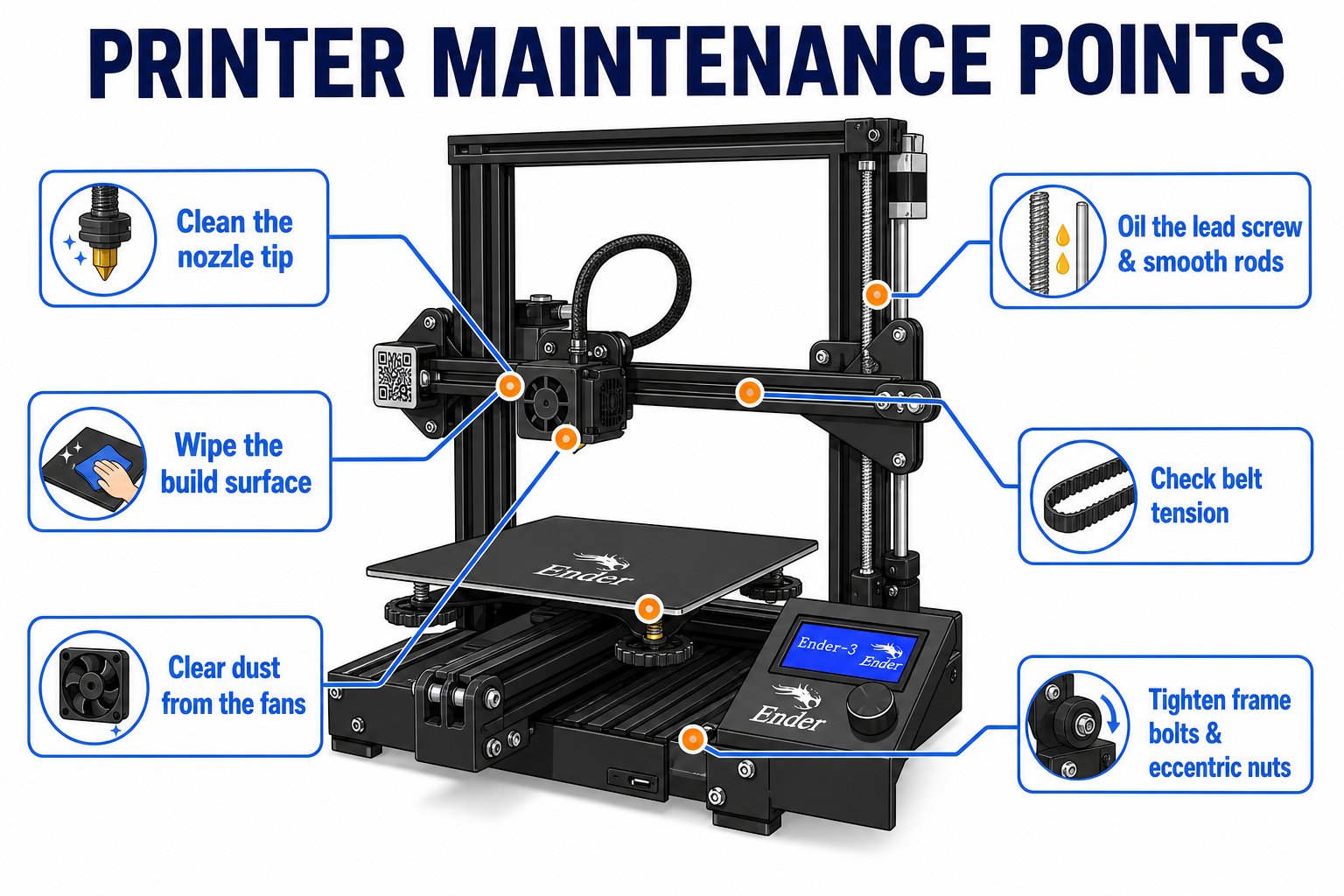
The key maintenance points on your Ender 3 - clean, lubricate, and check these regularly
Keep it clean
Keep it clean
- Wipe the build plate with isopropyl alcohol before big prints to remove oils
- Clear plastic bits and dust off the nozzle, bed, and rails
- Keep the area around the printer free of clutter
Lubricate moving parts
Lubricate moving parts
- Add a little machine grease to the Z-axis lead screw occasionally
- Keep the rails clean; a dry PTFE lubricant keeps rollers smooth
- Do not over-oil - excess grease attracts dust
Check belt tension
Check belt tension
- X and Y belts should be firm, not sloppy - a loose belt causes layer shifting and ghosting
- Pluck the belt: it should give a low twang, not flop
- The Ender 3 has belt tensioner knobs to adjust without tools
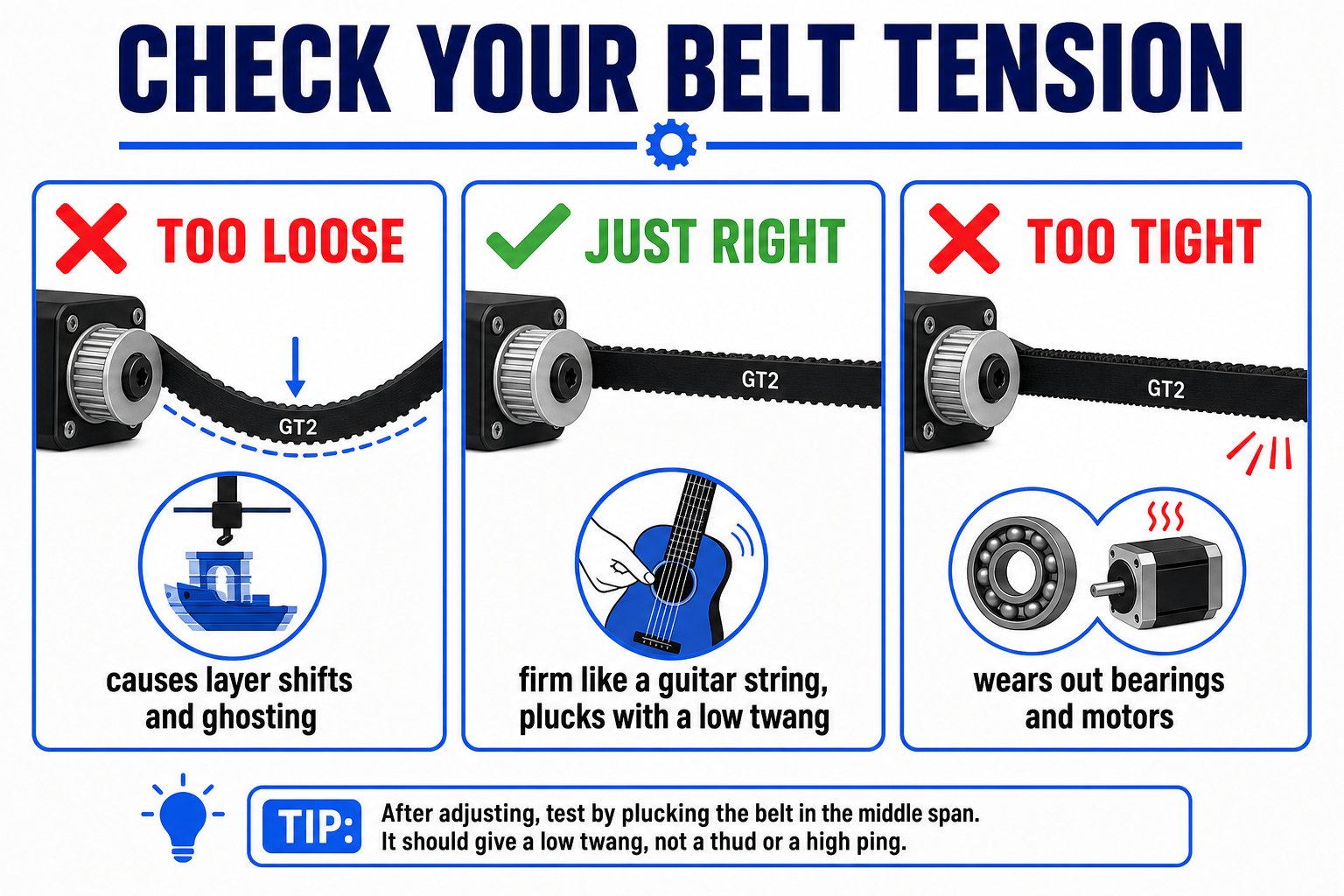
A properly tensioned belt is firm; a loose belt causes layer shifting and ghosting
Inspect the filament path
Inspect the filament path
- Make sure the PTFE tube is seated fully at both ends
- Check the extruder gear grips the filament firmly
- Look for tangles on the spool before long prints
Nozzle care
Nozzle care
- A worn or clogged nozzle causes under-extrusion - nozzles are cheap and replaceable
- Clear small clogs with a “cold pull” or a fine cleaning needle
- Nozzles come in different diameters - a wider nozzle prints faster with thicker lines, a narrow one prints finer detail
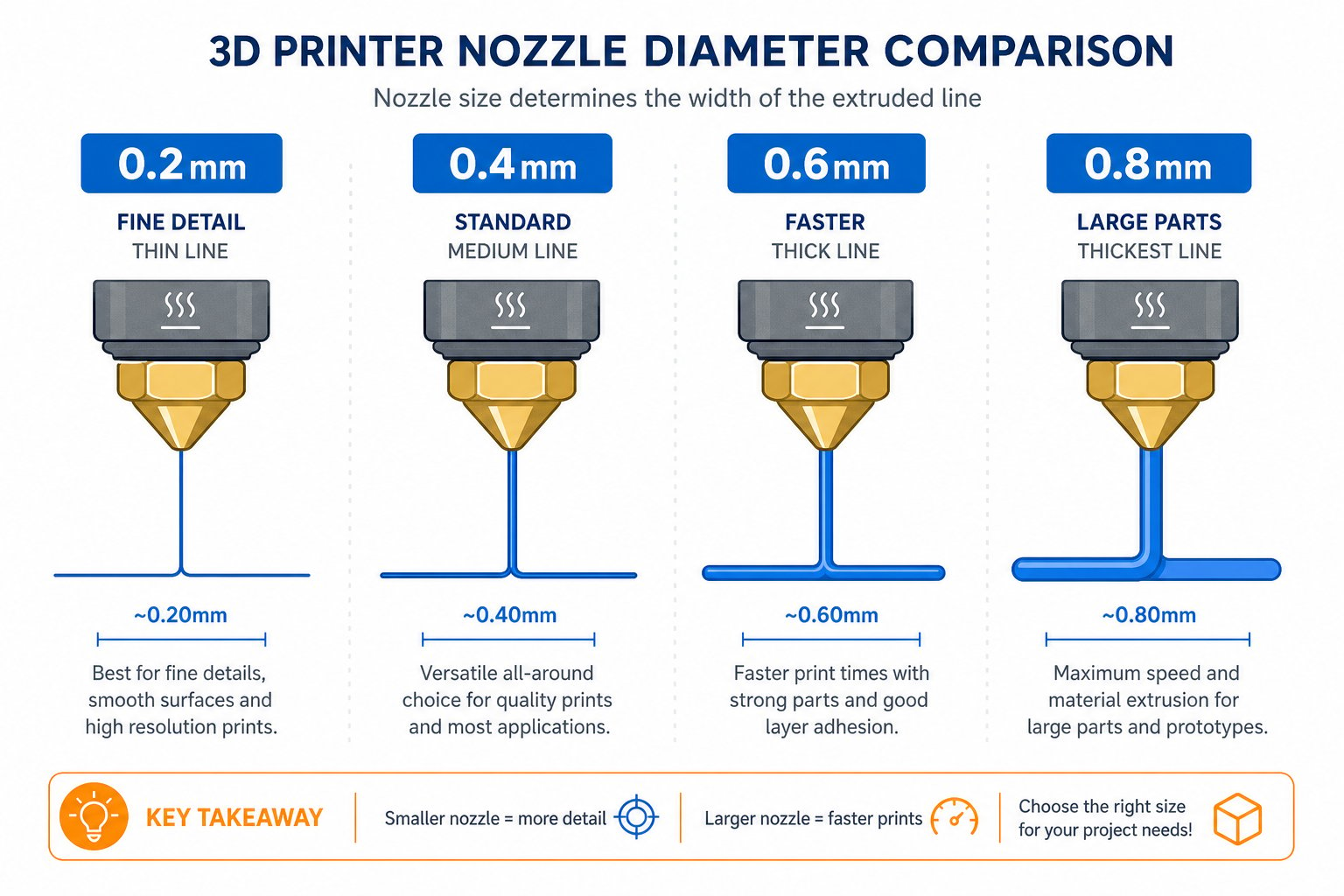
Nozzle diameter changes line width - wider prints faster, narrower prints finer detail
Re-calibration habits
Things drift over time. Re-check these when print quality drops:Re-level the bed
The most common fix. Re-run the paper test whenever the first layer stops sticking well.
Tighten the eccentric nuts
If a rail feels wobbly, snug the eccentric roller nuts so the rollers grip without binding.
Check frame squareness
Make sure the gantry is vertical and the frame is square - a tilted frame skews prints.
Update firmware and slicer
Keeping Cura and printer firmware current brings fixes and better defaults.
Optimal print-quality tips
Use good filament and keep it dry
Quality PLA stored in a sealed bag with silica gel prints far more consistently.
Dial in settings per model
Adjust layer height, infill, and speed to match the job - fine detail wants thin layers; strong parts want more infill.
Watch your first layers
Most problems appear early. A good first layer is the foundation of a good print.
Keep a maintenance log
Note what you cleaned, adjusted, or replaced so you can spot patterns.