

Designing with code
So far you have designed by dragging shapes. Now you will design with code. Tinkercad Codeblocks lets you build models using visual programming blocks - loops, variables, and math - to create shapes that would be tedious to make by hand. This is your first taste of parametric design, where changing one number reshapes the whole model.
Generative, geometric designs are easy to build with code
Open Codeblocks from the Tinkercad dashboard: Create → Codeblocks. It works like Scratch - you snap blocks together instead of typing.
The idea behind the basket
A basket is just a shape repeated in a circle. Instead of placing dozens of walls by hand, you tell the computer: “place a wall, rotate a little, repeat.” A loop does the repeating and a rotation spaces the pieces evenly around a center. Change the number of repeats and the basket gets denser; change the rotation and it twists.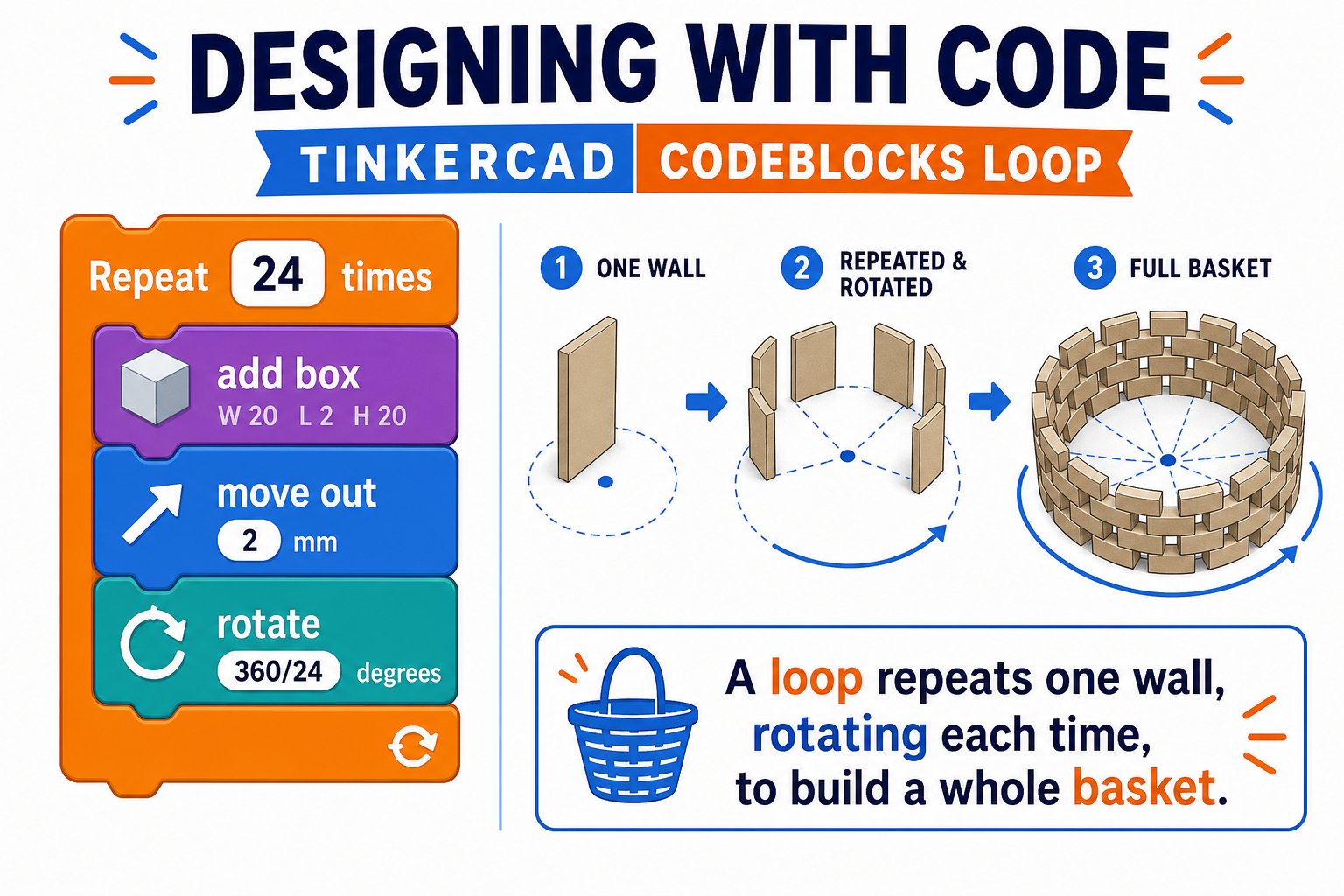
A loop repeats one wall piece and rotates it a little each time to form a full ring
Build it step by step
Start a new Codeblocks design
From your dashboard choose Create → Codeblocks. You will see a blank canvas and a palette of blocks on the left.
Create a variable for the count
Add a variable called
sides and set it to a number like 24. This controls how many pieces make up your basket.Add a repeat loop
Drag a Repeat block and set it to repeat
sides times. Everything inside runs once per side.Draw one wall piece
Inside the loop, add a Box (a thin tall wall). Give it a small width and a height for your basket wall.
Move it out from the center
Move the box outward along one axis so it sits on the rim of a circle, not at the center.
Rotate a little each time
Add a Rotate block that turns by
360 / sides degrees each loop. After a full loop, the pieces form a complete ring - your basket wall.Add a base
Outside the loop, add a flat Cylinder at the bottom so the basket has a floor.
Run and tweak
Press Run. Watch it build the basket piece by piece. Change
sides, the wall height, or the radius and run again to see how the design responds.Why this is powerful
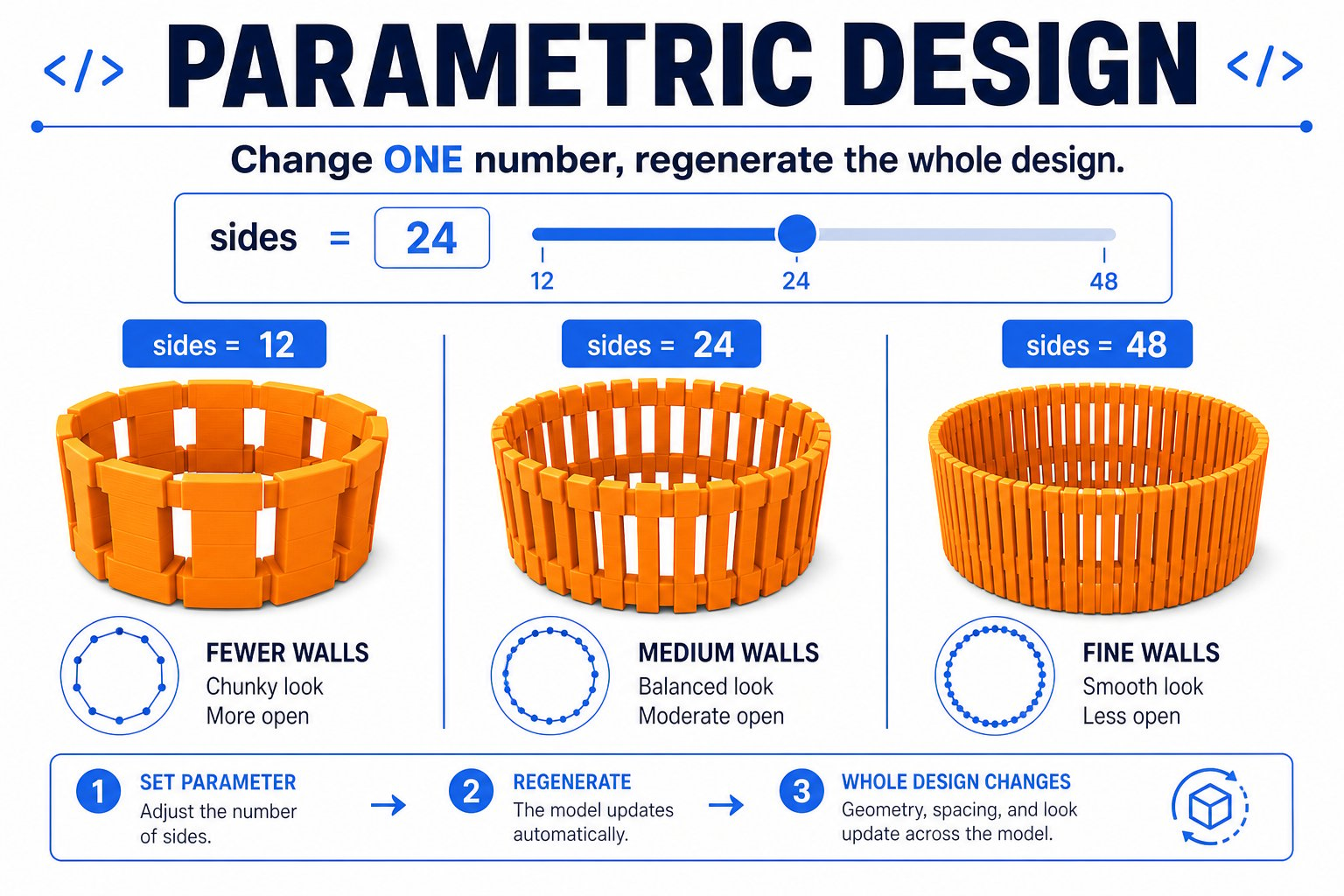
Parametric design: change one number and the whole model regenerates
Change one number
Adjust
sides from 12 to 48 and the whole basket regenerates. That is parametric design.Loops do the boring work
The computer repeats perfectly what would take you forever to place by hand.
Math makes patterns
360 / sides guarantees the pieces are always evenly spaced, no matter the count.Export like any model
Codeblocks designs export to
.stl and print exactly like drag-and-drop designs.Slice and print
Export your basket to STL, open it in Cura, and slice with beginner settings. Because a basket has thin walls and open sides, consider:- A brim for extra first-layer grip
- Slower speed for clean thin walls
- Vase mode (optional) for a single continuous spiral wall
You built a basket with code, changed a variable to reshape it, and exported it to print. You just did generative design!