

The hidden print killer: moisture
Most filaments are hygroscopic - they absorb water from the air. PLA, PETG, ABS, Nylon, and TPU all soak up moisture over time. When wet filament reaches the hot nozzle, the trapped water flashes to steam, and that ruins your print.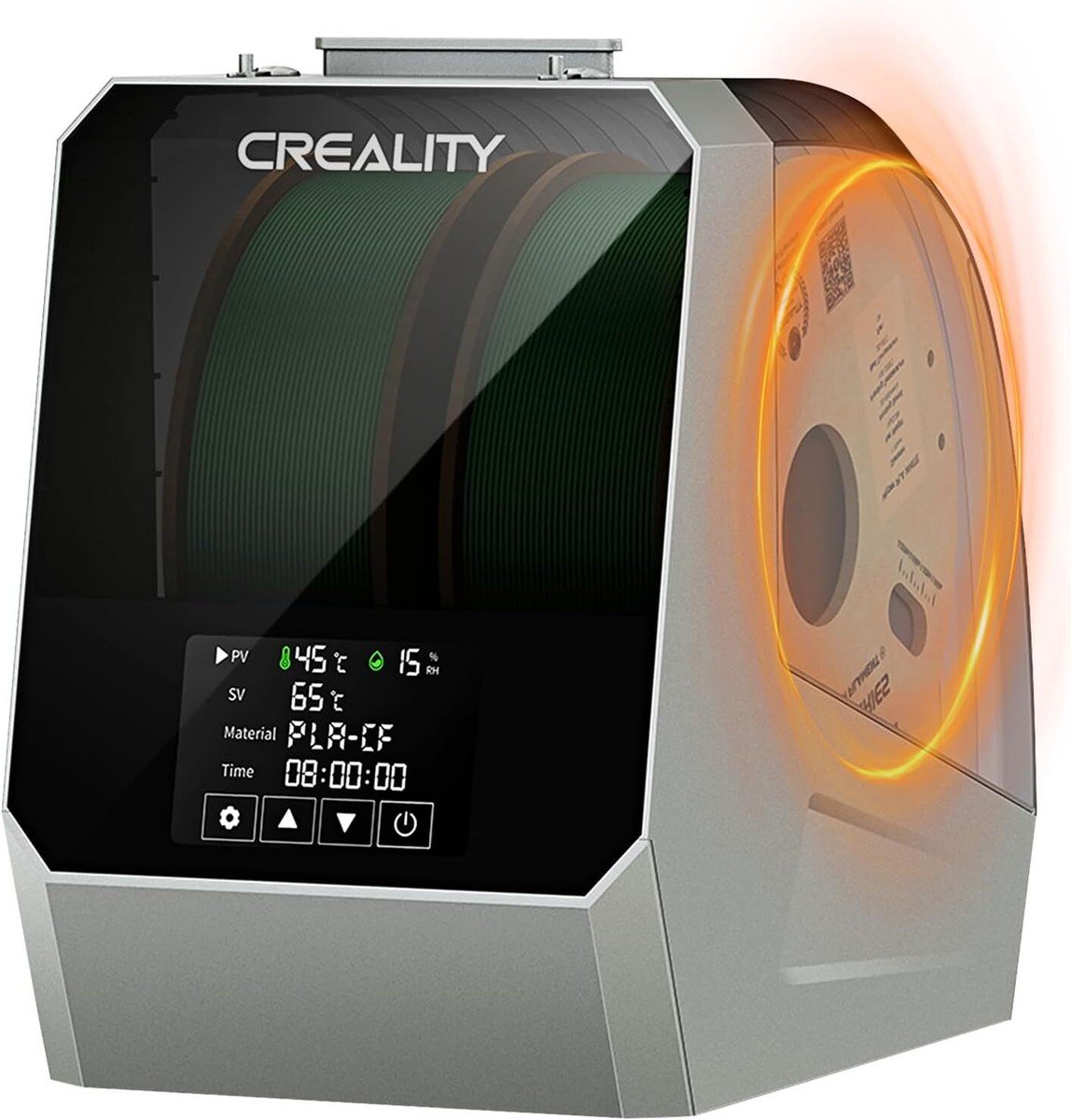
A filament dry box keeps material dry while you print
What wet filament does
When water in the filament turns to steam inside the hotend, you get:Popping and hissing
You can literally hear steam escaping the nozzle as it prints.
Stringing and blobs
Escaping steam drags plastic into wispy strings and rough blobs.
Weak, brittle prints
Steam creates tiny voids, so layers bond poorly and parts snap easily.
Rough surfaces and clogs
Bubbling extrusion leaves a pitted finish and can jam the nozzle.
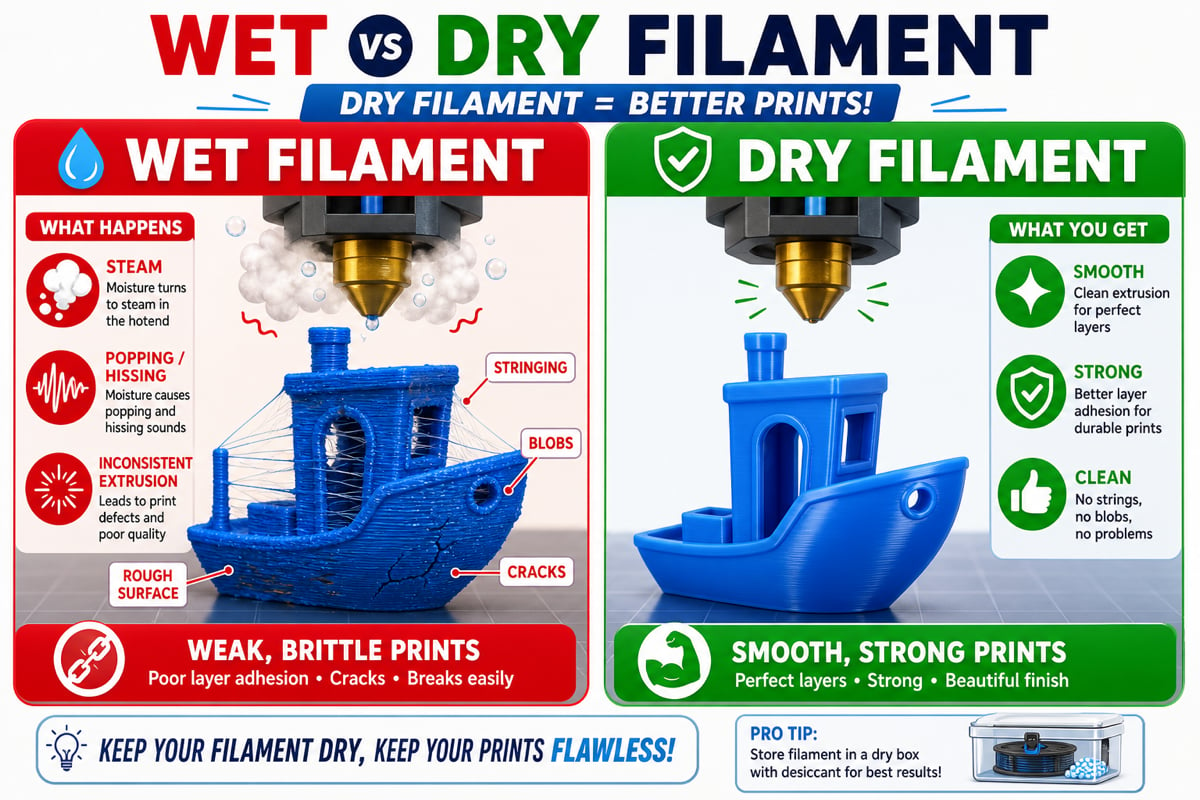
The same model printed with wet versus dry filament
How to spot wet filament
- You hear popping or hissing while printing
- The surface looks fuzzy or stringy even at good settings
- Prints feel brittle and break along layer lines
- Extrusion looks inconsistent or bubbly
If a spool that used to print fine suddenly prints badly, moisture is a likely culprit - especially after the spool has been sitting out for a while.
Storing filament
The goal is to keep filament dry and sealed when it is not printing.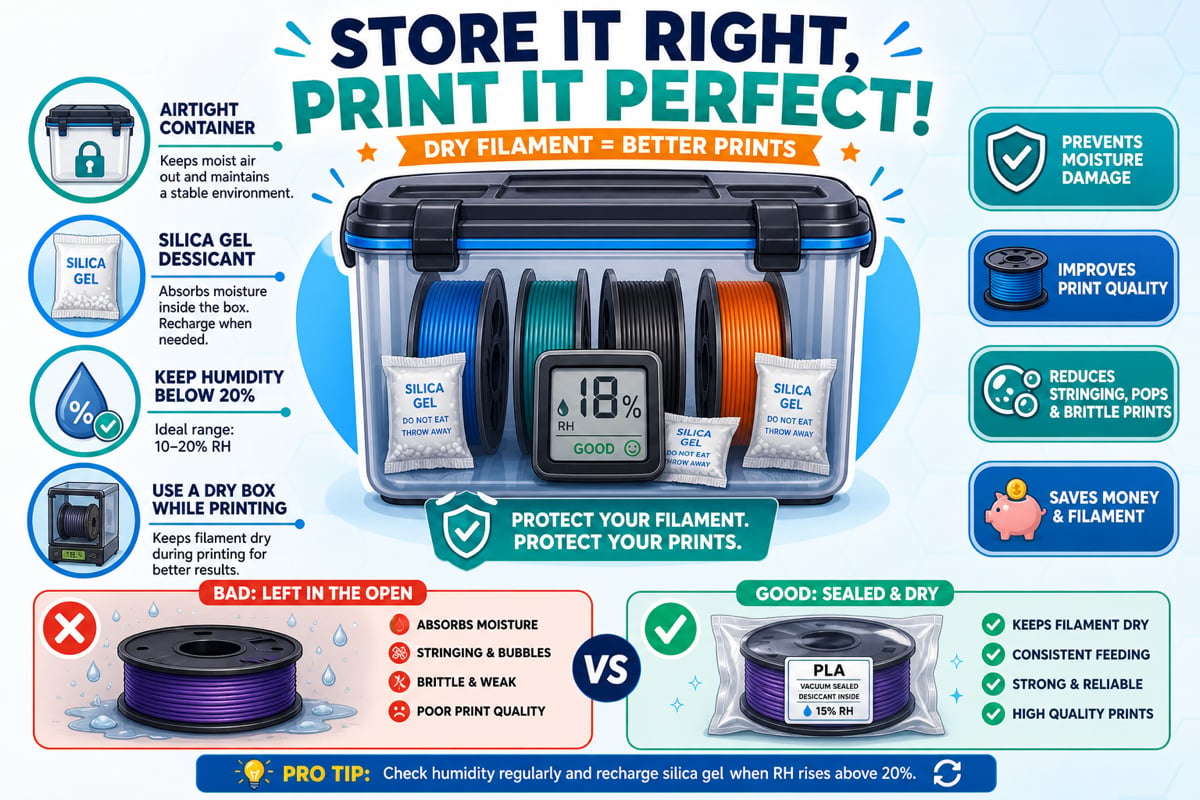
Airtight container, desiccant, and a hygrometer keep filament dry
1
Seal it up
Store spools in airtight containers or vacuum bags. A large sealed bin or dry box works great.
2
Add desiccant
Toss in silica gel packs to absorb any trapped moisture. Rechargeable desiccant packs change color when they are full.
3
Watch the humidity
Keep humidity below about 20%. A cheap hygrometer inside the container tells you if your storage is working.
4
Use a dry box while printing
A dry box (eSUN eBox, Sunlu FilaDryer, PrintDry, or Creality) both stores and gently heats filament so it stays dry even mid-print.
How to dry filament
If filament is already wet, you can dry it out and recover it.Drying temperatures and times
You understand why filament absorbs moisture, how to recognize wet filament, and how to store and dry it. Keep your PLA sealed with desiccant when you are not printing.