> ## Documentation Index
> Fetch the complete documentation index at: https://stem-docs.intellectualpoint.com/llms.txt
> Use this file to discover all available pages before exploring further.
# Capstone project
> Design, code, and present your own drone mission - the final challenge that brings the whole week together, with a full judging rubric.
## Your project, your idea
This is the finale: **you invent your own drone mission**, code it in AT-66BL, and present it to the class. Everything you learned this week - flight, blocks, loops, variables, decisions, custom blocks - comes together here. There's no single right answer. The best projects are the ones *you* are excited about.
 ## The rules
You choose the mission. Copying a demo exactly doesn't count - remix it, extend it, make it yours.
The drone flies from **your code** (green flag), not by hand on the joysticks.
Take off and land cleanly, in a clear space, with the stop button in reach.
Demo it and explain how it works - including at least one problem you solved.
## Pick your challenge level
Choose a tier that stretches you - judges reward ambition *and* polish. Or invent something not on this list.
## The rules
You choose the mission. Copying a demo exactly doesn't count - remix it, extend it, make it yours.
The drone flies from **your code** (green flag), not by hand on the joysticks.
Take off and land cleanly, in a clear space, with the stop button in reach.
Demo it and explain how it works - including at least one problem you solved.
## Pick your challenge level
Choose a tier that stretches you - judges reward ambition *and* polish. Or invent something not on this list.
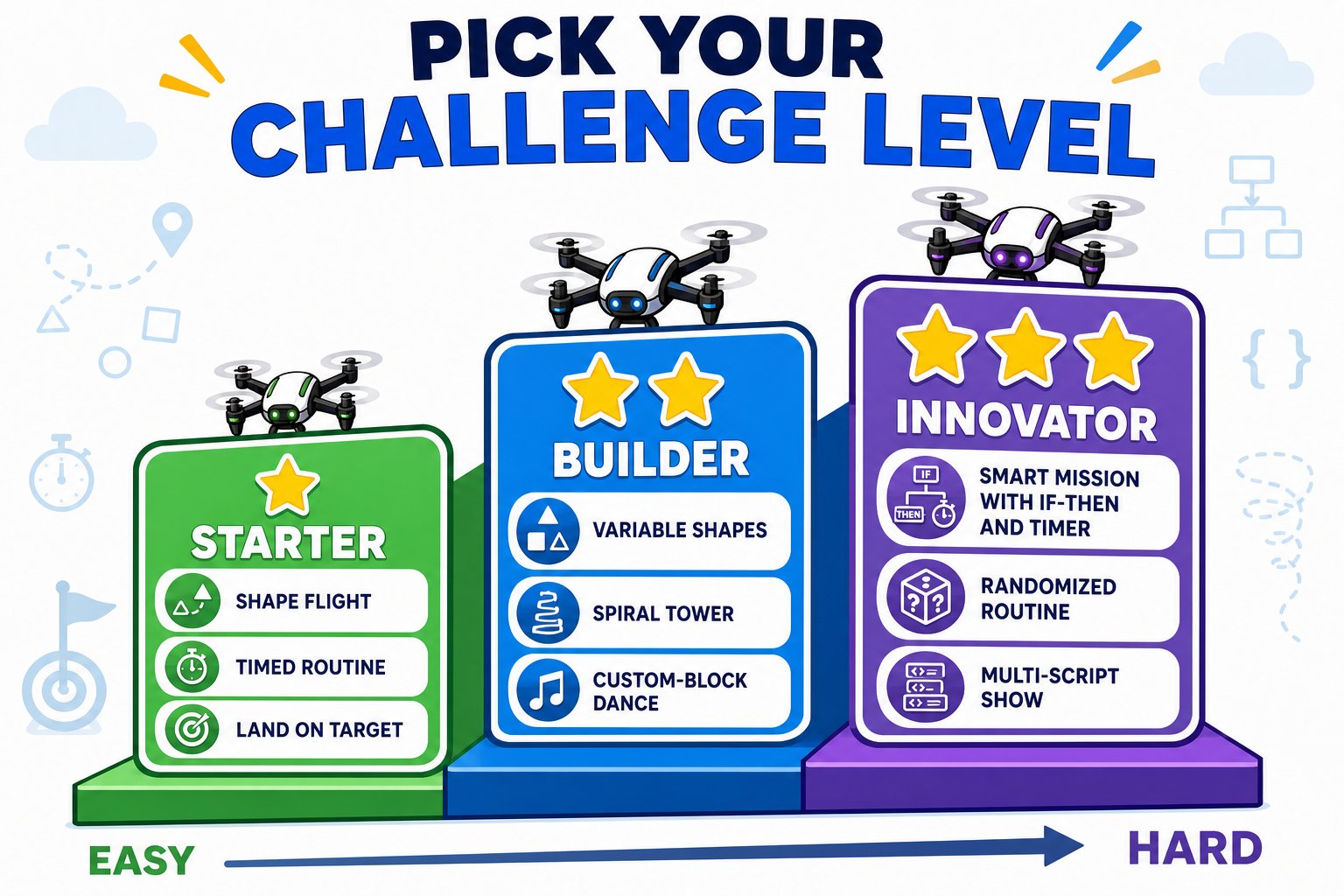 * **Shape flight** - fly a clean square, triangle, or hexagon using a loop.
* **Choreographed routine** - a timed sequence of moves that feels like a little dance.
* **Takeoff-to-target** - fly a set path and land on a marked spot.
* **Parametric shapes** - a `sides` variable so one program flies any shape.
* **Spiral tower** - nested loops that climb while flying a pattern.
* **Obstacle course** - a coded route that weaves through cones or markers.
* **Custom-block dance** - build `square` / `spin` blocks and combine them.
* **Smart mission** - if-then + timer so the drone reacts and lands itself on time.
* **Randomized routine** - `pick random` so every performance is different.
* **Multi-script show** - broadcasts trigger separate dance routines in sequence.
* **Precision landing challenge** - measured moves that hit an exact target every run.
## Your timeline
Roughly a half-day. Adjust to your class.
* **Shape flight** - fly a clean square, triangle, or hexagon using a loop.
* **Choreographed routine** - a timed sequence of moves that feels like a little dance.
* **Takeoff-to-target** - fly a set path and land on a marked spot.
* **Parametric shapes** - a `sides` variable so one program flies any shape.
* **Spiral tower** - nested loops that climb while flying a pattern.
* **Obstacle course** - a coded route that weaves through cones or markers.
* **Custom-block dance** - build `square` / `spin` blocks and combine them.
* **Smart mission** - if-then + timer so the drone reacts and lands itself on time.
* **Randomized routine** - `pick random` so every performance is different.
* **Multi-script show** - broadcasts trigger separate dance routines in sequence.
* **Precision landing challenge** - measured moves that hit an exact target every run.
## Your timeline
Roughly a half-day. Adjust to your class.
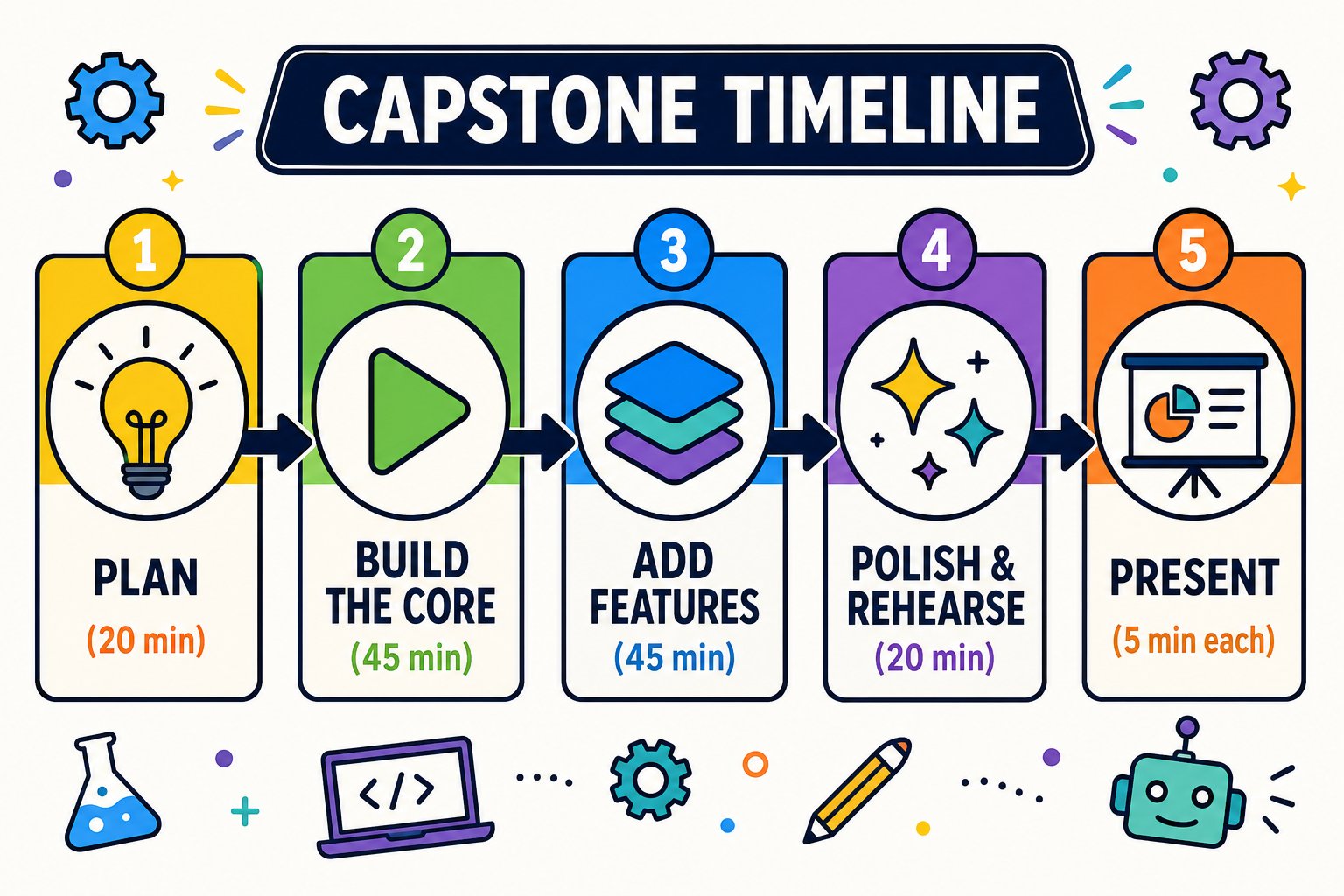 Fill in the planning worksheet below. Decide what the drone does and what "done" looks like.
Get the simplest version flying first - take off, one move, land. Save it.
Add one idea at a time - a loop, a variable, a decision. Test after each change.
Clean up your blocks, name your save, and practice your demo once.
Show the class your mission and how you built it.
## Planning worksheet
Copy these prompts and fill them in before you code:
In one sentence, what will your drone do?
List the key blocks (loop? variable? if-then? custom block?).
How will you know it worked?
If a part is too hard, what's the simpler version you'll show?
## Present your project
Each student gets the floor. Cover these four things:
Describe your mission and demo it (live or recorded).
Walk through your blocks and the key ideas behind them.
Share a bug you hit and how you fixed it - judges love this.
If you had another week, what would you add?
## Judging criteria
Projects are scored out of **100 points** across five categories. Use this rubric to aim high - and to judge fairly.
Fill in the planning worksheet below. Decide what the drone does and what "done" looks like.
Get the simplest version flying first - take off, one move, land. Save it.
Add one idea at a time - a loop, a variable, a decision. Test after each change.
Clean up your blocks, name your save, and practice your demo once.
Show the class your mission and how you built it.
## Planning worksheet
Copy these prompts and fill them in before you code:
In one sentence, what will your drone do?
List the key blocks (loop? variable? if-then? custom block?).
How will you know it worked?
If a part is too hard, what's the simpler version you'll show?
## Present your project
Each student gets the floor. Cover these four things:
Describe your mission and demo it (live or recorded).
Walk through your blocks and the key ideas behind them.
Share a bug you hit and how you fixed it - judges love this.
If you had another week, what would you add?
## Judging criteria
Projects are scored out of **100 points** across five categories. Use this rubric to aim high - and to judge fairly.
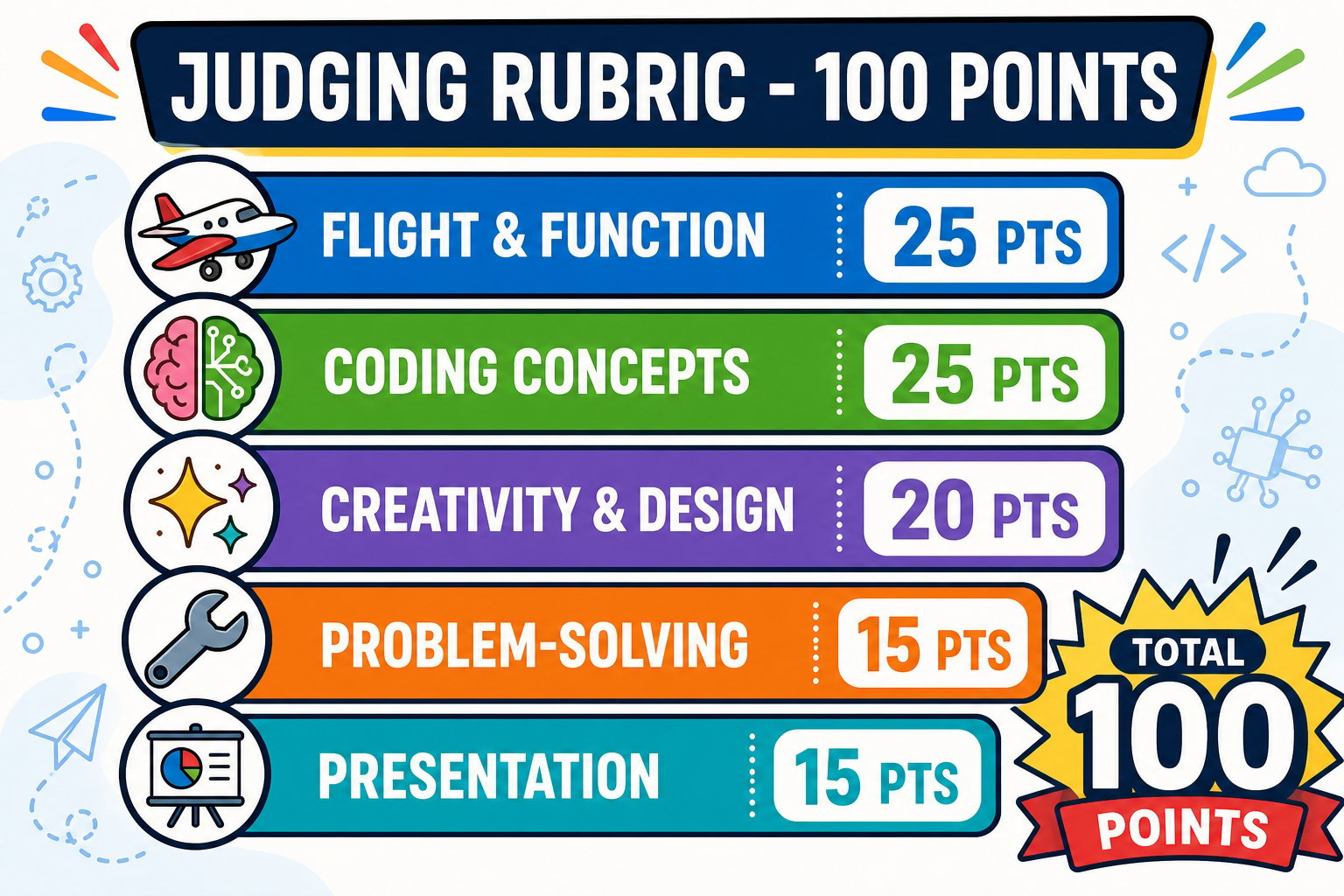 | Category | What we're looking for | Points |
| ----------------------- | -------------------------------------------------------- | ------ |
| **Flight & function** | Takes off, runs the mission, and lands cleanly from code | 25 |
| **Coding concepts** | Uses loops, variables, decisions, or custom blocks well | 25 |
| **Creativity & design** | An original, interesting idea - not just a copied demo | 20 |
| **Problem-solving** | Clearly explains a challenge faced and how it was solved | 15 |
| **Presentation** | Clear demo, explains how it works, confident delivery | 15 |
### Scoring guide
**25** - flies the full mission reliably and lands cleanly. **15** - mostly works with minor hiccups. **5** - takes off and lands but the mission is incomplete.
**25** - uses two or more of loop / variable / decision / custom block *correctly and purposefully*. **15** - uses one concept well. **5** - a straight list of moves with no loop or logic.
**20** - a fresh, ambitious idea with a clear theme. **12** - a solid twist on a demo. **5** - a direct copy of a class example.
**15** - explains a real bug and the fix in detail. **8** - mentions a challenge briefly. **0** - "it just worked."
**15** - clear, confident, and explains the code. **8** - demos but light on explanation. **3** - hard to follow.
## Awards
Hand out a few fun categories so everyone can shine:
Highest total score.
Most original mission idea.
Cleverest use of loops, variables, or custom blocks.
Best story of fixing a tough bug.
Cleanest, most reliable flying.
Voted by the class.
For every flight test and demo: fly in a clear space, keep people and pets back, and keep the 🔴 **stop** and 🚫 **no-entry** buttons in reach.
**Instructor:** a project that didn't fully work but taught the student something is a *great* capstone. The problem-solving category rewards exactly that - reward the thinking, not just the perfect demo.
You designed, coded, and demonstrated an original drone mission that uses at least one core coding concept, and you explained how it works and what you learned.
See where these skills can take you.
| Category | What we're looking for | Points |
| ----------------------- | -------------------------------------------------------- | ------ |
| **Flight & function** | Takes off, runs the mission, and lands cleanly from code | 25 |
| **Coding concepts** | Uses loops, variables, decisions, or custom blocks well | 25 |
| **Creativity & design** | An original, interesting idea - not just a copied demo | 20 |
| **Problem-solving** | Clearly explains a challenge faced and how it was solved | 15 |
| **Presentation** | Clear demo, explains how it works, confident delivery | 15 |
### Scoring guide
**25** - flies the full mission reliably and lands cleanly. **15** - mostly works with minor hiccups. **5** - takes off and lands but the mission is incomplete.
**25** - uses two or more of loop / variable / decision / custom block *correctly and purposefully*. **15** - uses one concept well. **5** - a straight list of moves with no loop or logic.
**20** - a fresh, ambitious idea with a clear theme. **12** - a solid twist on a demo. **5** - a direct copy of a class example.
**15** - explains a real bug and the fix in detail. **8** - mentions a challenge briefly. **0** - "it just worked."
**15** - clear, confident, and explains the code. **8** - demos but light on explanation. **3** - hard to follow.
## Awards
Hand out a few fun categories so everyone can shine:
Highest total score.
Most original mission idea.
Cleverest use of loops, variables, or custom blocks.
Best story of fixing a tough bug.
Cleanest, most reliable flying.
Voted by the class.
For every flight test and demo: fly in a clear space, keep people and pets back, and keep the 🔴 **stop** and 🚫 **no-entry** buttons in reach.
**Instructor:** a project that didn't fully work but taught the student something is a *great* capstone. The problem-solving category rewards exactly that - reward the thinking, not just the perfect demo.
You designed, coded, and demonstrated an original drone mission that uses at least one core coding concept, and you explained how it works and what you learned.
See where these skills can take you.