> ## Documentation Index
> Fetch the complete documentation index at: https://stem-docs.intellectualpoint.com/llms.txt
> Use this file to discover all available pages before exploring further.
# Tour of the blocks
> A full reference for every AT-66BL block category - Fly, Events, Control, Sensing, Operators, Variables, and My Blocks - with real screenshots and what each block does.
## Your complete toolbox
Before you build, get to know your tools. The AT-66BL app groups blocks into color-coded categories on the left edge. This page is your **reference** - come back to it any time you forget what a block does.
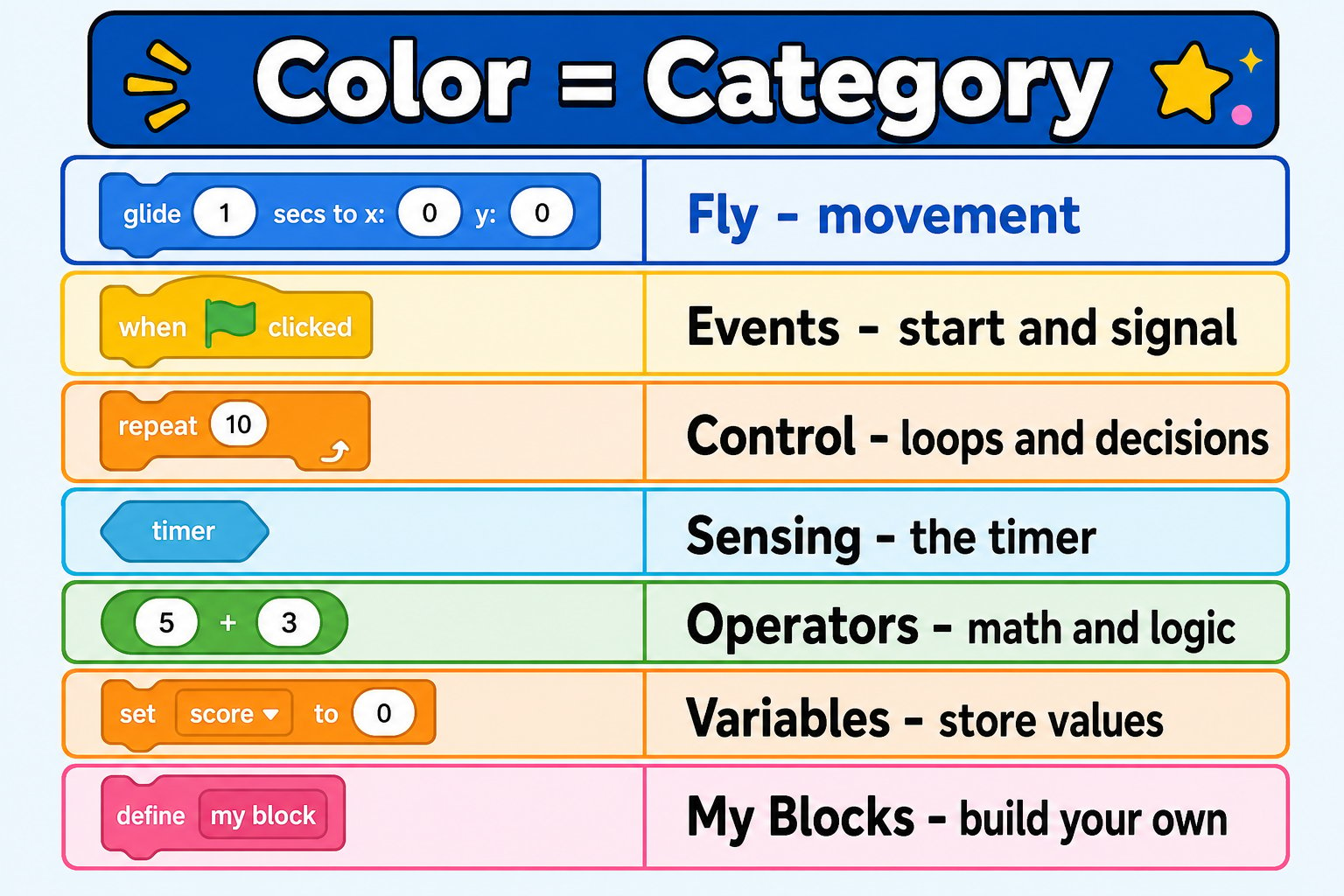
**Color = category.** Blue is flight, yellow is events, orange is control and variables, light-blue is sensing, green is math. The colors match Scratch, so if you've used Scratch before, you already know your way around.
 ## Fly (blue) - make the drone move
The **Fly** category holds every movement command. These are unique to the drone.
## Fly (blue) - make the drone move
The **Fly** category holds every movement command. These are unique to the drone.
 | Block | What it does |
| ---------------------------------------------------- | ----------------------------------------------- |
| **active fly** 🔒 | Arms the motors so the drone is ready to fly |
| **take off** | Rises and hovers at a steady height |
| **land** | Descends and powers down the motors |
| **throttle \[3]** | Sets how much power/height to hold |
| **rotate \[left ▾] speed \[1]** | Spins in place left or right |
| **fly \[front ▾] speed \[1]** | Flies continuously in a direction |
| **vertical move \[up ▾] \[10] cm speed \[1]** | Moves up or down an exact distance |
| **horizontal move \[Forward ▾] \[10] cm speed \[1]** | Moves forward/back/left/right an exact distance |
| **turn \[Left ▾] \[90] degree speed \[1]** | Turns an exact number of degrees |
The **vertical move**, **horizontal move**, and **turn** blocks use **exact distances and degrees** - perfect for precise shapes. That's a big upgrade over time-based flying.
## Events (yellow) - start and signal
**Events** are how programs *begin* and how parts of a program talk to each other.
| Block | What it does |
| ---------------------------------------------------- | ----------------------------------------------- |
| **active fly** 🔒 | Arms the motors so the drone is ready to fly |
| **take off** | Rises and hovers at a steady height |
| **land** | Descends and powers down the motors |
| **throttle \[3]** | Sets how much power/height to hold |
| **rotate \[left ▾] speed \[1]** | Spins in place left or right |
| **fly \[front ▾] speed \[1]** | Flies continuously in a direction |
| **vertical move \[up ▾] \[10] cm speed \[1]** | Moves up or down an exact distance |
| **horizontal move \[Forward ▾] \[10] cm speed \[1]** | Moves forward/back/left/right an exact distance |
| **turn \[Left ▾] \[90] degree speed \[1]** | Turns an exact number of degrees |
The **vertical move**, **horizontal move**, and **turn** blocks use **exact distances and degrees** - perfect for precise shapes. That's a big upgrade over time-based flying.
## Events (yellow) - start and signal
**Events** are how programs *begin* and how parts of a program talk to each other.
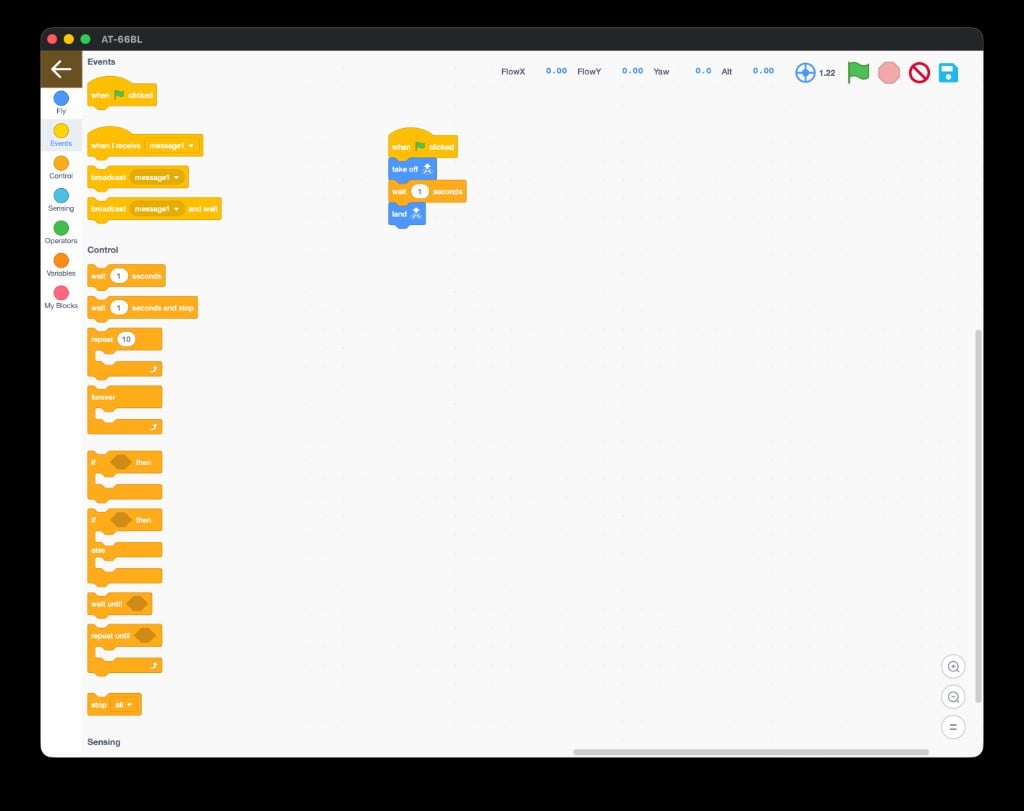 | Block | What it does |
| ------------------------------------ | ------------------------------------------------- |
| **when 🏳 clicked** | Starts your program when you click the green flag |
| **when I receive \[message1 ▾]** | Runs when a matching broadcast is sent |
| **broadcast \[message1 ▾]** | Sends a message to trigger other scripts |
| **broadcast \[message1 ▾] and wait** | Sends a message and waits until it finishes |
Every program starts with a **when 🏳 clicked** hat block. Snap your flight blocks right underneath it.
## Control (orange) - loops and decisions
**Control** blocks are the logic of your program - how it repeats, waits, and decides.
| Block | What it does |
| ------------------------------------ | ------------------------------------------------- |
| **when 🏳 clicked** | Starts your program when you click the green flag |
| **when I receive \[message1 ▾]** | Runs when a matching broadcast is sent |
| **broadcast \[message1 ▾]** | Sends a message to trigger other scripts |
| **broadcast \[message1 ▾] and wait** | Sends a message and waits until it finishes |
Every program starts with a **when 🏳 clicked** hat block. Snap your flight blocks right underneath it.
## Control (orange) - loops and decisions
**Control** blocks are the logic of your program - how it repeats, waits, and decides.
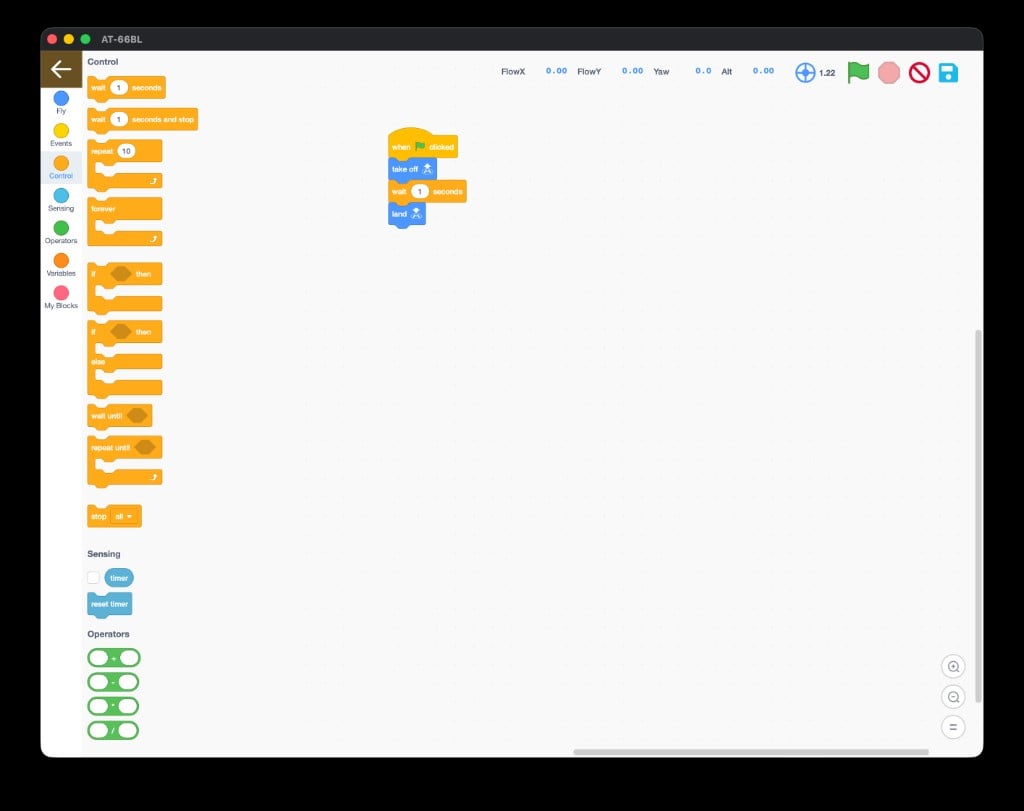 | Block | What it does |
| ------------------------------ | ----------------------------------------------- |
| **wait \[1] seconds** | Pauses before the next block |
| **wait \[1] seconds and stop** | Waits, then stops the program |
| **repeat \[10]** | Repeats the blocks inside a set number of times |
| **forever** | Repeats the blocks inside without stopping |
| **if `<>` then** | Runs blocks only if a condition is true |
| **if `<>` then / else** | Runs one set if true, another if false |
| **wait until `<>`** | Pauses until a condition becomes true |
| **repeat until `<>`** | Repeats until a condition becomes true |
| **stop \[all ▾]** | Stops scripts |
A **repeat** loop is your best friend for shapes: "repeat 4 times: move forward, turn 90°" flies a perfect square with just a few blocks.
## Sensing (light blue) - the timer
**Sensing** lets your program react to time.
| Block | What it does |
| ------------------------------ | ----------------------------------------------- |
| **wait \[1] seconds** | Pauses before the next block |
| **wait \[1] seconds and stop** | Waits, then stops the program |
| **repeat \[10]** | Repeats the blocks inside a set number of times |
| **forever** | Repeats the blocks inside without stopping |
| **if `<>` then** | Runs blocks only if a condition is true |
| **if `<>` then / else** | Runs one set if true, another if false |
| **wait until `<>`** | Pauses until a condition becomes true |
| **repeat until `<>`** | Repeats until a condition becomes true |
| **stop \[all ▾]** | Stops scripts |
A **repeat** loop is your best friend for shapes: "repeat 4 times: move forward, turn 90°" flies a perfect square with just a few blocks.
## Sensing (light blue) - the timer
**Sensing** lets your program react to time.
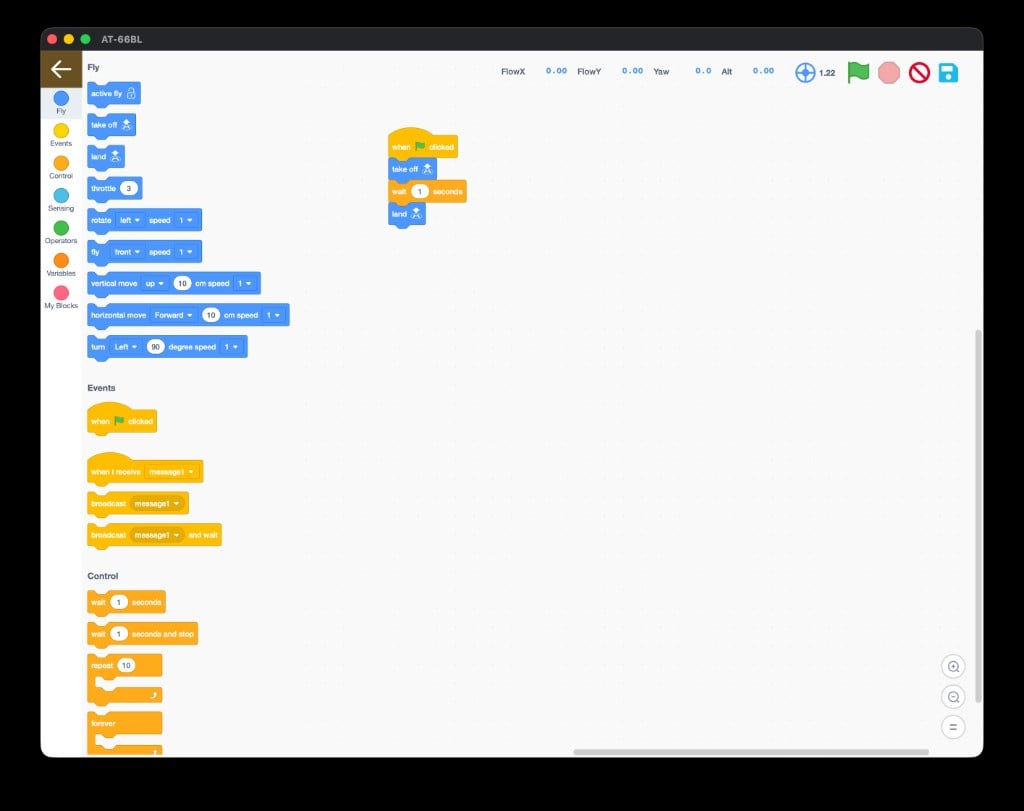 | Block | What it does |
| --------------- | --------------------------------------------------------- |
| **timer** | Reports seconds since the program (or last reset) started |
| **reset timer** | Sets the timer back to zero |
Pair **timer** with **wait until** or **if-then** to build time-based routines - like "do a trick every 5 seconds."
## Operators (green) - math and logic
**Operators** do math and compare values. You drop them *inside* other blocks.
| Block | What it does |
| --------------- | --------------------------------------------------------- |
| **timer** | Reports seconds since the program (or last reset) started |
| **reset timer** | Sets the timer back to zero |
Pair **timer** with **wait until** or **if-then** to build time-based routines - like "do a trick every 5 seconds."
## Operators (green) - math and logic
**Operators** do math and compare values. You drop them *inside* other blocks.
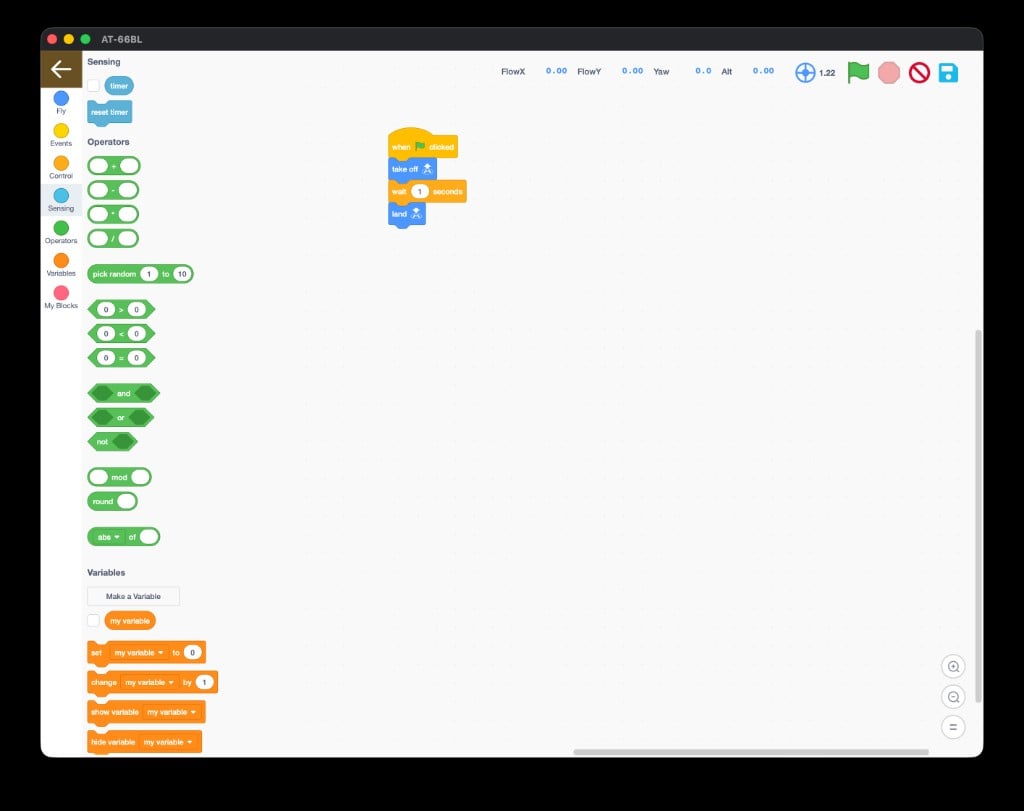 | Block | What it does |
| ---------------------------------------- | --------------------------------------- |
| **\[ ] + \[ ]** (also `-`, `×`, `÷`) | Basic arithmetic |
| **pick random \[1] to \[10]** | Returns a random number in a range |
| **\[ ] > \[ ]**, **\< \[ ]**, **= \[ ]** | Compares two values (true/false) |
| **`<>` and `<>`**, **or**, **not** | Combines or flips true/false conditions |
| **\[ ] mod \[ ]** | Remainder after division |
| **round \[ ]** | Rounds to the nearest whole number |
| **\[abs ▾] of \[ ]** | Math functions like absolute value |
`pick random` makes programs feel alive: **turn (pick random 1 to 4) × 90 degrees** sends the drone a surprising direction every run.
## Variables (orange) - store values
A **variable** is a named box that holds a number you can read and change.
| Block | What it does |
| ---------------------------------------- | --------------------------------------- |
| **\[ ] + \[ ]** (also `-`, `×`, `÷`) | Basic arithmetic |
| **pick random \[1] to \[10]** | Returns a random number in a range |
| **\[ ] > \[ ]**, **\< \[ ]**, **= \[ ]** | Compares two values (true/false) |
| **`<>` and `<>`**, **or**, **not** | Combines or flips true/false conditions |
| **\[ ] mod \[ ]** | Remainder after division |
| **round \[ ]** | Rounds to the nearest whole number |
| **\[abs ▾] of \[ ]** | Math functions like absolute value |
`pick random` makes programs feel alive: **turn (pick random 1 to 4) × 90 degrees** sends the drone a surprising direction every run.
## Variables (orange) - store values
A **variable** is a named box that holds a number you can read and change.
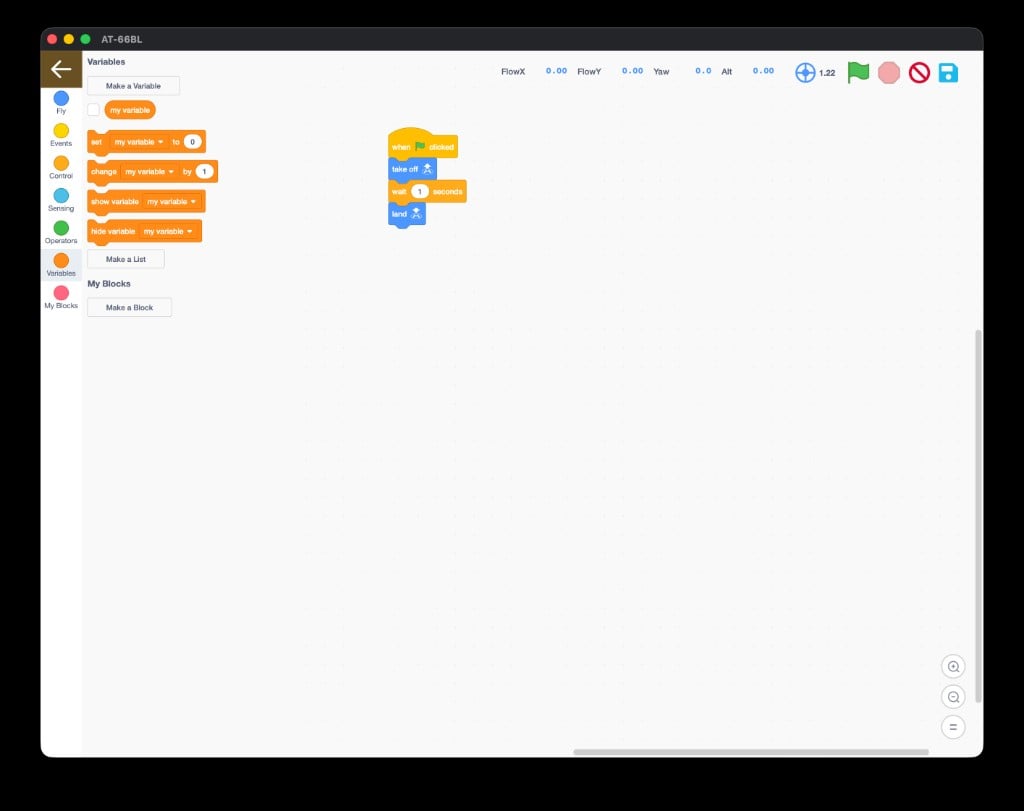 | Block | What it does |
| ----------------------------------- | --------------------------------------------- |
| **Make a Variable** | Creates a new named variable |
| **my variable** | Reports the value (drop it into other blocks) |
| **set \[my variable ▾] to \[0]** | Sets a variable to a value |
| **change \[my variable ▾] by \[1]** | Adds to a variable |
| **show / hide variable** | Shows or hides it on screen |
| **Make a List** | Creates a list to hold many values |
When you click **Make a Variable**, this dialog appears - name it and choose the scope:
| Block | What it does |
| ----------------------------------- | --------------------------------------------- |
| **Make a Variable** | Creates a new named variable |
| **my variable** | Reports the value (drop it into other blocks) |
| **set \[my variable ▾] to \[0]** | Sets a variable to a value |
| **change \[my variable ▾] by \[1]** | Adds to a variable |
| **show / hide variable** | Shows or hides it on screen |
| **Make a List** | Creates a list to hold many values |
When you click **Make a Variable**, this dialog appears - name it and choose the scope:
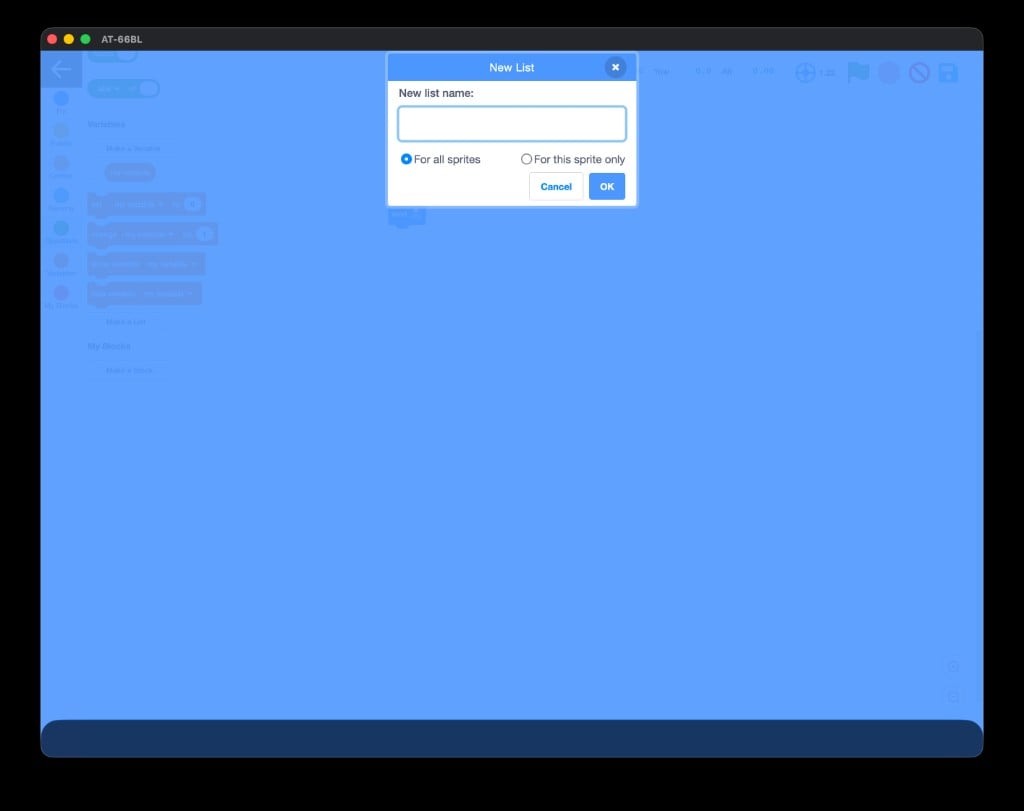
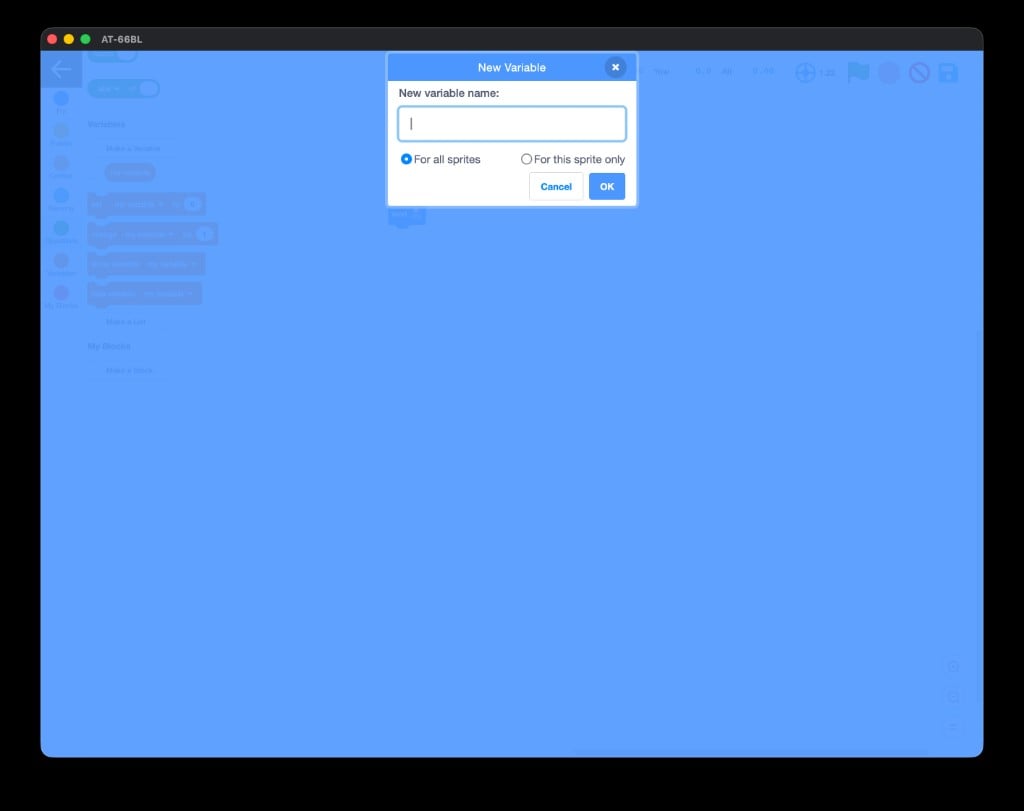 Lists work the same way with **Make a List**:
 ## My Blocks - build your own
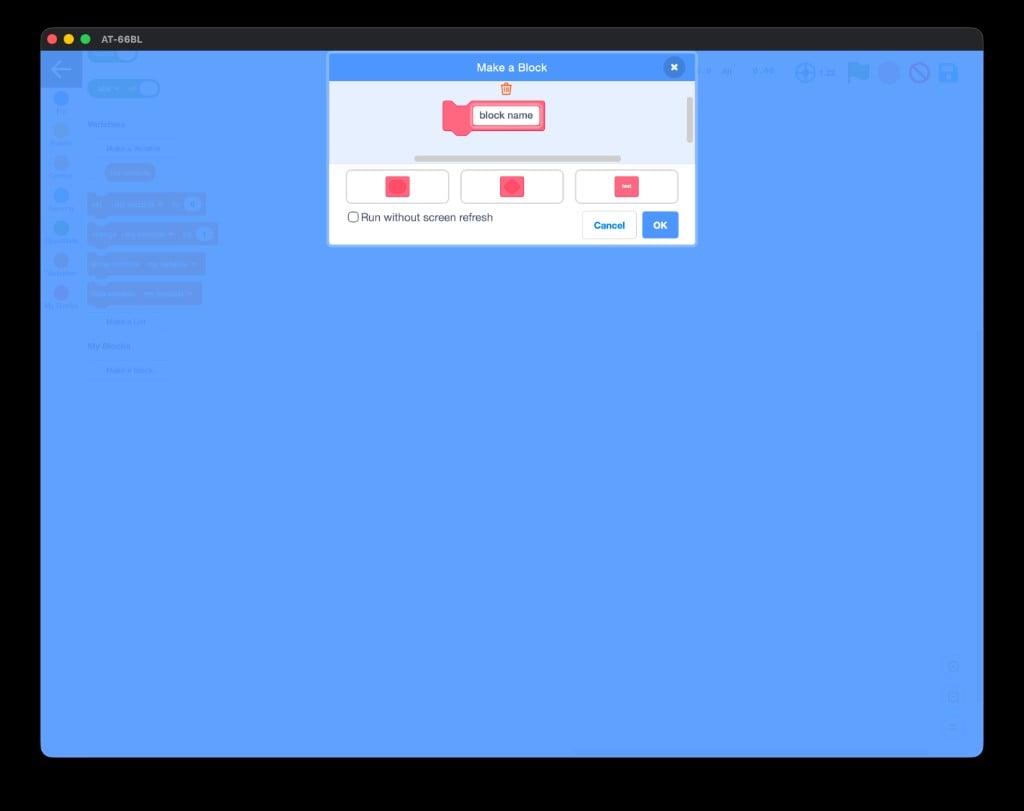
**My Blocks** lets you package a sequence of blocks into one **custom block** you name yourself. Click **Make a Block**, give it a name (like `do_a_flip`), and reuse it anywhere.
## My Blocks - build your own
**My Blocks** lets you package a sequence of blocks into one **custom block** you name yourself. Click **Make a Block**, give it a name (like `do_a_flip`), and reuse it anywhere.
 Custom blocks are how pros keep programs tidy. Build a `square` block once, then a "dance" that calls `square` three times reads like plain English.
You can name all seven categories, and you know where to find **take off**, **repeat**, **when 🏳 clicked**, **Make a Variable**, and **Make a Block**.
Build the "hello world" of AT-66BL - take off, hover, land - with the green flag.
Custom blocks are how pros keep programs tidy. Build a `square` block once, then a "dance" that calls `square` three times reads like plain English.
You can name all seven categories, and you know where to find **take off**, **repeat**, **when 🏳 clicked**, **Make a Variable**, and **Make a Block**.
Build the "hello world" of AT-66BL - take off, hover, land - with the green flag.