> ## Documentation Index
> Fetch the complete documentation index at: https://stem-docs.intellectualpoint.com/llms.txt
> Use this file to discover all available pages before exploring further.
# Fly a flight path
> Program the drone to fly shapes and patterns - and use loops to do it the smart way.
## Make the drone fly a shape
Now that your drone takes off and lands from code, let's send it on a journey. You'll program it to fly a **square** - and then discover how **loops** make it far easier.
Fly in a big, clear space. A square needs room in every direction. Keep the red LAND NOW button handy.
## The movement blocks
Two Flight blocks do all the moving:
* **fly \[forward] for \[1] second(s) at \[50] % speed** - flies a direction for a set time
* **spin \[left / right] for \[1] second(s) at \[50] % speed** - rotates in place for a set time
Notice turns are measured in **time**, not degrees. To turn about a quarter-circle, you spin for a short time and tune it. Start with a small spin time and adjust until the turn looks like a corner.
## Fly a square, the long way
A square is four "fly forward, then spin" steps. Build it block by block:
```text theme={null}
take off
fly forward for 1 second(s) at 50 % speed
spin right for 1 second(s) at 50 % speed
fly forward for 1 second(s) at 50 % speed
spin right for 1 second(s) at 50 % speed
fly forward for 1 second(s) at 50 % speed
spin right for 1 second(s) at 50 % speed
fly forward for 1 second(s) at 50 % speed
spin right for 1 second(s) at 50 % speed
land
```
Run it and adjust the **spin time** until each turn is about a corner. That's a lot of repeated blocks, though...
## Fly a square, the smart way: loops
Notice you repeated the exact same two blocks four times. A **loop** does the repeating for you. Open the **Loops** category and use a **repeat \[4] times** block:
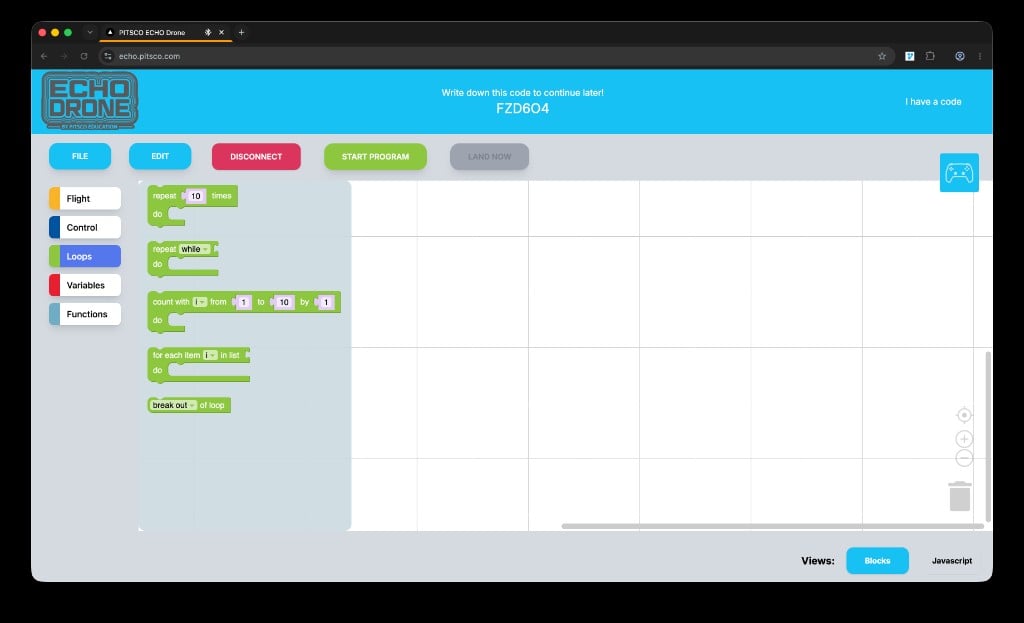 ```text theme={null}
take off
repeat 4 times
fly forward for 1 second(s) at 50 % speed
spin right for 1 second(s) at 50 % speed
land
```
Same square, way less work. This is one of the most powerful ideas in all of coding: **don't repeat yourself - loop.**
```text theme={null}
take off
repeat 4 times
fly forward for 1 second(s) at 50 % speed
spin right for 1 second(s) at 50 % speed
land
```
Same square, way less work. This is one of the most powerful ideas in all of coding: **don't repeat yourself - loop.**
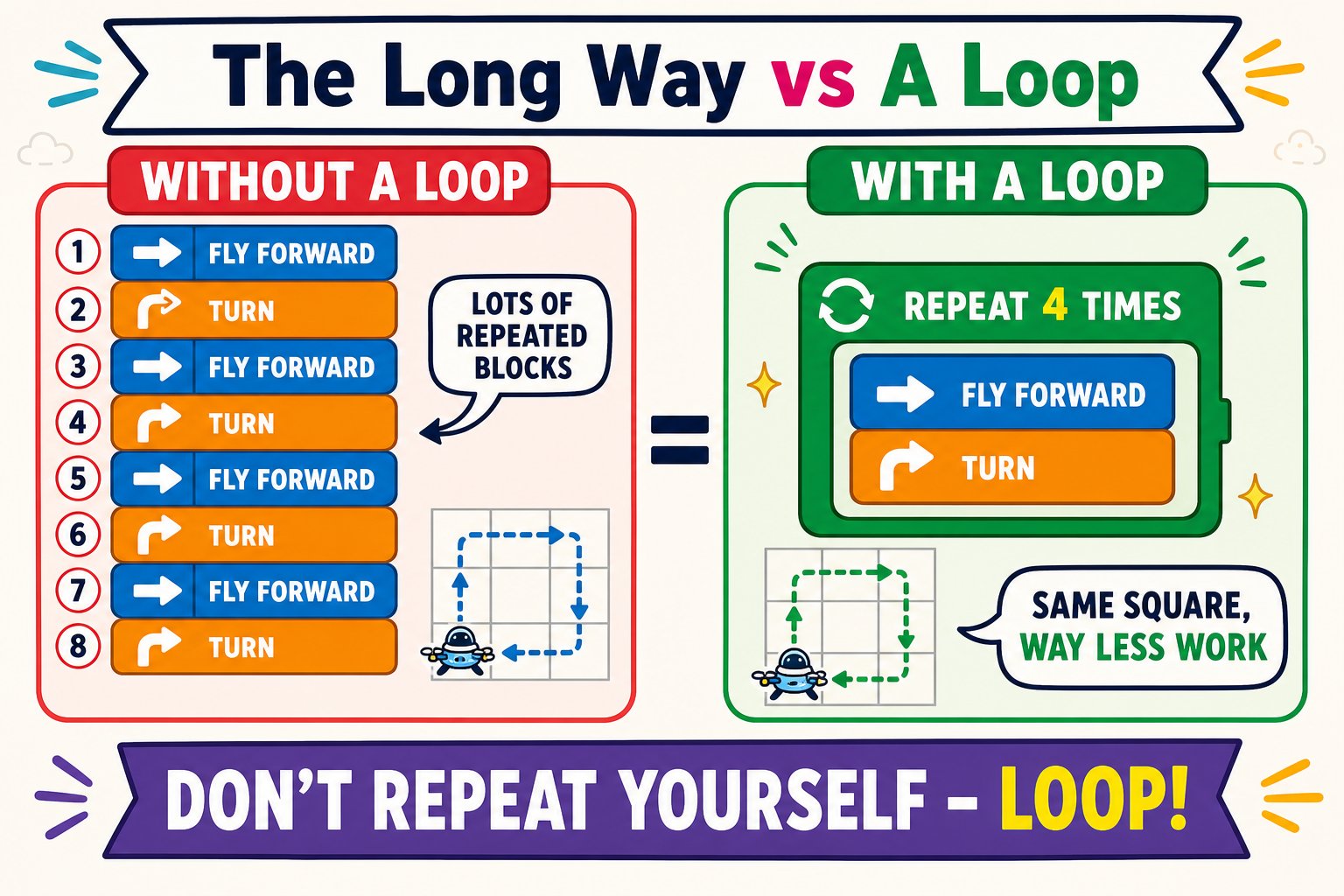 The two blocks inside "repeat 4 times" run four times total - four sides and four turns make a square back to the start.
## Try other shapes
Change the **repeat count** and the **spin time** and you can fly almost any shape. The more sides a shape has, the more repeats you need - and the *shorter* each turn.
The two blocks inside "repeat 4 times" run four times total - four sides and four turns make a square back to the start.
## Try other shapes
Change the **repeat count** and the **spin time** and you can fly almost any shape. The more sides a shape has, the more repeats you need - and the *shorter* each turn.
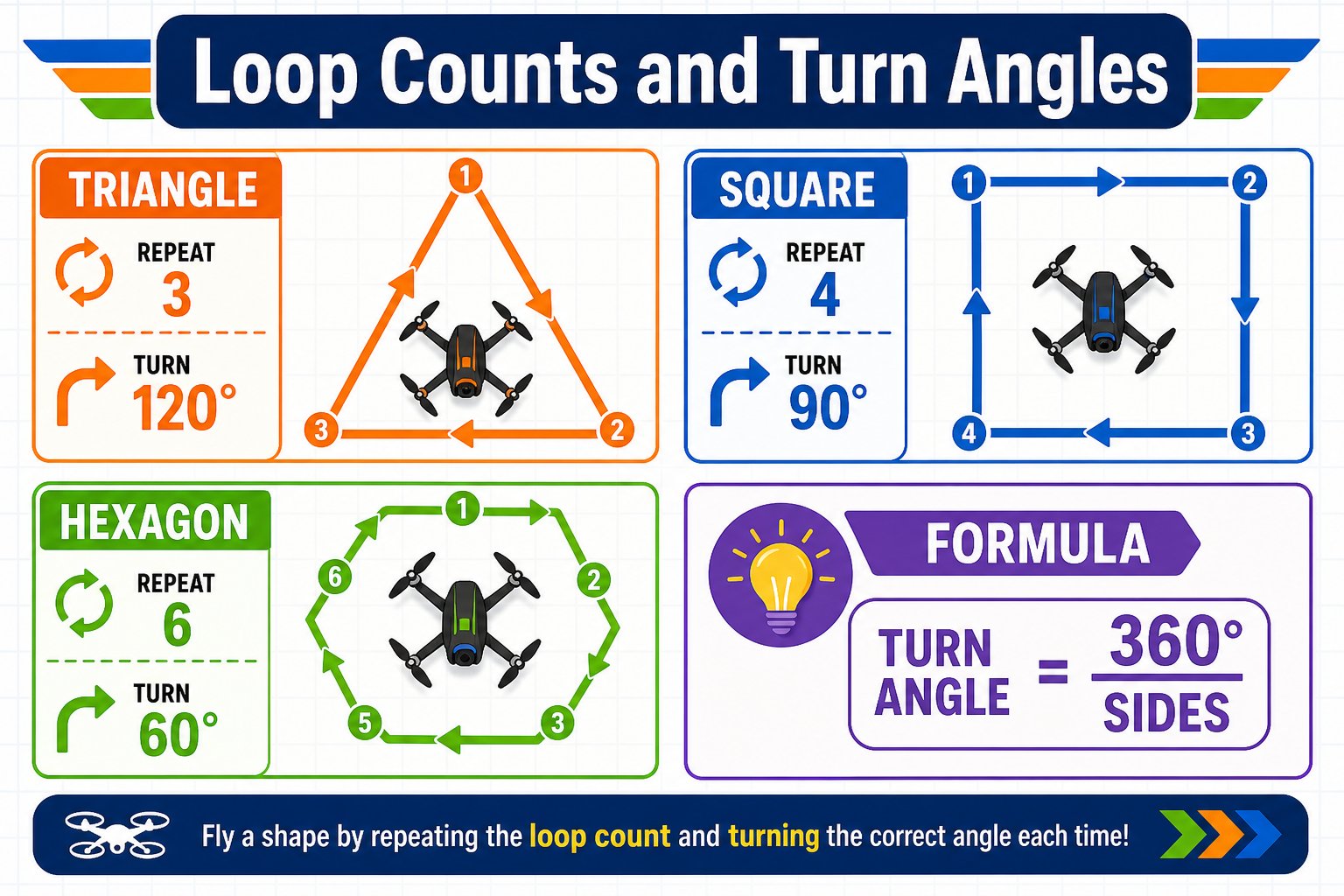 Repeat **3 times** with a slightly longer spin time for sharper turns.
Repeat **6 times** with a shorter spin time between sides.
Alternate a long and short **fly forward** time inside the loop.
Just repeat several small spins with no forward flight.
## Debug like a pro
If your shape comes out wrong, don't guess - **change one thing at a time**:
Run it and note exactly where the path goes wrong.
Tweak a single spin time or fly time, then run again.
See if it improved. Repeat until the shape is clean.
Repeat **3 times** with a slightly longer spin time for sharper turns.
Repeat **6 times** with a shorter spin time between sides.
Alternate a long and short **fly forward** time inside the loop.
Just repeat several small spins with no forward flight.
## Debug like a pro
If your shape comes out wrong, don't guess - **change one thing at a time**:
Run it and note exactly where the path goes wrong.
Tweak a single spin time or fly time, then run again.
See if it improved. Repeat until the shape is clean.
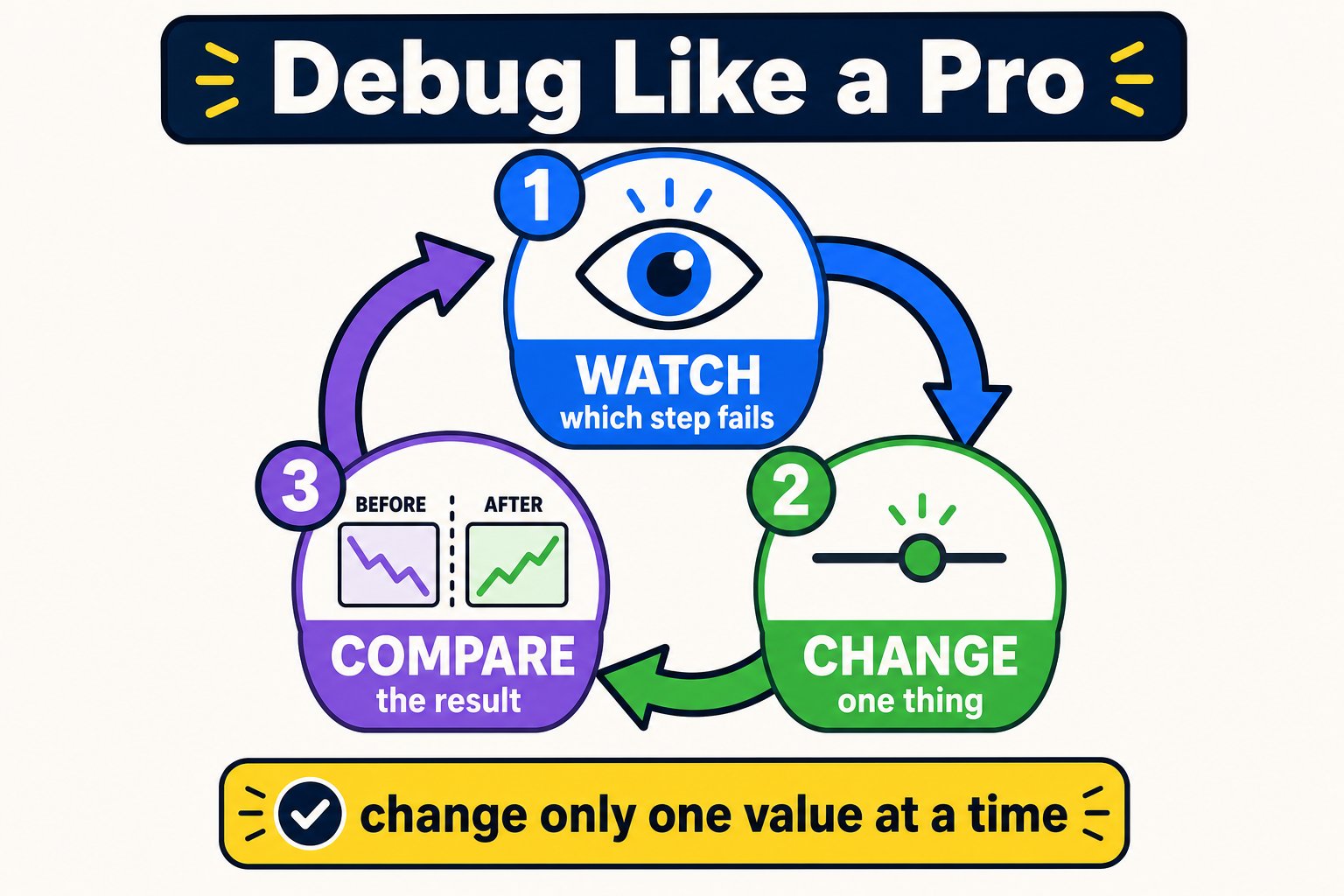 The classic beginner mistake is changing three things at once, then not knowing which one helped. **One change, one test.** It feels slower but it's how you actually solve the problem.
Because turns are timed, the perfect spin time depends on your drone and battery level. Finding it by testing and tuning is real engineering - and exactly how pilots calibrate autonomous drones.
You programmed the drone to fly a square both the long way and with a loop, and you tuned the spin time to shape the turns.
The classic beginner mistake is changing three things at once, then not knowing which one helped. **One change, one test.** It feels slower but it's how you actually solve the problem.
Because turns are timed, the perfect spin time depends on your drone and battery level. Finding it by testing and tuning is real engineering - and exactly how pilots calibrate autonomous drones.
You programmed the drone to fly a square both the long way and with a loop, and you tuned the spin time to shape the turns.