> ## Documentation Index
> Fetch the complete documentation index at: https://stem-docs.intellectualpoint.com/llms.txt
> Use this file to discover all available pages before exploring further.
# Headless mode and trim
> Two features that make flying easier - headless mode for orientation and trim for a rock-steady hover.
## Two helpers for new pilots
Once you can fly the basics, two features make life much easier: **headless mode** helps when you lose track of which way the drone is facing, and **trim** fixes a drone that won't hold still.
## Headless mode
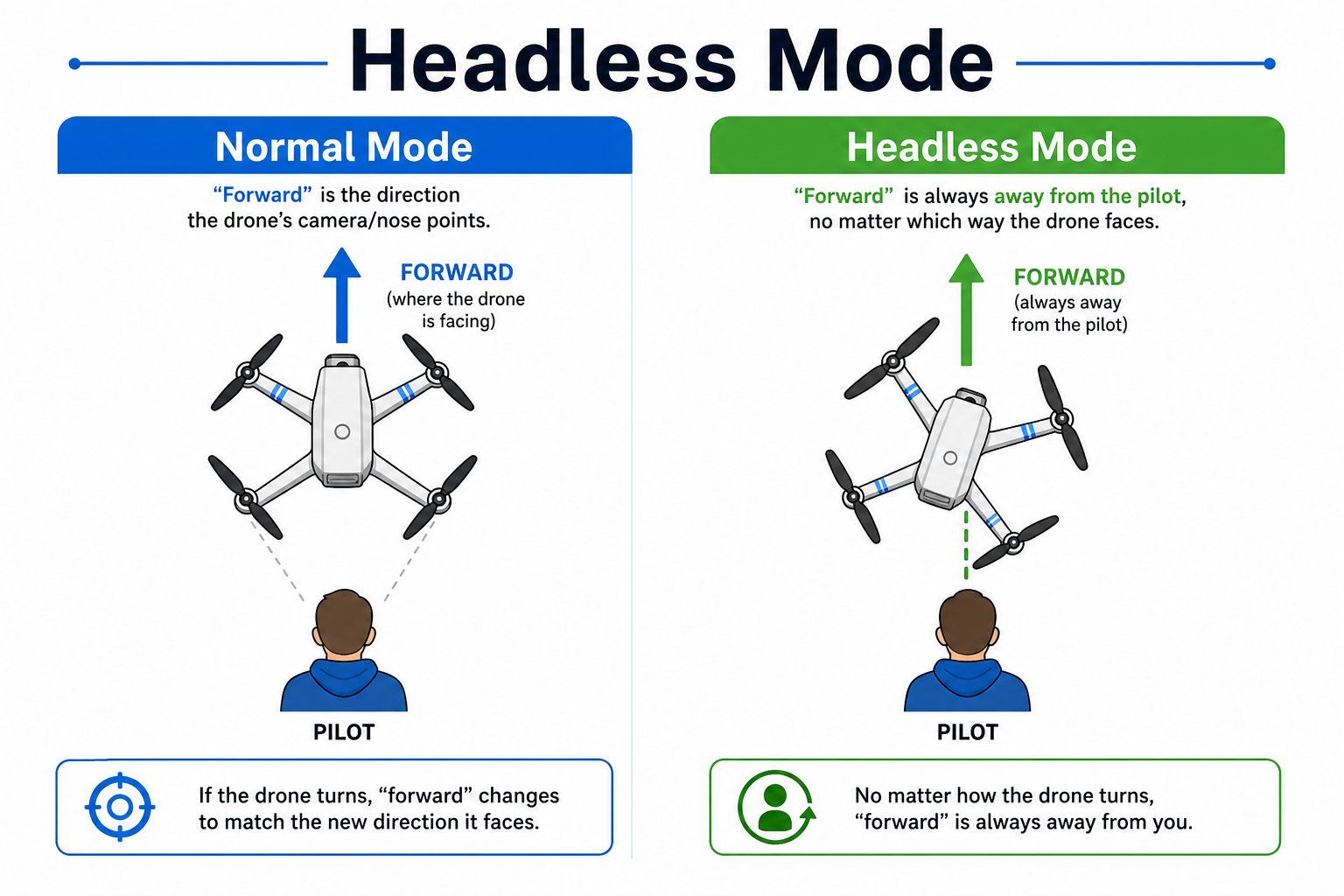
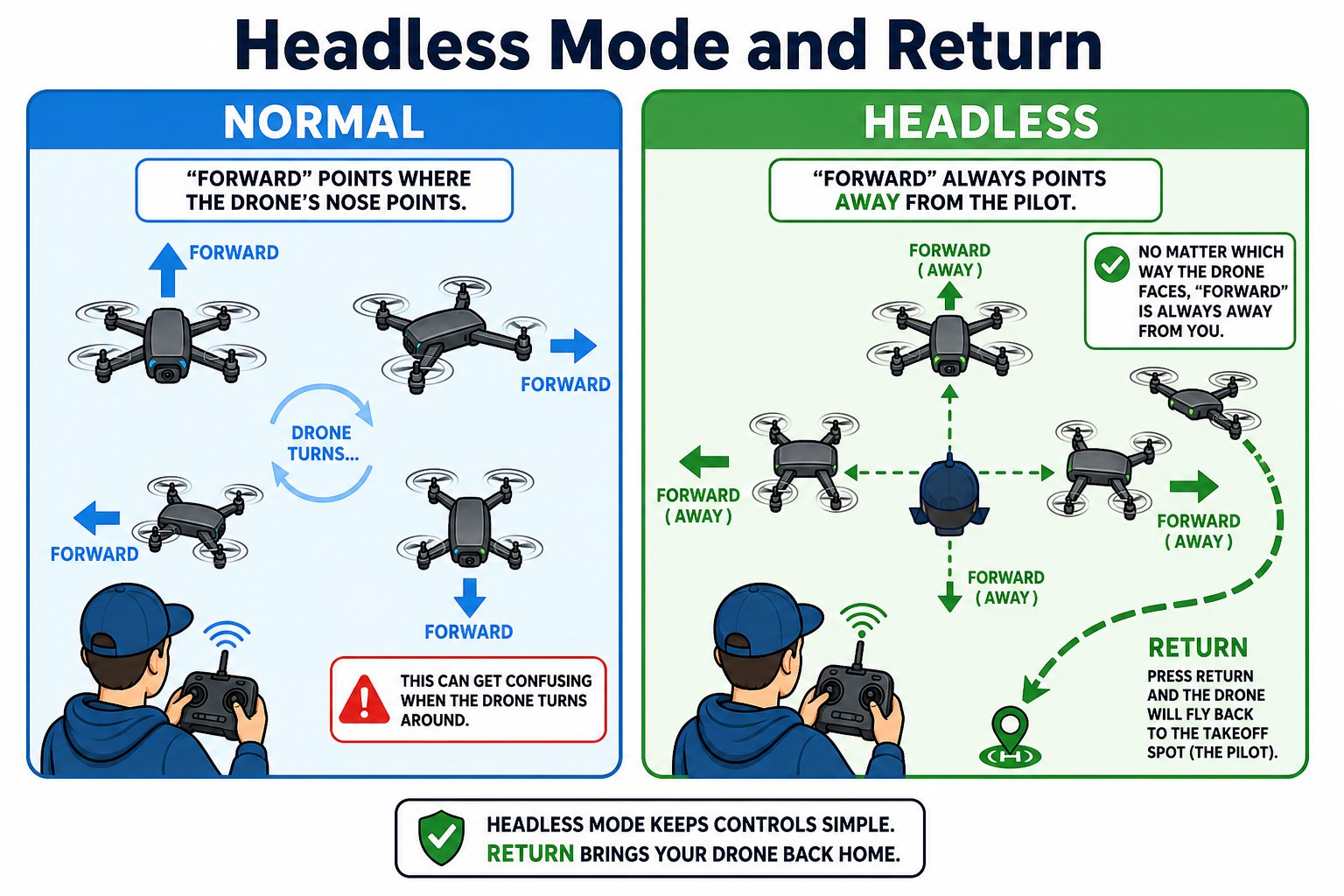
Normally, "forward" means the direction the drone's **nose** is pointing. If the drone spins around, its "forward" now points back at you - which gets confusing fast. **Headless mode** fixes this: "forward" is always away from *you, the pilot*, no matter which way the drone faces.
 Press the Headless Mode button. The controller beeps once and the drone's light flashes slowly.
Now pushing the right stick "forward" always sends the drone away from you, and "back" brings it toward you - regardless of the drone's rotation.
Press the button again. The controller beeps twice and the light returns to steady.
While in headless mode, the **Return** button sends the drone back toward where it took off. You may need to nudge the sticks to guide it home.
Headless mode uses your take-off position and direction as its reference. If you crash, **restart the drone** to reset its sense of direction before using headless mode again.
## Trim: fixing drift
A well-behaved drone should hover in one spot. If yours slowly creeps in a direction even when you're not touching the sticks, use the **trim buttons** to correct it. Trim nudges the drone's balance the opposite way.
Press the Headless Mode button. The controller beeps once and the drone's light flashes slowly.
Now pushing the right stick "forward" always sends the drone away from you, and "back" brings it toward you - regardless of the drone's rotation.
Press the button again. The controller beeps twice and the light returns to steady.
While in headless mode, the **Return** button sends the drone back toward where it took off. You may need to nudge the sticks to guide it home.
Headless mode uses your take-off position and direction as its reference. If you crash, **restart the drone** to reset its sense of direction before using headless mode again.
## Trim: fixing drift
A well-behaved drone should hover in one spot. If yours slowly creeps in a direction even when you're not touching the sticks, use the **trim buttons** to correct it. Trim nudges the drone's balance the opposite way.
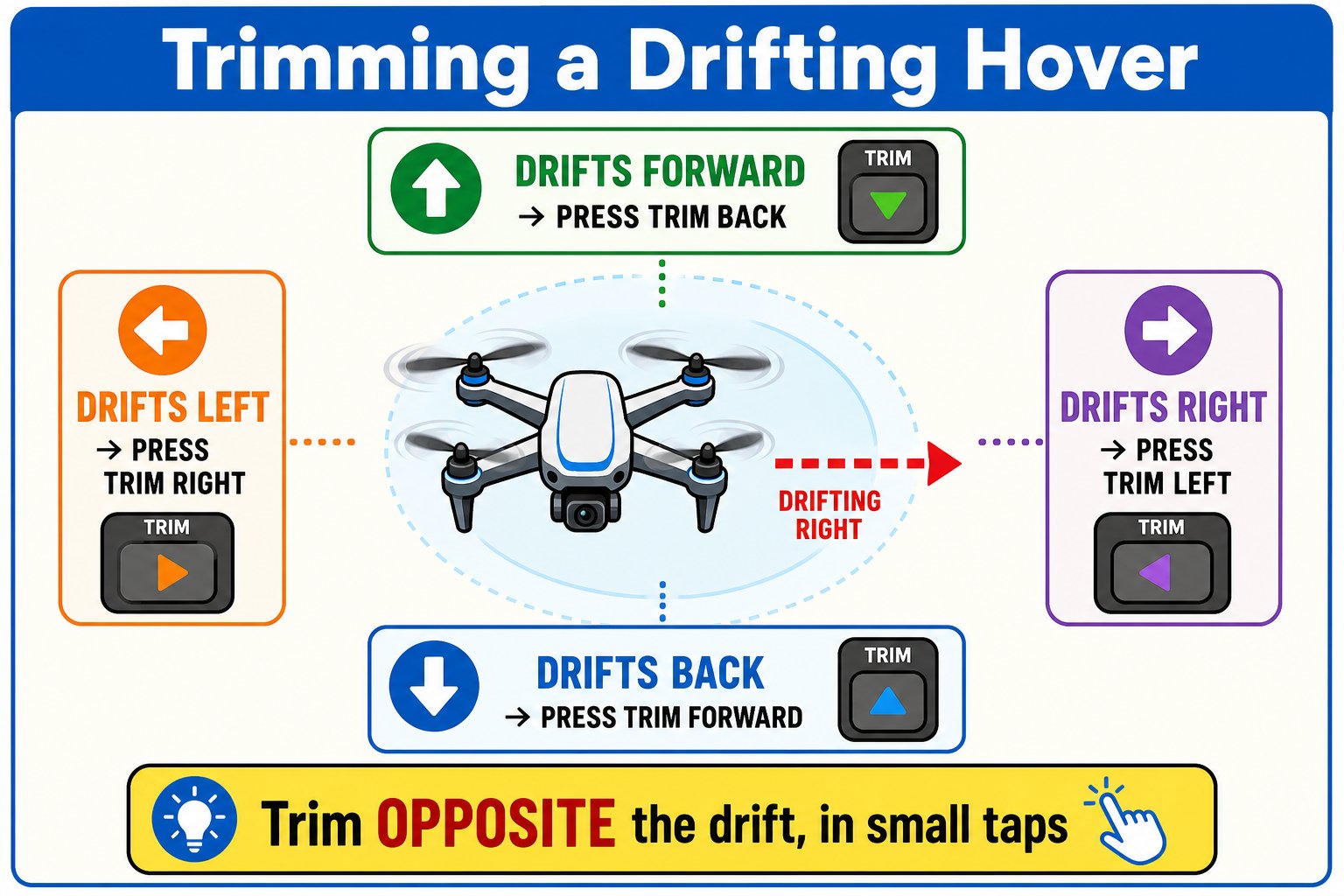 | If the drone drifts... | Press trim... |
| ---------------------- | --------------- |
| Forward | Backward (down) |
| Backward | Forward (up) |
| Left | Right |
| Right | Left |
Bring the drone to a steady hover and notice which way it drifts.
Tap the trim button pointing **against** the drift. Make small adjustments and re-check.
A few small taps usually gets a clean, stable hover.
If trimming makes the drone spin or the propellers sound uneven, the propellers may be installed wrong or damaged, or the pairing may have dropped. Re-check the A/B propellers and re-pair if needed.
You can turn headless mode on and off, explain how it changes "forward," and use trim to stop a drifting hover.
| If the drone drifts... | Press trim... |
| ---------------------- | --------------- |
| Forward | Backward (down) |
| Backward | Forward (up) |
| Left | Right |
| Right | Left |
Bring the drone to a steady hover and notice which way it drifts.
Tap the trim button pointing **against** the drift. Make small adjustments and re-check.
A few small taps usually gets a clean, stable hover.
If trimming makes the drone spin or the propellers sound uneven, the propellers may be installed wrong or damaged, or the pairing may have dropped. Re-check the A/B propellers and re-pair if needed.
You can turn headless mode on and off, explain how it changes "forward," and use trim to stop a drifting hover.