> ## Documentation Index
> Fetch the complete documentation index at: https://stem-docs.intellectualpoint.com/llms.txt
> Use this file to discover all available pages before exploring further.
# Understanding the controls
> Connect the joysticks to real drone movement - throttle, yaw, pitch, and roll - the four inputs behind every flight.
## From sticks to movement
Yesterday you learned that every drone movement is **throttle, yaw, pitch, and roll**. Today you'll map those directly onto the two joysticks so flying becomes second nature - and so the code you write on Day 3 clicks instantly.
 ## The left joystick: altitude and yaw
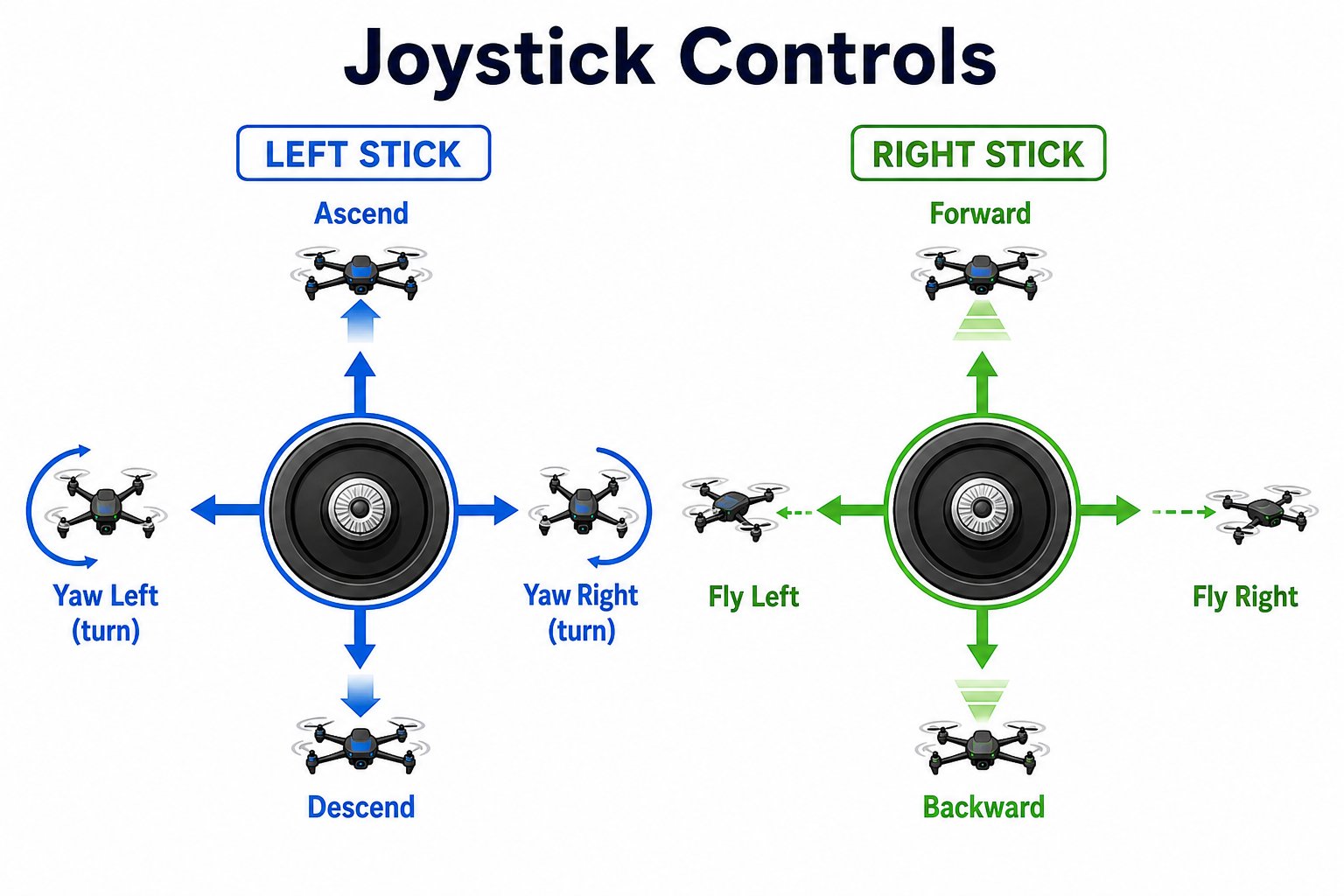
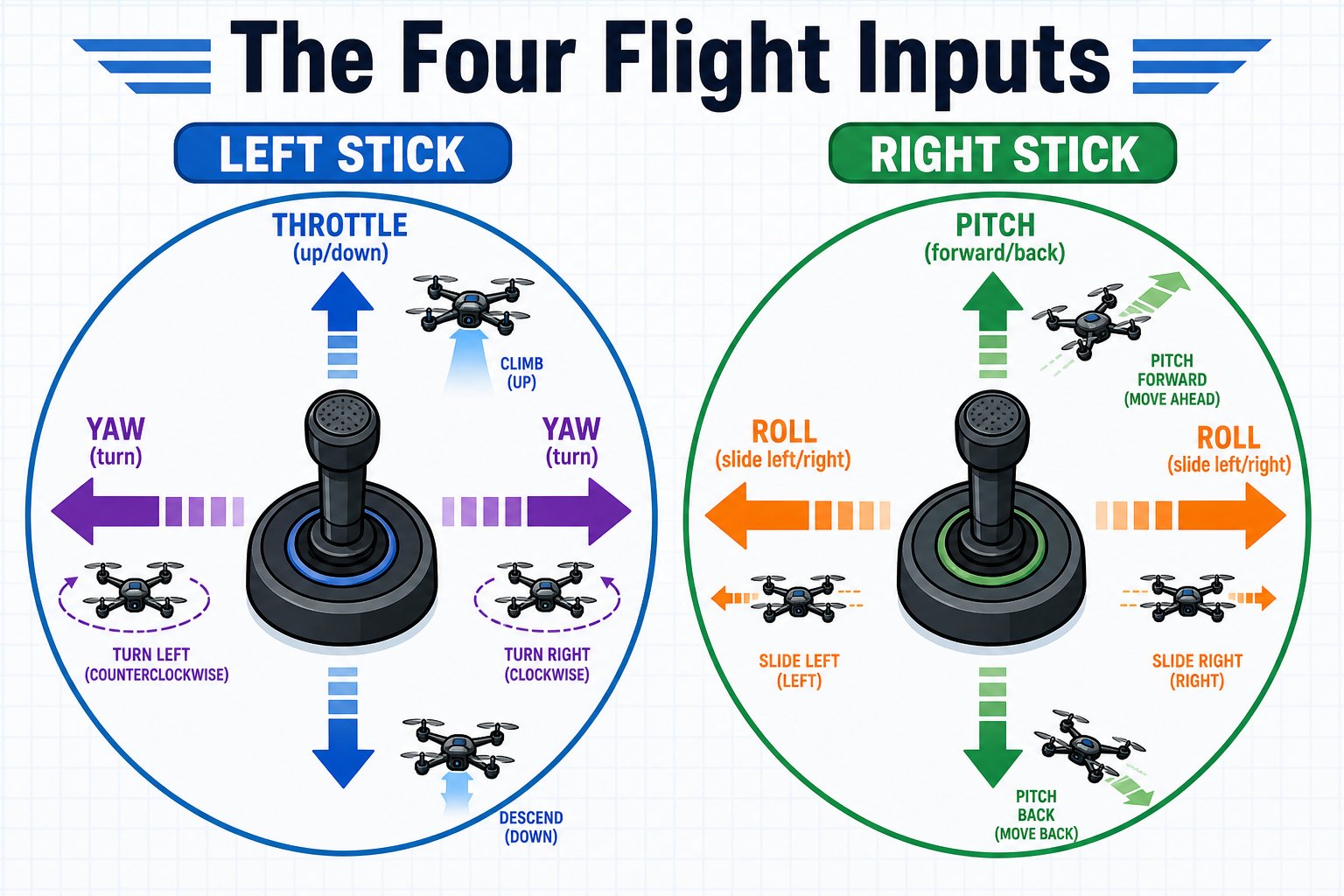
**Altitude (throttle).** Up makes the drone rise, down makes it descend. Center holds its height.
**Yaw.** Spins the drone in place to face left or right, without moving it sideways.
## The right joystick: forward, back, and sideways
**Pitch.** Flies the drone forward or backward.
**Roll.** Slides the drone to the left or right without turning it.
## The four inputs, side by side
| Input | Joystick | Motion |
| ------------ | ----------------- | ---------------------------- |
| **Throttle** | Left, up/down | Rise / descend |
| **Yaw** | Left, left/right | Turn to face a new direction |
| **Pitch** | Right, up/down | Fly forward / backward |
| **Roll** | Right, left/right | Slide left / right |
These four values are **exactly** what your code will control starting on Day 3. Whether it comes from a joystick or a block of code, the drone only ever understands throttle, yaw, pitch, and roll.
## Yaw vs roll - the classic mix-up
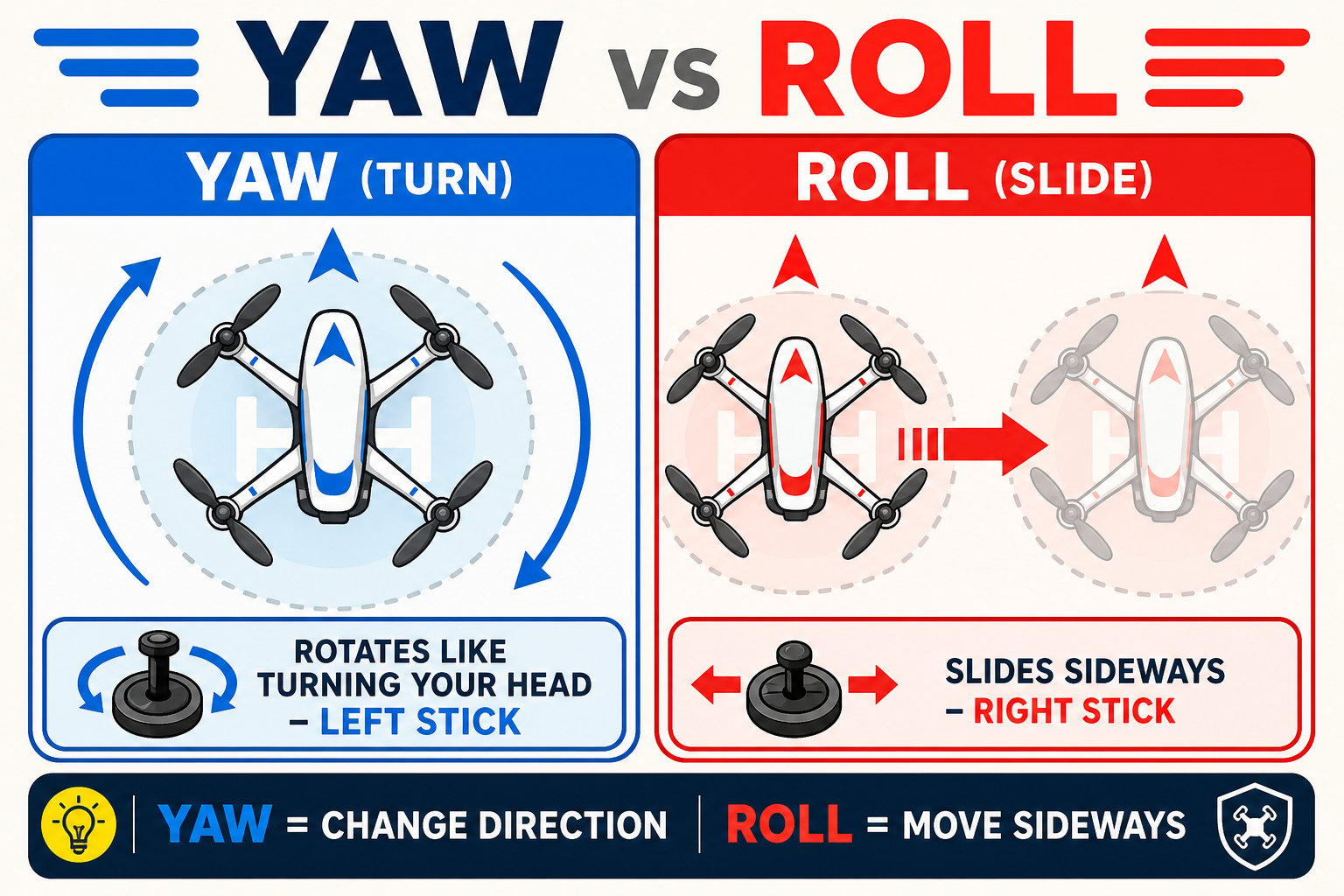
New pilots often confuse turning (yaw) with sliding (roll):
* **Yaw** (left stick): the drone *rotates* to point a new way, like turning your head.
* **Roll** (right stick): the drone *slides* sideways while still facing the same way, like stepping to the side.
## The left joystick: altitude and yaw
**Altitude (throttle).** Up makes the drone rise, down makes it descend. Center holds its height.
**Yaw.** Spins the drone in place to face left or right, without moving it sideways.
## The right joystick: forward, back, and sideways
**Pitch.** Flies the drone forward or backward.
**Roll.** Slides the drone to the left or right without turning it.
## The four inputs, side by side
| Input | Joystick | Motion |
| ------------ | ----------------- | ---------------------------- |
| **Throttle** | Left, up/down | Rise / descend |
| **Yaw** | Left, left/right | Turn to face a new direction |
| **Pitch** | Right, up/down | Fly forward / backward |
| **Roll** | Right, left/right | Slide left / right |
These four values are **exactly** what your code will control starting on Day 3. Whether it comes from a joystick or a block of code, the drone only ever understands throttle, yaw, pitch, and roll.
## Yaw vs roll - the classic mix-up
New pilots often confuse turning (yaw) with sliding (roll):
* **Yaw** (left stick): the drone *rotates* to point a new way, like turning your head.
* **Roll** (right stick): the drone *slides* sideways while still facing the same way, like stepping to the side.
 Practice the motions with the drone powered off first. Say each one out loud - "throttle up, yaw left, pitch forward, roll right" - while moving the sticks. Muscle memory built now pays off in every flight and every program this week.
You can explain which stick controls throttle, yaw, pitch, and roll, and describe the difference between yaw and roll.
Practice the motions with the drone powered off first. Say each one out loud - "throttle up, yaw left, pitch forward, roll right" - while moving the sticks. Muscle memory built now pays off in every flight and every program this week.
You can explain which stick controls throttle, yaw, pitch, and roll, and describe the difference between yaw and roll.