> ## Documentation Index
> Fetch the complete documentation index at: https://stem-docs.intellectualpoint.com/llms.txt
> Use this file to discover all available pages before exploring further.
# Flight challenges
> Put your piloting skills to the test with fun challenges that build the precision you'll need for coding.
## Practice makes a pilot
The best way to lock in flying skills is to give yourself missions. These challenges build the exact precision and control you'll rely on when your code takes over the flying. Start easy and work up.
Fly on the **slow** speed setting for these. Precision beats speed every time - and it's much easier to control.
## Beginner challenges
Take off and keep the drone hovering in one spot for 20 seconds without drifting. Trim it if needed.
Rise to about head height, hold, then gently descend and land on a target spot (a paper plate works great).
Fly forward 2 meters, hover, then fly back to your start point and land.
While hovering, yaw exactly 90 degrees, pause, and repeat until you've made a full circle.
## Intermediate challenges
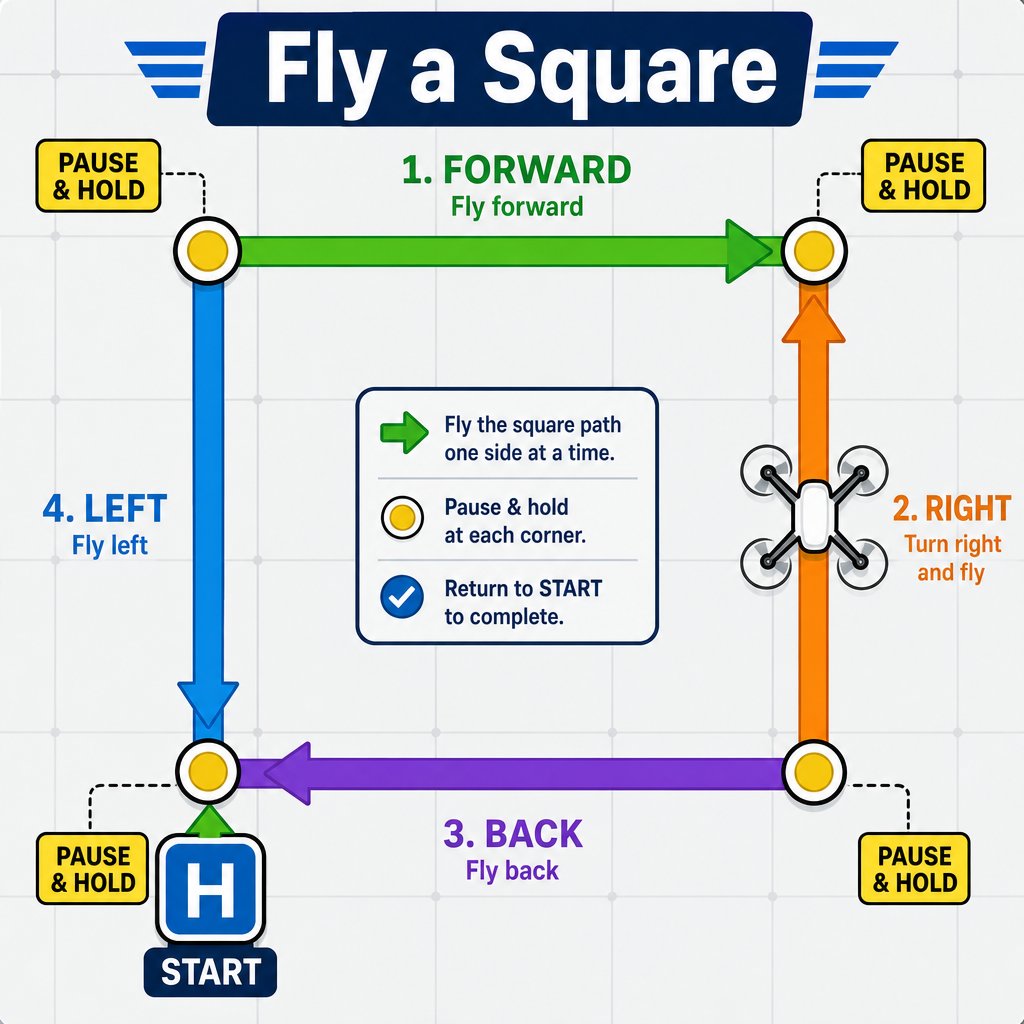 Fly forward, right, back, then left to trace a square in the air, returning to your start.
Set a target on the floor and practice landing the drone directly on it.
Set up a simple gate (two chairs, a hula hoop) and fly the drone through it.
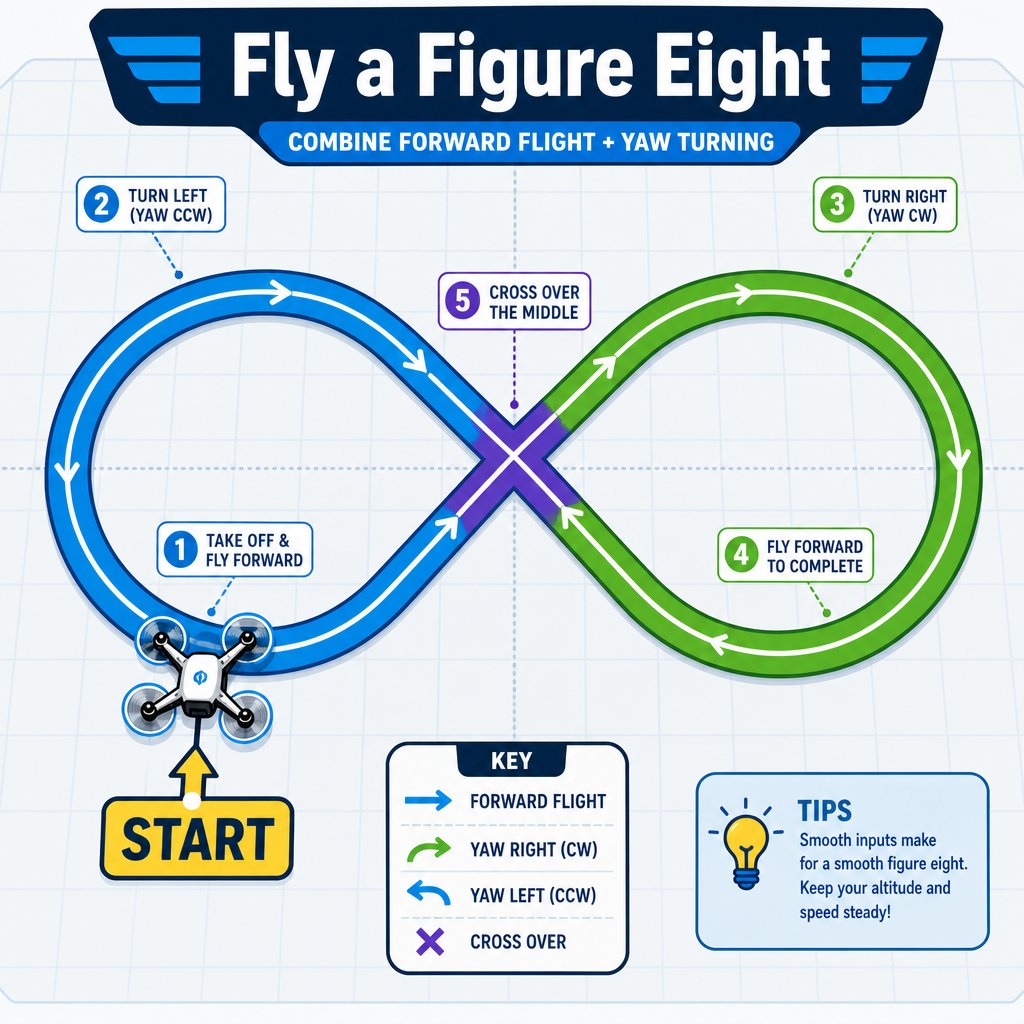
Combine forward flight and yaw to trace a figure-eight pattern.
Fly forward, right, back, then left to trace a square in the air, returning to your start.
Set a target on the floor and practice landing the drone directly on it.
Set up a simple gate (two chairs, a hula hoop) and fly the drone through it.
Combine forward flight and yaw to trace a figure-eight pattern.
 ## Advanced challenge: the obstacle course
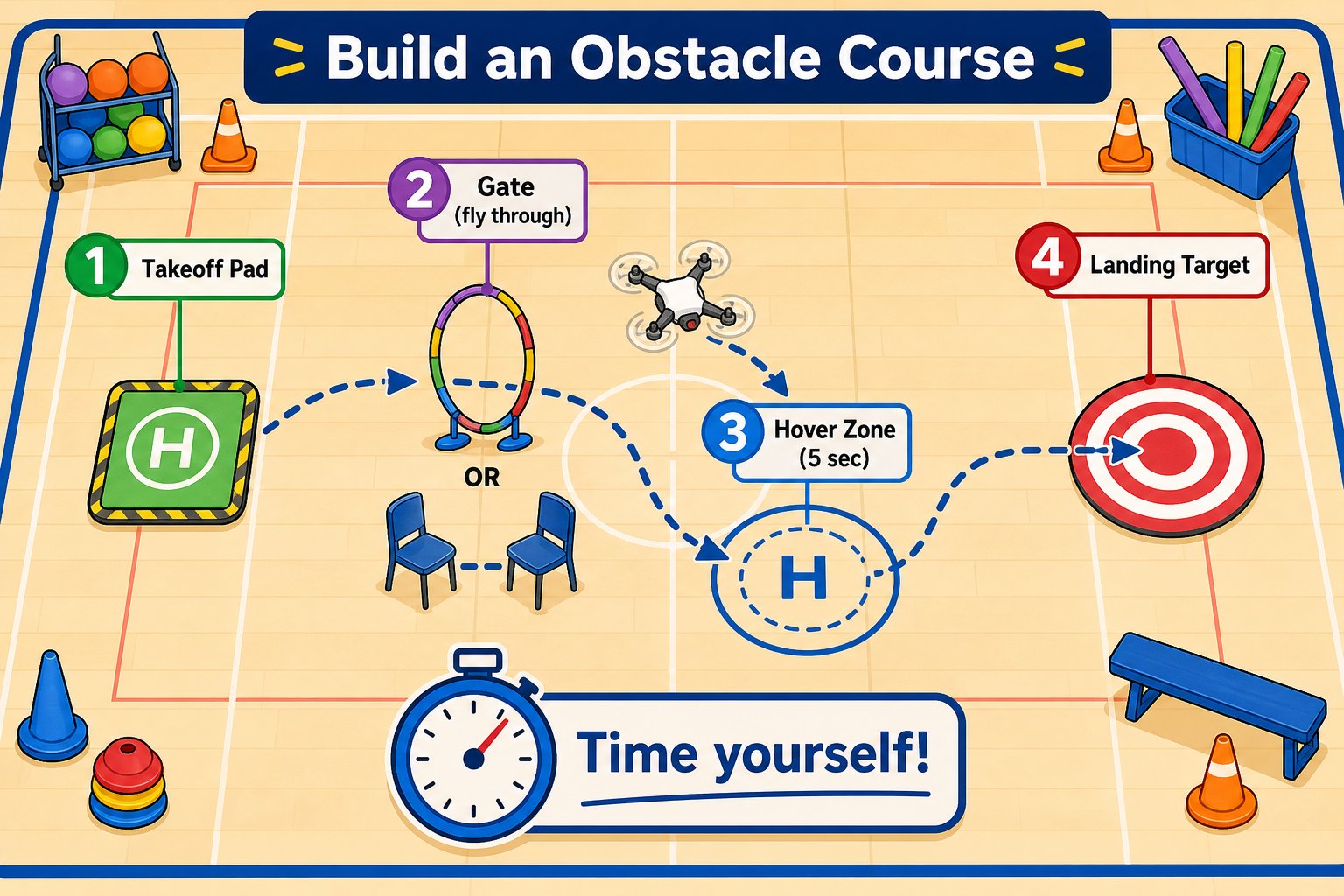
Combine everything: set up a short course with a takeoff pad, a gate to fly through, a spot to hover for 5 seconds, and a target to land on. Time yourself and try to beat it.
## Advanced challenge: the obstacle course
Combine everything: set up a short course with a takeoff pad, a gate to fly through, a spot to hover for 5 seconds, and a target to land on. Time yourself and try to beat it.
 Notice which movements are hardest to do precisely by hand - holding a perfect hover, stopping at an exact spot, turning an exact amount. On Day 3, your code can do these *perfectly* every time. That's the power of programming a drone.
## Think ahead to coding
As you fly, imagine describing each challenge as a set of instructions:
```text theme={null}
take off
fly forward for 2 seconds
turn right 90 degrees
fly forward for 2 seconds
land
```
That's basically a program! Starting on Day 3 you'll snap together blocks that say exactly this - and the drone will fly the whole path on its own, perfectly, every time.
You completed at least one beginner and one intermediate challenge, and you can describe a flight path as a list of step-by-step instructions.
Notice which movements are hardest to do precisely by hand - holding a perfect hover, stopping at an exact spot, turning an exact amount. On Day 3, your code can do these *perfectly* every time. That's the power of programming a drone.
## Think ahead to coding
As you fly, imagine describing each challenge as a set of instructions:
```text theme={null}
take off
fly forward for 2 seconds
turn right 90 degrees
fly forward for 2 seconds
land
```
That's basically a program! Starting on Day 3 you'll snap together blocks that say exactly this - and the drone will fly the whole path on its own, perfectly, every time.
You completed at least one beginner and one intermediate challenge, and you can describe a flight path as a list of step-by-step instructions.