> ## Documentation Index
> Fetch the complete documentation index at: https://stem-docs.intellectualpoint.com/llms.txt
> Use this file to discover all available pages before exploring further.
# Security controls
> Learn the four categories and six types of security controls that protect organizations.
## What are security controls?
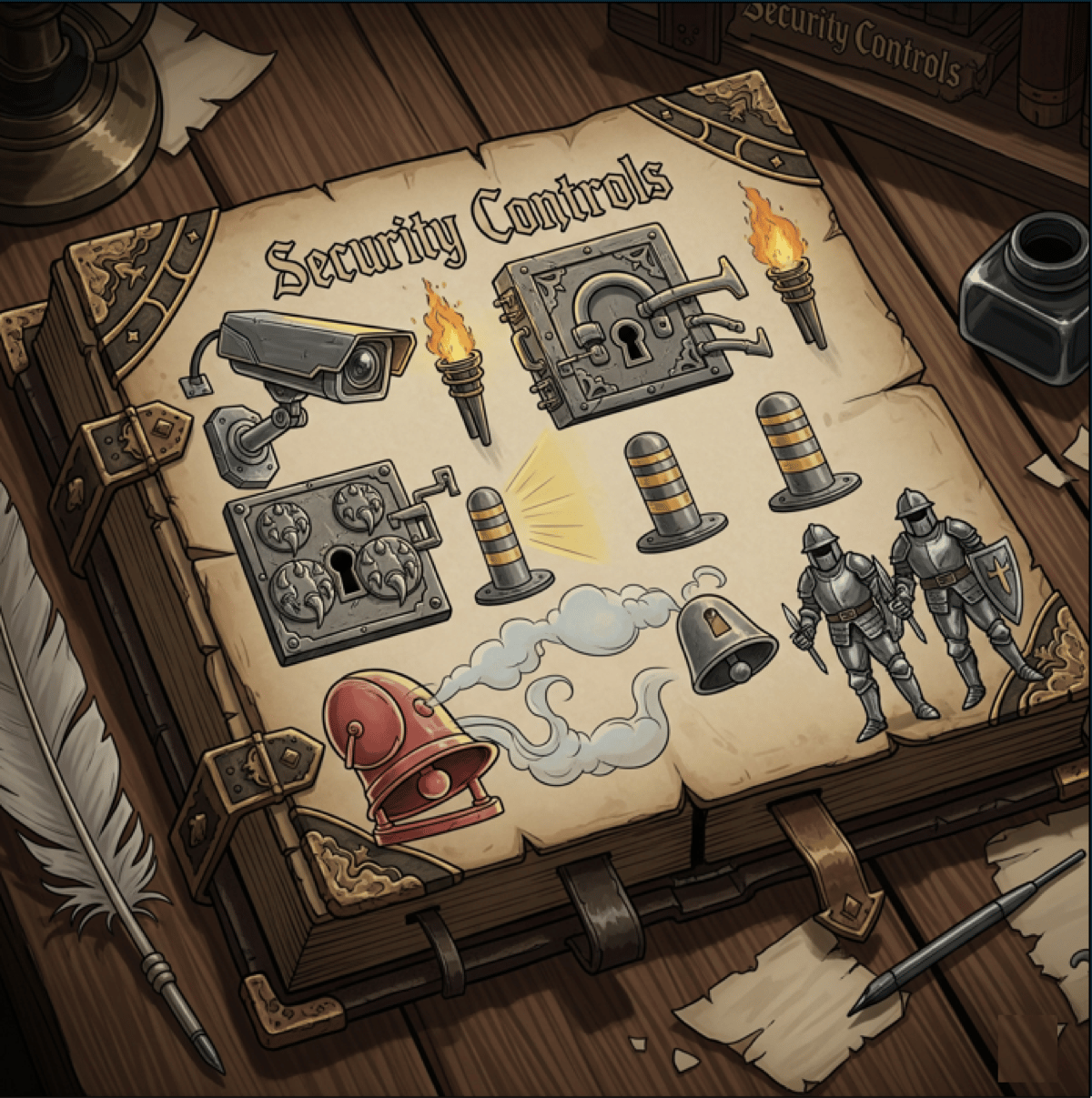
A **security control** is any safeguard or countermeasure that reduces risk to an organization's assets. Controls can be software, hardware, policies, procedures, or even physical barriers. Every organization uses a combination of controls to protect its people, data, and systems.
Think about your school: the locked front door is a security control. The security camera in the hallway is a security control. The acceptable use policy you signed to use school Wi-Fi is a security control. Each one addresses a different type of risk using a different approach.
The Security+ certification exam (CompTIA SY0-701) tests you on both **control categories** and **control types**. The framework you learn today maps directly to what cybersecurity professionals use in the real world.
 ## Defense in depth
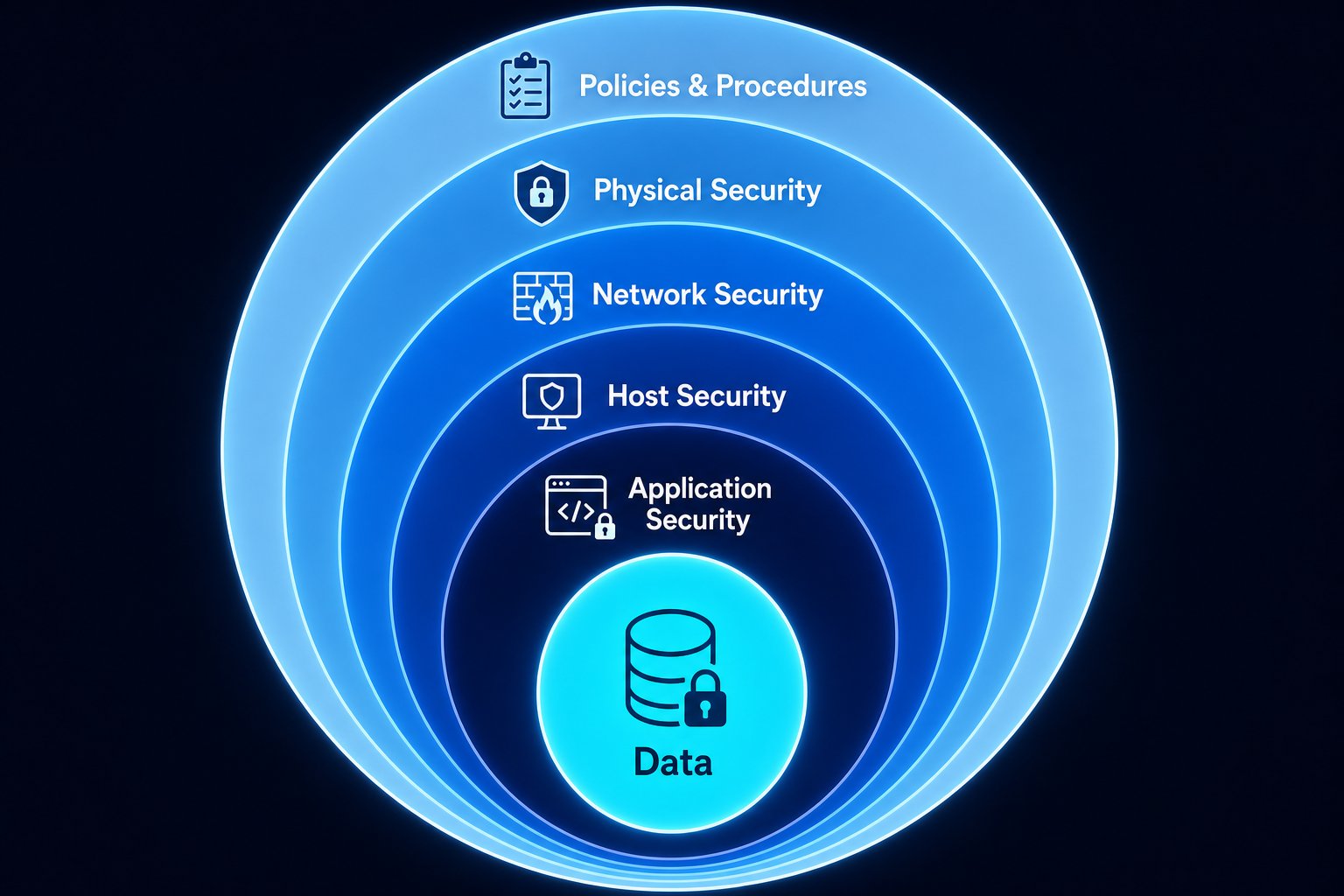
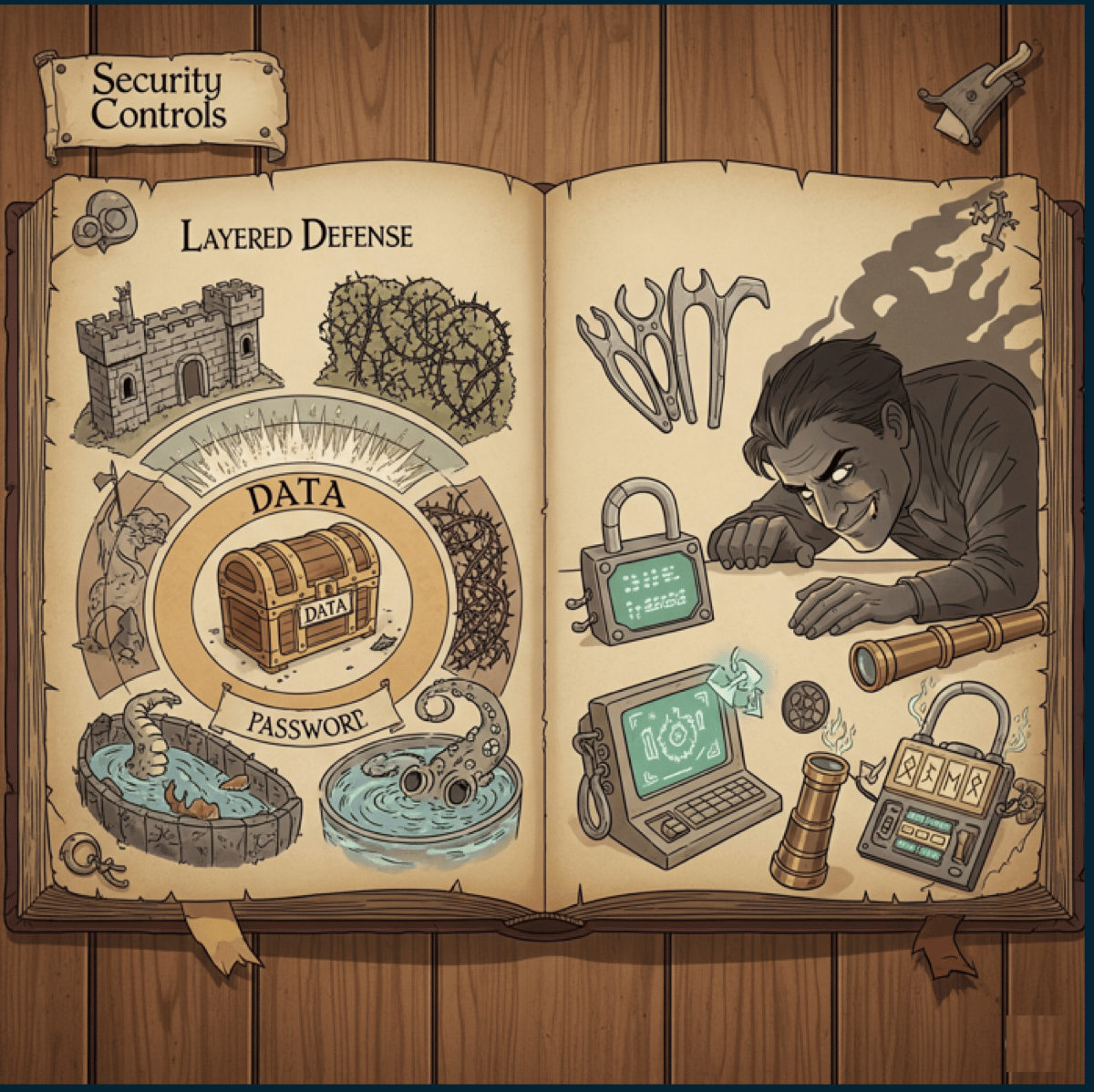
No single security control can stop every threat. That's why organizations use **defense in depth** - multiple layers of security that work together.
Think of it like a castle:
1. **The moat** stops most attackers before they reach the walls
2. **The walls** block those who cross the moat
3. **The guards** catch anyone who makes it past the walls
4. **The locked doors** protect the rooms inside
5. **The vault** secures the most valuable treasures
Each layer serves two purposes:
* **It slows the attacker down**, buying your team time to respond
* **It generates alerts**, telling you something is wrong before the attacker reaches the target
If your firewall fails, your intrusion detection system catches the traffic. If the IDS misses it, the antivirus on the endpoint flags the malware. If the malware gets through, your backups let you recover. No single layer is expected to stop everything - but together, they make a breach far harder.
When you build your company's defenses in the Donuts & Dragons wargame, think about layers. Spending your entire budget on one control leaves you with zero backup if that control fails.
## Defense in depth
No single security control can stop every threat. That's why organizations use **defense in depth** - multiple layers of security that work together.
Think of it like a castle:
1. **The moat** stops most attackers before they reach the walls
2. **The walls** block those who cross the moat
3. **The guards** catch anyone who makes it past the walls
4. **The locked doors** protect the rooms inside
5. **The vault** secures the most valuable treasures
Each layer serves two purposes:
* **It slows the attacker down**, buying your team time to respond
* **It generates alerts**, telling you something is wrong before the attacker reaches the target
If your firewall fails, your intrusion detection system catches the traffic. If the IDS misses it, the antivirus on the endpoint flags the malware. If the malware gets through, your backups let you recover. No single layer is expected to stop everything - but together, they make a breach far harder.
When you build your company's defenses in the Donuts & Dragons wargame, think about layers. Spending your entire budget on one control leaves you with zero backup if that control fails.
 ## Four security control categories
The Security+ framework organizes controls into four categories based on **how they are implemented**. Each category addresses risk in a fundamentally different way.
**Technical controls** are implemented through technology - software, hardware, and automated systems.
These are the controls that run on your computers, networks, and servers. They operate automatically (or semi-automatically) without requiring a human to intervene each time.
**Examples:**
| Control | What it does |
| --------------------------------- | -------------------------------------------------------------------------- |
| Firewall | Filters network traffic based on rules, blocking unauthorized connections |
| Antivirus software | Scans files and processes for known malware signatures |
| Encryption | Scrambles data so only authorized users with the key can read it |
| Intrusion Detection System (IDS) | Monitors network traffic for suspicious patterns and alerts security teams |
| Intrusion Prevention System (IPS) | Monitors and *automatically blocks* suspicious traffic |
| Multi-Factor Authentication (MFA) | Requires two or more forms of identity verification |
| Access Control Lists (ACLs) | Define which users or systems can access specific resources |
Technical controls are often the first line of defense, but they are only as good as their configuration. A firewall with no rules is like a door with no lock.
**Physical controls** protect the physical environment - buildings, rooms, equipment, and people.
These are things you can see and touch. They prevent unauthorized physical access to systems and data.
**Examples:**
| Control | What it does |
| ------------------------------ | ------------------------------------------------------------------------- |
| Locks | Restrict entry to authorized personnel with a key or code |
| Security cameras | Record activity in and around facilities |
| Fences | Create a physical perimeter barrier |
| Bollards | Heavy posts that prevent vehicle ramming attacks |
| Mantraps / security vestibules | A two-door system where the first door must close before the second opens |
| Security guards | Human presence that monitors, verifies identity, and responds to threats |
| Badge readers | Electronic access control tied to employee ID cards |
| Environmental controls | Fire suppression, HVAC, and water sensors that protect hardware |
**Operational controls** are the processes and procedures carried out by people on a regular basis.
These are the daily, weekly, and monthly tasks that keep security running. They require human action and consistent follow-through.
**Examples:**
| Control | What it does |
| ---------------------------- | ----------------------------------------------------------------------- |
| Log reviews | Security analysts review system logs for suspicious activity |
| Vulnerability scans | Automated tools scan systems for known weaknesses on a regular schedule |
| Patch management | IT teams apply software updates to fix security vulnerabilities |
| Change management | A formal process for reviewing and approving system changes |
| Incident response procedures | Step-by-step plans for handling security incidents |
| Backup verification | Regular testing to confirm backups can be restored |
| User access reviews | Periodic checks to ensure people only have access they still need |
**Managerial controls** are the policies, frameworks, and governance structures that guide the entire security program.
These are the rules and plans that tell everyone what to do and how to do it. They set the direction for all other controls.
**Examples:**
| Control | What it does |
| ---------------------------- | -------------------------------------------------------------- |
| Risk assessments | Identify and evaluate threats to the organization |
| Security policies | Written rules governing how data and systems must be protected |
| Security awareness training | Programs that teach employees to recognize and avoid threats |
| Business continuity planning | Plans for keeping the business running during a disaster |
| Compliance audits | Formal reviews to verify the organization follows regulations |
| Acceptable use policies | Rules for how employees can use company devices and networks |
| Vendor risk management | Evaluation of security practices for third-party partners |
Managerial controls are sometimes underestimated because they are "just documents." But without them, no one knows what the rules are, and every other control lacks direction.
## Six security control types
While categories describe **how** a control is implemented, types describe **what** the control is designed to do. Every control - regardless of category - falls into one or more of these six types.
Preventive controls are your first line of defense. They block threats from occurring in the first place.
**The goal:** Make the attack impossible or significantly harder to execute.
**Examples:**
* **Firewall rules** that block unauthorized traffic before it enters the network
* **Door locks** that prevent unauthorized physical entry
* **Access controls** that deny users permissions they shouldn't have
* **Encryption** that makes stolen data unreadable
* **Employee security training** that teaches people to recognize phishing emails
* **Input validation** that rejects malicious data before it reaches the database
Preventive controls are the most cost-effective. It's always cheaper to prevent a breach than to clean up after one.
Detective controls don't stop attacks - they detect them. They tell you something bad is happening (or has happened) so you can respond.
**The goal:** Identify unauthorized activity as quickly as possible.
**Examples:**
* **Security cameras** that record who enters and exits a facility
* **Intrusion Detection Systems (IDS)** that alert on suspicious network traffic
* **Log monitoring** and SIEM (Security Information and Event Management) systems
* **Motion sensors** that trigger alerts when movement is detected after hours
* **File integrity monitoring** that flags when critical files are modified
* **Audit trails** that record who did what and when
The faster you detect a threat, the less damage it can do. Industry data shows the average data breach takes **194 days** to detect. Detective controls shrink that window.
Deterrent controls discourage attackers by making the consequences visible. They don't physically stop anyone - they make the attacker think twice.
**The goal:** Convince the attacker to choose an easier target.
**Examples:**
* **Warning signs** ("Premises under 24/7 video surveillance")
* **Exterior lighting** that eliminates hiding spots around a building
* **Visible security cameras** that remind people they are being watched
* **Login banners** ("Unauthorized access is prohibited and will be prosecuted")
* **Uniformed security guards** whose presence discourages trespassing
* **Beware of dog signs** (even if there is no dog)
Corrective controls kick in after an incident to fix the damage and restore normal operations.
**The goal:** Minimize impact and return to a known good state.
**Examples:**
* **Patching** a vulnerability after it has been exploited
* **Restoring from backups** after ransomware encrypts your files
* **Fire extinguishers** that put out a fire after it starts
* **Incident response procedures** that guide the team through recovery
* **Antivirus quarantine** that isolates and removes detected malware
* **Revoking compromised credentials** and issuing new ones
Compensating controls are substitutes. When you can't implement the ideal control (due to cost, technical limitations, or other constraints), a compensating control provides an alternative level of protection.
**The goal:** Achieve a similar security outcome through a different method.
**Examples:**
* **Security guards** instead of security cameras (when cameras aren't in the budget)
* **Enhanced logging and monitoring** when you can't encrypt legacy data
* **Network segmentation** when you can't patch a vulnerable system immediately
* **Manual code reviews** when automated scanning tools aren't available
* **Temporary firewall rules** while waiting for a permanent fix
Compensating controls are not permanent solutions. They exist to fill a gap until the proper control can be implemented. Always document why the compensating control is in place and plan for the real fix.
Directive controls tell people what to do (and what not to do). They set expectations through written policies, procedures, and guidelines.
**The goal:** Ensure everyone knows the rules and follows them.
**Examples:**
* **Acceptable use policies** that define how employees can use company devices
* **Emergency evacuation plans** posted on the wall
* **Password policies** requiring minimum length and complexity
* **Data classification policies** that define how sensitive data must be handled
* **Regulatory compliance requirements** (HIPAA, PCI-DSS, GDPR)
* **Security awareness training mandates** requiring annual completion
## Controls can wear multiple hats
Here's something that trips people up: a single control can belong to **one category** and **multiple types** at the same time.
Let's look at some examples:
| Control | Category | Types | Why |
| --------------------------- | ---------- | ---------------------- | ---------------------------------------------------------------------------------------------------- |
| Security camera | Physical | Detective + Deterrent | It detects activity (recording) and deters bad behavior (visible presence) |
| Fence | Physical | Preventive + Deterrent | It prevents unauthorized entry and discourages attempts |
| Door lock | Physical | Preventive | It prevents access without the key |
| Firewall | Technical | Preventive + Detective | It blocks unauthorized traffic (preventive) and logs blocked attempts (detective) |
| Security awareness training | Managerial | Preventive + Directive | It prevents attacks by educating employees (preventive) and sets behavioral expectations (directive) |
| Backup system | Technical | Corrective | It fixes the problem by restoring data after loss |
| "No trespassing" sign | Physical | Deterrent + Directive | It discourages entry and directs behavior |
On the Security+ exam, you may be asked to identify both the category **and** the type(s) for a given control. Practice thinking about controls from both angles.
## Exercise: classify these controls
For each control below, identify the **category** (technical, physical, operational, or managerial) and the **type(s)** (preventive, detective, deterrent, corrective, compensating, or directive). Some controls have more than one type.
**Category:** Physical
**Types:** Preventive + Deterrent
A fence physically prevents people from walking in (preventive) and the visible barrier discourages attempts (deterrent).
**Category:** Physical
**Types:** Preventive + Deterrent
Bollards prevent vehicle-based attacks (preventive) and their visible presence signals that the area is protected (deterrent).
**Category:** Physical
**Types:** Detective + Deterrent
Motion lights detect movement (detective) and the sudden illumination discourages intruders (deterrent).
**Category:** Physical
**Types:** Detective + Deterrent
Cameras record activity for review (detective) and their visible presence discourages bad behavior (deterrent).
**Category:** Physical
**Type:** Preventive
A lock prevents unauthorized physical access. It doesn't detect, deter (unless visible), or correct - it blocks.
**Category:** Technical
**Types:** Preventive + Detective + Corrective
Antivirus prevents malware from executing (preventive), detects malicious files through scanning (detective), and quarantines/removes threats (corrective).
**Category:** Managerial
**Type:** Directive
Policies tell employees what to do and what not to do - they direct behavior.
**Category:** Physical
**Types:** Preventive + Corrective
A UPS prevents downtime during a power outage (preventive) and corrects the immediate impact of power loss (corrective).
**Category:** Managerial
**Types:** Preventive + Directive
Training prevents attacks by educating employees to recognize threats (preventive) and establishes behavioral expectations (directive).
**Category:** Managerial
**Types:** Corrective + Directive
An evacuation plan directs behavior during an emergency (directive) and corrects the situation by getting people to safety (corrective).
## Homework: security controls in your home
Before tomorrow, do this exercise at home:
Start at the front door and walk through every room. Identify every security control you can find - locks, cameras, smoke detectors, fire extinguishers, alarm systems, motion lights, and anything else.
Write down each one. Try to find at least 10 security controls.
For each control, identify the category: physical, technical, operational, or managerial.
For each control, identify the type(s): preventive, detective, deterrent, corrective, compensating, or directive.
For each control, identify which part of the CIA Triad it protects: confidentiality, integrity, availability, or a combination. You will learn about the CIA Triad in the next lesson - come back and complete this step after.
You will be surprised how many security controls exist in your everyday life. A deadbolt, a smoke detector, a Ring doorbell, a PIN on your phone - they are all security controls.
## Four security control categories
The Security+ framework organizes controls into four categories based on **how they are implemented**. Each category addresses risk in a fundamentally different way.
**Technical controls** are implemented through technology - software, hardware, and automated systems.
These are the controls that run on your computers, networks, and servers. They operate automatically (or semi-automatically) without requiring a human to intervene each time.
**Examples:**
| Control | What it does |
| --------------------------------- | -------------------------------------------------------------------------- |
| Firewall | Filters network traffic based on rules, blocking unauthorized connections |
| Antivirus software | Scans files and processes for known malware signatures |
| Encryption | Scrambles data so only authorized users with the key can read it |
| Intrusion Detection System (IDS) | Monitors network traffic for suspicious patterns and alerts security teams |
| Intrusion Prevention System (IPS) | Monitors and *automatically blocks* suspicious traffic |
| Multi-Factor Authentication (MFA) | Requires two or more forms of identity verification |
| Access Control Lists (ACLs) | Define which users or systems can access specific resources |
Technical controls are often the first line of defense, but they are only as good as their configuration. A firewall with no rules is like a door with no lock.
**Physical controls** protect the physical environment - buildings, rooms, equipment, and people.
These are things you can see and touch. They prevent unauthorized physical access to systems and data.
**Examples:**
| Control | What it does |
| ------------------------------ | ------------------------------------------------------------------------- |
| Locks | Restrict entry to authorized personnel with a key or code |
| Security cameras | Record activity in and around facilities |
| Fences | Create a physical perimeter barrier |
| Bollards | Heavy posts that prevent vehicle ramming attacks |
| Mantraps / security vestibules | A two-door system where the first door must close before the second opens |
| Security guards | Human presence that monitors, verifies identity, and responds to threats |
| Badge readers | Electronic access control tied to employee ID cards |
| Environmental controls | Fire suppression, HVAC, and water sensors that protect hardware |
**Operational controls** are the processes and procedures carried out by people on a regular basis.
These are the daily, weekly, and monthly tasks that keep security running. They require human action and consistent follow-through.
**Examples:**
| Control | What it does |
| ---------------------------- | ----------------------------------------------------------------------- |
| Log reviews | Security analysts review system logs for suspicious activity |
| Vulnerability scans | Automated tools scan systems for known weaknesses on a regular schedule |
| Patch management | IT teams apply software updates to fix security vulnerabilities |
| Change management | A formal process for reviewing and approving system changes |
| Incident response procedures | Step-by-step plans for handling security incidents |
| Backup verification | Regular testing to confirm backups can be restored |
| User access reviews | Periodic checks to ensure people only have access they still need |
**Managerial controls** are the policies, frameworks, and governance structures that guide the entire security program.
These are the rules and plans that tell everyone what to do and how to do it. They set the direction for all other controls.
**Examples:**
| Control | What it does |
| ---------------------------- | -------------------------------------------------------------- |
| Risk assessments | Identify and evaluate threats to the organization |
| Security policies | Written rules governing how data and systems must be protected |
| Security awareness training | Programs that teach employees to recognize and avoid threats |
| Business continuity planning | Plans for keeping the business running during a disaster |
| Compliance audits | Formal reviews to verify the organization follows regulations |
| Acceptable use policies | Rules for how employees can use company devices and networks |
| Vendor risk management | Evaluation of security practices for third-party partners |
Managerial controls are sometimes underestimated because they are "just documents." But without them, no one knows what the rules are, and every other control lacks direction.
## Six security control types
While categories describe **how** a control is implemented, types describe **what** the control is designed to do. Every control - regardless of category - falls into one or more of these six types.
Preventive controls are your first line of defense. They block threats from occurring in the first place.
**The goal:** Make the attack impossible or significantly harder to execute.
**Examples:**
* **Firewall rules** that block unauthorized traffic before it enters the network
* **Door locks** that prevent unauthorized physical entry
* **Access controls** that deny users permissions they shouldn't have
* **Encryption** that makes stolen data unreadable
* **Employee security training** that teaches people to recognize phishing emails
* **Input validation** that rejects malicious data before it reaches the database
Preventive controls are the most cost-effective. It's always cheaper to prevent a breach than to clean up after one.
Detective controls don't stop attacks - they detect them. They tell you something bad is happening (or has happened) so you can respond.
**The goal:** Identify unauthorized activity as quickly as possible.
**Examples:**
* **Security cameras** that record who enters and exits a facility
* **Intrusion Detection Systems (IDS)** that alert on suspicious network traffic
* **Log monitoring** and SIEM (Security Information and Event Management) systems
* **Motion sensors** that trigger alerts when movement is detected after hours
* **File integrity monitoring** that flags when critical files are modified
* **Audit trails** that record who did what and when
The faster you detect a threat, the less damage it can do. Industry data shows the average data breach takes **194 days** to detect. Detective controls shrink that window.
Deterrent controls discourage attackers by making the consequences visible. They don't physically stop anyone - they make the attacker think twice.
**The goal:** Convince the attacker to choose an easier target.
**Examples:**
* **Warning signs** ("Premises under 24/7 video surveillance")
* **Exterior lighting** that eliminates hiding spots around a building
* **Visible security cameras** that remind people they are being watched
* **Login banners** ("Unauthorized access is prohibited and will be prosecuted")
* **Uniformed security guards** whose presence discourages trespassing
* **Beware of dog signs** (even if there is no dog)
Corrective controls kick in after an incident to fix the damage and restore normal operations.
**The goal:** Minimize impact and return to a known good state.
**Examples:**
* **Patching** a vulnerability after it has been exploited
* **Restoring from backups** after ransomware encrypts your files
* **Fire extinguishers** that put out a fire after it starts
* **Incident response procedures** that guide the team through recovery
* **Antivirus quarantine** that isolates and removes detected malware
* **Revoking compromised credentials** and issuing new ones
Compensating controls are substitutes. When you can't implement the ideal control (due to cost, technical limitations, or other constraints), a compensating control provides an alternative level of protection.
**The goal:** Achieve a similar security outcome through a different method.
**Examples:**
* **Security guards** instead of security cameras (when cameras aren't in the budget)
* **Enhanced logging and monitoring** when you can't encrypt legacy data
* **Network segmentation** when you can't patch a vulnerable system immediately
* **Manual code reviews** when automated scanning tools aren't available
* **Temporary firewall rules** while waiting for a permanent fix
Compensating controls are not permanent solutions. They exist to fill a gap until the proper control can be implemented. Always document why the compensating control is in place and plan for the real fix.
Directive controls tell people what to do (and what not to do). They set expectations through written policies, procedures, and guidelines.
**The goal:** Ensure everyone knows the rules and follows them.
**Examples:**
* **Acceptable use policies** that define how employees can use company devices
* **Emergency evacuation plans** posted on the wall
* **Password policies** requiring minimum length and complexity
* **Data classification policies** that define how sensitive data must be handled
* **Regulatory compliance requirements** (HIPAA, PCI-DSS, GDPR)
* **Security awareness training mandates** requiring annual completion
## Controls can wear multiple hats
Here's something that trips people up: a single control can belong to **one category** and **multiple types** at the same time.
Let's look at some examples:
| Control | Category | Types | Why |
| --------------------------- | ---------- | ---------------------- | ---------------------------------------------------------------------------------------------------- |
| Security camera | Physical | Detective + Deterrent | It detects activity (recording) and deters bad behavior (visible presence) |
| Fence | Physical | Preventive + Deterrent | It prevents unauthorized entry and discourages attempts |
| Door lock | Physical | Preventive | It prevents access without the key |
| Firewall | Technical | Preventive + Detective | It blocks unauthorized traffic (preventive) and logs blocked attempts (detective) |
| Security awareness training | Managerial | Preventive + Directive | It prevents attacks by educating employees (preventive) and sets behavioral expectations (directive) |
| Backup system | Technical | Corrective | It fixes the problem by restoring data after loss |
| "No trespassing" sign | Physical | Deterrent + Directive | It discourages entry and directs behavior |
On the Security+ exam, you may be asked to identify both the category **and** the type(s) for a given control. Practice thinking about controls from both angles.
## Exercise: classify these controls
For each control below, identify the **category** (technical, physical, operational, or managerial) and the **type(s)** (preventive, detective, deterrent, corrective, compensating, or directive). Some controls have more than one type.
**Category:** Physical
**Types:** Preventive + Deterrent
A fence physically prevents people from walking in (preventive) and the visible barrier discourages attempts (deterrent).
**Category:** Physical
**Types:** Preventive + Deterrent
Bollards prevent vehicle-based attacks (preventive) and their visible presence signals that the area is protected (deterrent).
**Category:** Physical
**Types:** Detective + Deterrent
Motion lights detect movement (detective) and the sudden illumination discourages intruders (deterrent).
**Category:** Physical
**Types:** Detective + Deterrent
Cameras record activity for review (detective) and their visible presence discourages bad behavior (deterrent).
**Category:** Physical
**Type:** Preventive
A lock prevents unauthorized physical access. It doesn't detect, deter (unless visible), or correct - it blocks.
**Category:** Technical
**Types:** Preventive + Detective + Corrective
Antivirus prevents malware from executing (preventive), detects malicious files through scanning (detective), and quarantines/removes threats (corrective).
**Category:** Managerial
**Type:** Directive
Policies tell employees what to do and what not to do - they direct behavior.
**Category:** Physical
**Types:** Preventive + Corrective
A UPS prevents downtime during a power outage (preventive) and corrects the immediate impact of power loss (corrective).
**Category:** Managerial
**Types:** Preventive + Directive
Training prevents attacks by educating employees to recognize threats (preventive) and establishes behavioral expectations (directive).
**Category:** Managerial
**Types:** Corrective + Directive
An evacuation plan directs behavior during an emergency (directive) and corrects the situation by getting people to safety (corrective).
## Homework: security controls in your home
Before tomorrow, do this exercise at home:
Start at the front door and walk through every room. Identify every security control you can find - locks, cameras, smoke detectors, fire extinguishers, alarm systems, motion lights, and anything else.
Write down each one. Try to find at least 10 security controls.
For each control, identify the category: physical, technical, operational, or managerial.
For each control, identify the type(s): preventive, detective, deterrent, corrective, compensating, or directive.
For each control, identify which part of the CIA Triad it protects: confidentiality, integrity, availability, or a combination. You will learn about the CIA Triad in the next lesson - come back and complete this step after.
You will be surprised how many security controls exist in your everyday life. A deadbolt, a smoke detector, a Ring doorbell, a PIN on your phone - they are all security controls.