> ## Documentation Index
> Fetch the complete documentation index at: https://stem-docs.intellectualpoint.com/llms.txt
> Use this file to discover all available pages before exploring further.
# The CIA Triad
> Understand confidentiality, integrity, and availability - the three pillars of information security.
## The foundation of cybersecurity
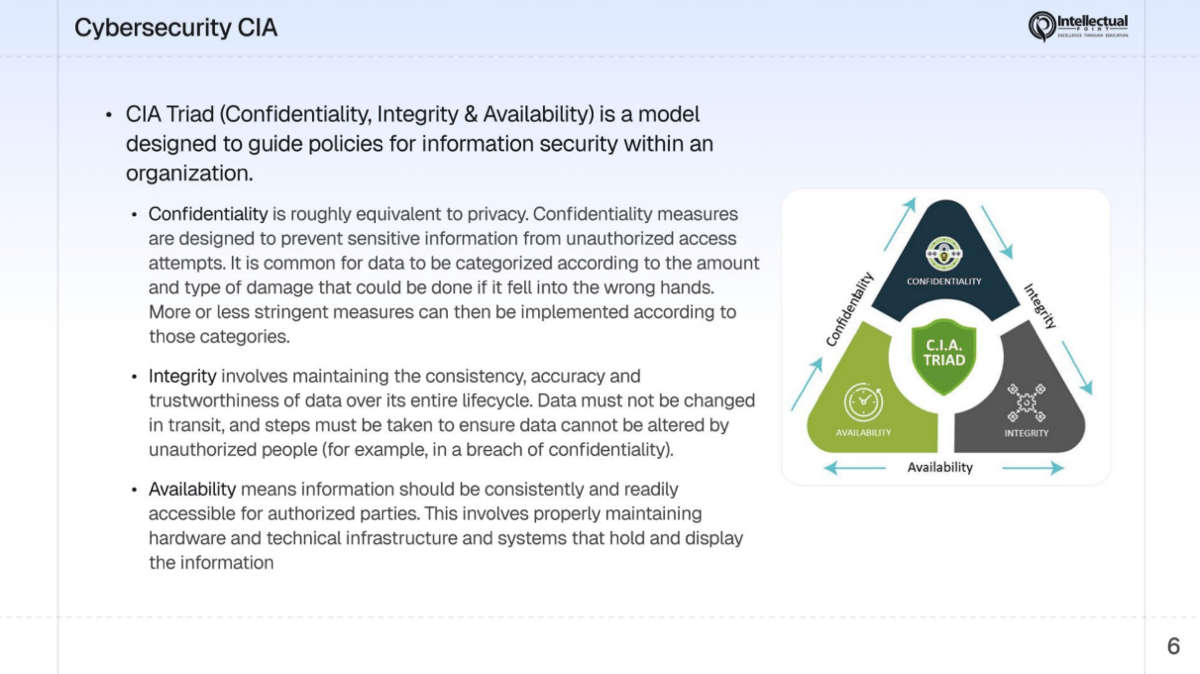
Every security decision - from choosing a password to designing a national defense system - comes back to three principles: **Confidentiality**, **Integrity**, and **Availability**. Together, they form the **CIA Triad**, the foundation of all information security.
If a system protects all three, it's secure. If any one of them fails, you have a security problem.
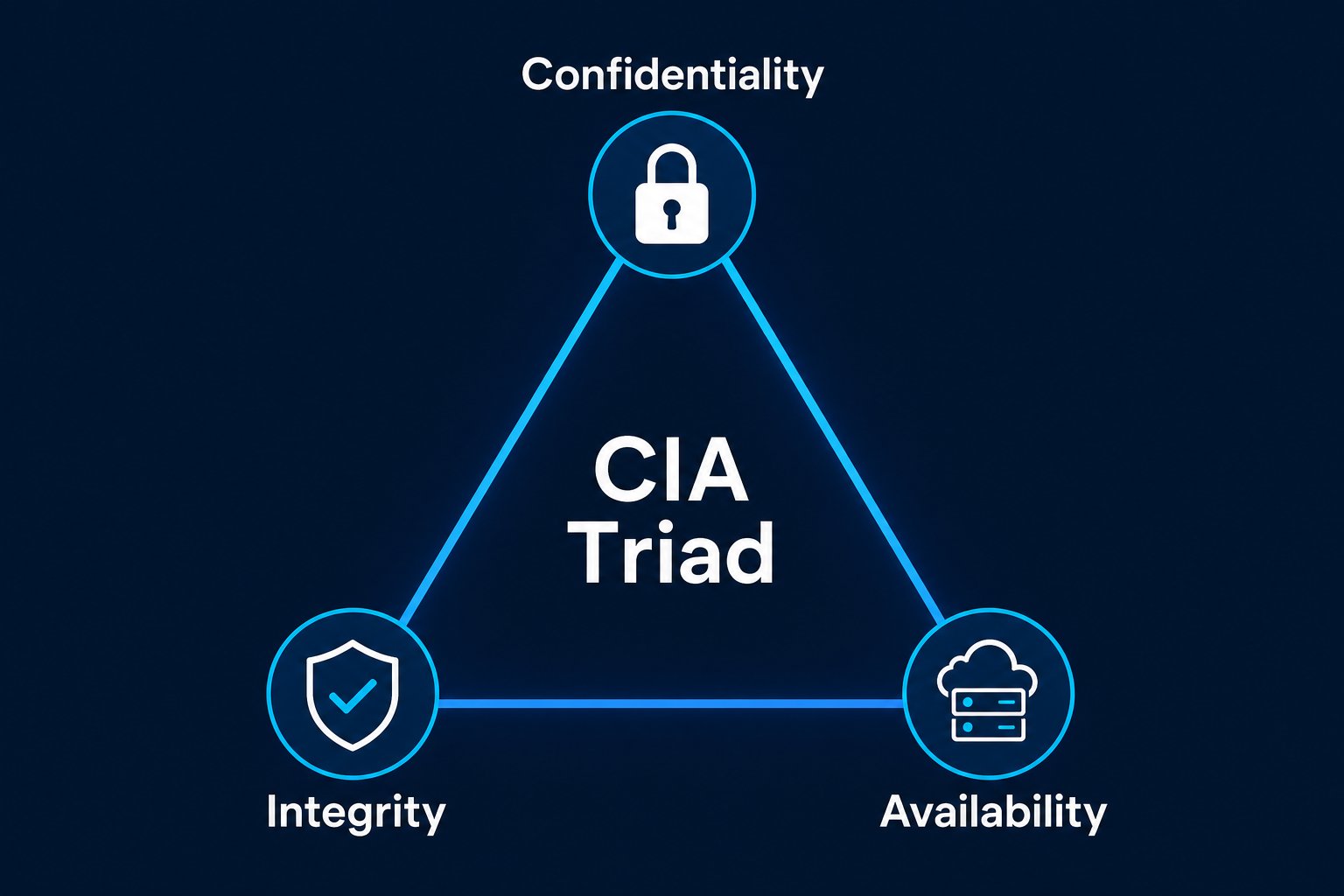 The CIA Triad is not named after the Central Intelligence Agency. It stands for **C**onfidentiality, **I**ntegrity, and **A**vailability. You will see this framework on every cybersecurity certification exam and in every security policy at every organization.
 ## Confidentiality
**Definition:** Only authorized people can access information.
Confidentiality is about keeping secrets secret. When you send a private message, only the intended recipient should read it. When a hospital stores your medical records, only your doctor and authorized staff should access them. When a company stores credit card numbers, only the payment processor should see them.
### The analogy
Think of a **locked mailbox**. Letters go in, but only you have the key to take them out. Without the lock, anyone walking by could read your mail.
### Controls that protect confidentiality
| Control | How it protects confidentiality |
| ------------------------------- | ---------------------------------------------------------------------------------------- |
| Encryption | Scrambles data so only someone with the key can read it |
| Access controls | Restrict who can view files, folders, and systems |
| Data classification | Labels data (public, internal, confidential, top secret) so it gets the right protection |
| Multi-Factor Authentication | Requires multiple forms of identity, making unauthorized access harder |
| Screen locks | Prevent someone from viewing your device when you walk away |
| VPNs (Virtual Private Networks) | Encrypt your internet traffic so no one can eavesdrop |
### Attacks against confidentiality
* **Data breaches** - Attackers steal databases containing customer records, passwords, or financial data
* **Eavesdropping / sniffing** - Intercepting network traffic to read unencrypted communications
* **Shoulder surfing** - Physically looking over someone's shoulder to see their password or screen
* **Unauthorized access** - Someone gains access to a system they shouldn't be able to reach
* **Social engineering** - Tricking someone into revealing confidential information
### Real-world example
Think about your email password. That password keeps your messages confidential. If someone guesses it, steals it, or tricks you into revealing it, they can read every email you have ever sent or received. Every message, every attachment, every conversation - exposed. That's a confidentiality failure.
In 2017, Equifax suffered a data breach that exposed the personal information of **147 million people** - Social Security numbers, birth dates, addresses, and driver's license numbers. The attackers exploited a known vulnerability that hadn't been patched. Confidentiality failed at a massive scale.
## Integrity
**Definition:** Data is accurate, complete, and hasn't been tampered with.
Integrity means you can trust that your data is exactly what it's supposed to be. No one has changed it, deleted parts of it, or added false information. When you check your bank account balance, you trust that the number is correct. When you download a software update, you trust that no one modified it to include malware.
### The analogy
Think of a **wax seal on a letter**. In the old days, a letter was sealed with melted wax imprinted with the sender's ring. If the seal was broken, you knew someone had opened the letter. The seal didn't prevent anyone from reading the letter - it told you whether the letter had been tampered with.
### Controls that protect integrity
| Control | How it protects integrity |
| -------------------- | ------------------------------------------------------------------------------------------------ |
| Hashing | Creates a unique digital fingerprint of data - any change to the data changes the hash |
| Digital signatures | Verify that a message or file came from the claimed sender and hasn't been altered |
| Checksums | A mathematical value computed from data - used to verify files weren't corrupted during transfer |
| Version control | Tracks every change to a file, who made it, and when - allows rollback to any previous version |
| Input validation | Rejects malformed or suspicious data before it enters a system |
| Database constraints | Rules that prevent invalid data from being stored |
### Attacks against integrity
* **Man-in-the-Middle (MitM) attacks** - An attacker intercepts communication between two parties and alters the messages
* **Data tampering** - Modifying records in a database (changing grades, altering financial records)
* **SQL injection** - Injecting malicious database commands to modify or delete data
* **Malware** - Some malware modifies files, system configurations, or registry entries
* **Bit flipping** - Altering individual bits of encrypted data to change the decrypted output
### Real-world example
When you download software, the developer often publishes a **checksum** (like SHA-256) alongside the download link. After downloading, you compute the checksum of your file and compare it to the published value. If they match, the file hasn't been altered. If they don't match, someone (or something) modified the file in transit - and you shouldn't install it.
```bash theme={null}
# Verify a downloaded file's integrity using SHA-256
shasum -a 256 downloaded-file.zip
# Compare the output to the checksum published by the developer
```
Hashing is a one-way function: you can generate a hash from data, but you can't reverse the hash back into the original data. Even a tiny change to the input - a single character - produces a completely different hash.
## Availability
**Definition:** Systems and data are accessible when needed by authorized users.
Availability means the system is up and running when you need it. Your email works when you need to send a message. The hospital's patient records are accessible when a doctor needs them in an emergency. The e-commerce site doesn't crash during a big sale.
### The analogy
Think of a **library**. The library has posted hours: 9 AM to 9 PM, Monday through Saturday. During those hours, you expect the doors to be open, the lights to be on, and the books to be on the shelves. If you show up during posted hours and the library is closed, availability has failed.
### Controls that protect availability
| Control | How it protects availability |
| ---------------------------------- | ------------------------------------------------------------------------------ |
| Redundancy | Duplicate critical systems so if one fails, another takes over |
| Backups | Regular copies of data that can be restored after loss or corruption |
| Load balancing | Distributes traffic across multiple servers so no single server is overwhelmed |
| Disaster recovery plans | Documented procedures for restoring operations after a major failure |
| UPS (Uninterruptible Power Supply) | Battery backup that keeps systems running during power outages |
| Failover clusters | Groups of servers where a backup automatically takes over if the primary fails |
| Content Delivery Networks (CDNs) | Distribute content across the globe so users connect to the nearest server |
### Attacks against availability
* **DDoS (Distributed Denial-of-Service) attacks** - Flooding a server with so much traffic that legitimate users can't access it
* **Ransomware** - Encrypting all of an organization's files and demanding payment for the decryption key
* **Hardware failure** - A server hard drive dies, a network switch fails, a power supply burns out
* **Natural disasters** - Floods, fires, earthquakes, or storms that destroy data centers
* **Insider threats** - A disgruntled employee deleting critical files or shutting down systems
### Real-world example
Every time a major website goes down during a big event - a concert ticket sale, a product launch, a Black Friday deal - that's an availability failure. The servers couldn't handle the demand, and legitimate customers couldn't access the service they needed. Companies invest millions in load balancers, CDNs, and auto-scaling to prevent exactly this scenario.
In 2021, a ransomware attack on the **Colonial Pipeline** shut down fuel delivery across the southeastern United States for six days. Gas stations ran dry, prices spiked, and a state of emergency was declared. The attack didn't steal data - it made the system *unavailable*.
## Non-repudiation
Beyond the CIA Triad, there is a closely related concept: **non-repudiation**.
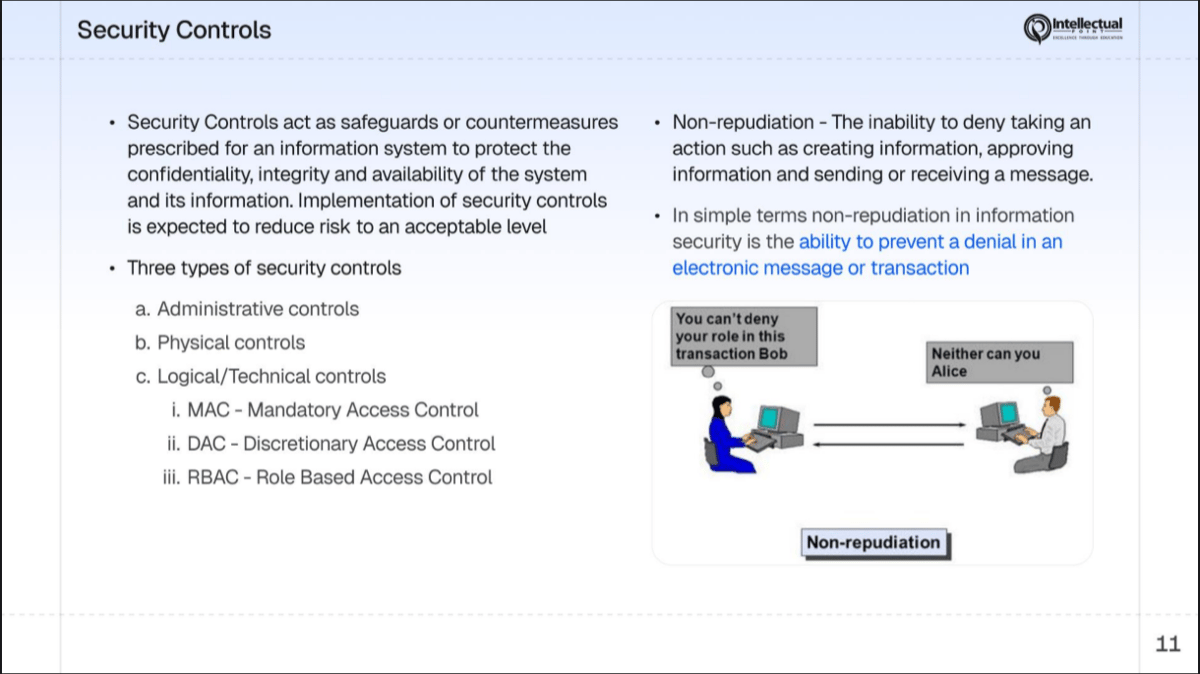
**Definition:** The sender of a message cannot deny having sent it, and the receiver cannot deny having received it.
Non-repudiation provides **proof** - proof of origin, proof of delivery, and proof of integrity. It prevents someone from doing something and then claiming they didn't do it.
## Confidentiality
**Definition:** Only authorized people can access information.
Confidentiality is about keeping secrets secret. When you send a private message, only the intended recipient should read it. When a hospital stores your medical records, only your doctor and authorized staff should access them. When a company stores credit card numbers, only the payment processor should see them.
### The analogy
Think of a **locked mailbox**. Letters go in, but only you have the key to take them out. Without the lock, anyone walking by could read your mail.
### Controls that protect confidentiality
| Control | How it protects confidentiality |
| ------------------------------- | ---------------------------------------------------------------------------------------- |
| Encryption | Scrambles data so only someone with the key can read it |
| Access controls | Restrict who can view files, folders, and systems |
| Data classification | Labels data (public, internal, confidential, top secret) so it gets the right protection |
| Multi-Factor Authentication | Requires multiple forms of identity, making unauthorized access harder |
| Screen locks | Prevent someone from viewing your device when you walk away |
| VPNs (Virtual Private Networks) | Encrypt your internet traffic so no one can eavesdrop |
### Attacks against confidentiality
* **Data breaches** - Attackers steal databases containing customer records, passwords, or financial data
* **Eavesdropping / sniffing** - Intercepting network traffic to read unencrypted communications
* **Shoulder surfing** - Physically looking over someone's shoulder to see their password or screen
* **Unauthorized access** - Someone gains access to a system they shouldn't be able to reach
* **Social engineering** - Tricking someone into revealing confidential information
### Real-world example
Think about your email password. That password keeps your messages confidential. If someone guesses it, steals it, or tricks you into revealing it, they can read every email you have ever sent or received. Every message, every attachment, every conversation - exposed. That's a confidentiality failure.
In 2017, Equifax suffered a data breach that exposed the personal information of **147 million people** - Social Security numbers, birth dates, addresses, and driver's license numbers. The attackers exploited a known vulnerability that hadn't been patched. Confidentiality failed at a massive scale.
## Integrity
**Definition:** Data is accurate, complete, and hasn't been tampered with.
Integrity means you can trust that your data is exactly what it's supposed to be. No one has changed it, deleted parts of it, or added false information. When you check your bank account balance, you trust that the number is correct. When you download a software update, you trust that no one modified it to include malware.
### The analogy
Think of a **wax seal on a letter**. In the old days, a letter was sealed with melted wax imprinted with the sender's ring. If the seal was broken, you knew someone had opened the letter. The seal didn't prevent anyone from reading the letter - it told you whether the letter had been tampered with.
### Controls that protect integrity
| Control | How it protects integrity |
| -------------------- | ------------------------------------------------------------------------------------------------ |
| Hashing | Creates a unique digital fingerprint of data - any change to the data changes the hash |
| Digital signatures | Verify that a message or file came from the claimed sender and hasn't been altered |
| Checksums | A mathematical value computed from data - used to verify files weren't corrupted during transfer |
| Version control | Tracks every change to a file, who made it, and when - allows rollback to any previous version |
| Input validation | Rejects malformed or suspicious data before it enters a system |
| Database constraints | Rules that prevent invalid data from being stored |
### Attacks against integrity
* **Man-in-the-Middle (MitM) attacks** - An attacker intercepts communication between two parties and alters the messages
* **Data tampering** - Modifying records in a database (changing grades, altering financial records)
* **SQL injection** - Injecting malicious database commands to modify or delete data
* **Malware** - Some malware modifies files, system configurations, or registry entries
* **Bit flipping** - Altering individual bits of encrypted data to change the decrypted output
### Real-world example
When you download software, the developer often publishes a **checksum** (like SHA-256) alongside the download link. After downloading, you compute the checksum of your file and compare it to the published value. If they match, the file hasn't been altered. If they don't match, someone (or something) modified the file in transit - and you shouldn't install it.
```bash theme={null}
# Verify a downloaded file's integrity using SHA-256
shasum -a 256 downloaded-file.zip
# Compare the output to the checksum published by the developer
```
Hashing is a one-way function: you can generate a hash from data, but you can't reverse the hash back into the original data. Even a tiny change to the input - a single character - produces a completely different hash.
## Availability
**Definition:** Systems and data are accessible when needed by authorized users.
Availability means the system is up and running when you need it. Your email works when you need to send a message. The hospital's patient records are accessible when a doctor needs them in an emergency. The e-commerce site doesn't crash during a big sale.
### The analogy
Think of a **library**. The library has posted hours: 9 AM to 9 PM, Monday through Saturday. During those hours, you expect the doors to be open, the lights to be on, and the books to be on the shelves. If you show up during posted hours and the library is closed, availability has failed.
### Controls that protect availability
| Control | How it protects availability |
| ---------------------------------- | ------------------------------------------------------------------------------ |
| Redundancy | Duplicate critical systems so if one fails, another takes over |
| Backups | Regular copies of data that can be restored after loss or corruption |
| Load balancing | Distributes traffic across multiple servers so no single server is overwhelmed |
| Disaster recovery plans | Documented procedures for restoring operations after a major failure |
| UPS (Uninterruptible Power Supply) | Battery backup that keeps systems running during power outages |
| Failover clusters | Groups of servers where a backup automatically takes over if the primary fails |
| Content Delivery Networks (CDNs) | Distribute content across the globe so users connect to the nearest server |
### Attacks against availability
* **DDoS (Distributed Denial-of-Service) attacks** - Flooding a server with so much traffic that legitimate users can't access it
* **Ransomware** - Encrypting all of an organization's files and demanding payment for the decryption key
* **Hardware failure** - A server hard drive dies, a network switch fails, a power supply burns out
* **Natural disasters** - Floods, fires, earthquakes, or storms that destroy data centers
* **Insider threats** - A disgruntled employee deleting critical files or shutting down systems
### Real-world example
Every time a major website goes down during a big event - a concert ticket sale, a product launch, a Black Friday deal - that's an availability failure. The servers couldn't handle the demand, and legitimate customers couldn't access the service they needed. Companies invest millions in load balancers, CDNs, and auto-scaling to prevent exactly this scenario.
In 2021, a ransomware attack on the **Colonial Pipeline** shut down fuel delivery across the southeastern United States for six days. Gas stations ran dry, prices spiked, and a state of emergency was declared. The attack didn't steal data - it made the system *unavailable*.
## Non-repudiation
Beyond the CIA Triad, there is a closely related concept: **non-repudiation**.
**Definition:** The sender of a message cannot deny having sent it, and the receiver cannot deny having received it.
Non-repudiation provides **proof** - proof of origin, proof of delivery, and proof of integrity. It prevents someone from doing something and then claiming they didn't do it.
 ### The analogy
Think of **registered mail**. When you send a registered letter, the postal service tracks it at every step. The recipient must sign for it upon delivery. After delivery, the sender can't claim they never sent it, and the recipient can't claim they never received it. There is a paper trail.
Another analogy: a **wax seal** on a medieval document. The seal proves who sent it (proof of origin), and breaking the seal proves it was opened (proof of receipt and tampering).
### Controls that provide non-repudiation
| Control | How it provides non-repudiation |
| ------------------------------ | --------------------------------------------------------------- |
| Digital signatures | Cryptographically prove who created or approved a document |
| Audit logs | Record every action with timestamps, user IDs, and details |
| Certificates | Issued by trusted authorities, bind a public key to an identity |
| Email encryption (S/MIME, PGP) | Signs messages so the sender can be verified |
| Transaction logs | Record financial or database operations with full attribution |
### How it ties into the CIA Triad
Non-repudiation supports all three pillars:
* **Confidentiality** - Digital signatures confirm that encrypted data came from a trusted source
* **Integrity** - Signatures prove the data hasn't been altered since it was signed
* **Availability** - Audit logs help identify who caused an outage and ensure accountability
Some security frameworks consider non-repudiation a fourth pillar alongside the CIA Triad. Whether you treat it as part of the triad or as a separate concept, the principle is the same: actions must be attributable and undeniable.
## Summary: mapping controls to the CIA Triad
This table shows how common security controls map to the three pillars of the CIA Triad. Most controls protect more than one pillar.
| Control | Confidentiality | Integrity | Availability |
| --------------------------- | --------------- | --------- | ------------ |
| Encryption | ✓ | ✓ | |
| Access controls | ✓ | ✓ | |
| Firewalls | ✓ | ✓ | ✓ |
| Backups | | ✓ | ✓ |
| Hashing / checksums | | ✓ | |
| Digital signatures | ✓ | ✓ | |
| Multi-Factor Authentication | ✓ | | |
| Redundancy / failover | | | ✓ |
| Audit logs | | ✓ | |
| UPS / backup power | | | ✓ |
| Input validation | | ✓ | ✓ |
| Security awareness training | ✓ | ✓ | ✓ |
## Think about it: which pillar was violated?
For each scenario below, identify which part of the CIA Triad was violated. Some scenarios involve more than one.
**Confidentiality** was violated.
The data was accessed by someone who was not authorized to see it. The credit card numbers were supposed to be confidential, but the attacker gained access.
**Integrity** was violated.
The data (the grade) was modified by someone without authorization. The grading system's records are no longer accurate or trustworthy.
**Availability** was violated.
Legitimate customers could not access the banking system during the outage. The service was unavailable when they needed it.
**Integrity** and **Confidentiality** were both violated.
The attacker read the email (confidentiality breach) and modified its contents (integrity breach). The recipient receives false information and may send payment to the wrong account.
**Availability** was violated (primarily), with potential **confidentiality** impact.
Doctors and nurses can't access patient records, disrupting care. If the attacker also exfiltrated data before encrypting it, confidentiality was breached too - this is called **double extortion**.
**Availability** and **Integrity** were both violated.
The data is no longer available (availability) and its completeness has been destroyed (integrity). If the company has backups, they can recover - but the original data was compromised.
**Confidentiality** was violated.
Your private messages were viewed by an unauthorized person. This is a physical form of eavesdropping called shoulder surfing.
When analyzing a security incident, always start by asking: "Which part of the CIA Triad was impacted?" This helps you categorize the incident, choose the right response, and select the right controls to prevent it from happening again.
### The analogy
Think of **registered mail**. When you send a registered letter, the postal service tracks it at every step. The recipient must sign for it upon delivery. After delivery, the sender can't claim they never sent it, and the recipient can't claim they never received it. There is a paper trail.
Another analogy: a **wax seal** on a medieval document. The seal proves who sent it (proof of origin), and breaking the seal proves it was opened (proof of receipt and tampering).
### Controls that provide non-repudiation
| Control | How it provides non-repudiation |
| ------------------------------ | --------------------------------------------------------------- |
| Digital signatures | Cryptographically prove who created or approved a document |
| Audit logs | Record every action with timestamps, user IDs, and details |
| Certificates | Issued by trusted authorities, bind a public key to an identity |
| Email encryption (S/MIME, PGP) | Signs messages so the sender can be verified |
| Transaction logs | Record financial or database operations with full attribution |
### How it ties into the CIA Triad
Non-repudiation supports all three pillars:
* **Confidentiality** - Digital signatures confirm that encrypted data came from a trusted source
* **Integrity** - Signatures prove the data hasn't been altered since it was signed
* **Availability** - Audit logs help identify who caused an outage and ensure accountability
Some security frameworks consider non-repudiation a fourth pillar alongside the CIA Triad. Whether you treat it as part of the triad or as a separate concept, the principle is the same: actions must be attributable and undeniable.
## Summary: mapping controls to the CIA Triad
This table shows how common security controls map to the three pillars of the CIA Triad. Most controls protect more than one pillar.
| Control | Confidentiality | Integrity | Availability |
| --------------------------- | --------------- | --------- | ------------ |
| Encryption | ✓ | ✓ | |
| Access controls | ✓ | ✓ | |
| Firewalls | ✓ | ✓ | ✓ |
| Backups | | ✓ | ✓ |
| Hashing / checksums | | ✓ | |
| Digital signatures | ✓ | ✓ | |
| Multi-Factor Authentication | ✓ | | |
| Redundancy / failover | | | ✓ |
| Audit logs | | ✓ | |
| UPS / backup power | | | ✓ |
| Input validation | | ✓ | ✓ |
| Security awareness training | ✓ | ✓ | ✓ |
## Think about it: which pillar was violated?
For each scenario below, identify which part of the CIA Triad was violated. Some scenarios involve more than one.
**Confidentiality** was violated.
The data was accessed by someone who was not authorized to see it. The credit card numbers were supposed to be confidential, but the attacker gained access.
**Integrity** was violated.
The data (the grade) was modified by someone without authorization. The grading system's records are no longer accurate or trustworthy.
**Availability** was violated.
Legitimate customers could not access the banking system during the outage. The service was unavailable when they needed it.
**Integrity** and **Confidentiality** were both violated.
The attacker read the email (confidentiality breach) and modified its contents (integrity breach). The recipient receives false information and may send payment to the wrong account.
**Availability** was violated (primarily), with potential **confidentiality** impact.
Doctors and nurses can't access patient records, disrupting care. If the attacker also exfiltrated data before encrypting it, confidentiality was breached too - this is called **double extortion**.
**Availability** and **Integrity** were both violated.
The data is no longer available (availability) and its completeness has been destroyed (integrity). If the company has backups, they can recover - but the original data was compromised.
**Confidentiality** was violated.
Your private messages were viewed by an unauthorized person. This is a physical form of eavesdropping called shoulder surfing.
When analyzing a security incident, always start by asking: "Which part of the CIA Triad was impacted?" This helps you categorize the incident, choose the right response, and select the right controls to prevent it from happening again.