> ## Documentation Index
> Fetch the complete documentation index at: https://stem-docs.intellectualpoint.com/llms.txt
> Use this file to discover all available pages before exploring further.
# Authentication and access control
> Learn how systems verify identity and control who can access what.
## Who are you, and what can you do?
When you log into your phone, it asks for a PIN, a fingerprint, or a face scan. That's **authentication** - the system verifying who you are. Once you're in, your phone lets you open your apps, but it doesn't let your friend open your banking app with their fingerprint. That's **access control** - the system deciding what you're allowed to do.
These two concepts are the gatekeepers of every secure system.
Authentication and authorization are often confused. Here's the difference in one sentence: **Authentication** proves *who you are*. **Authorization** determines *what you can do*.
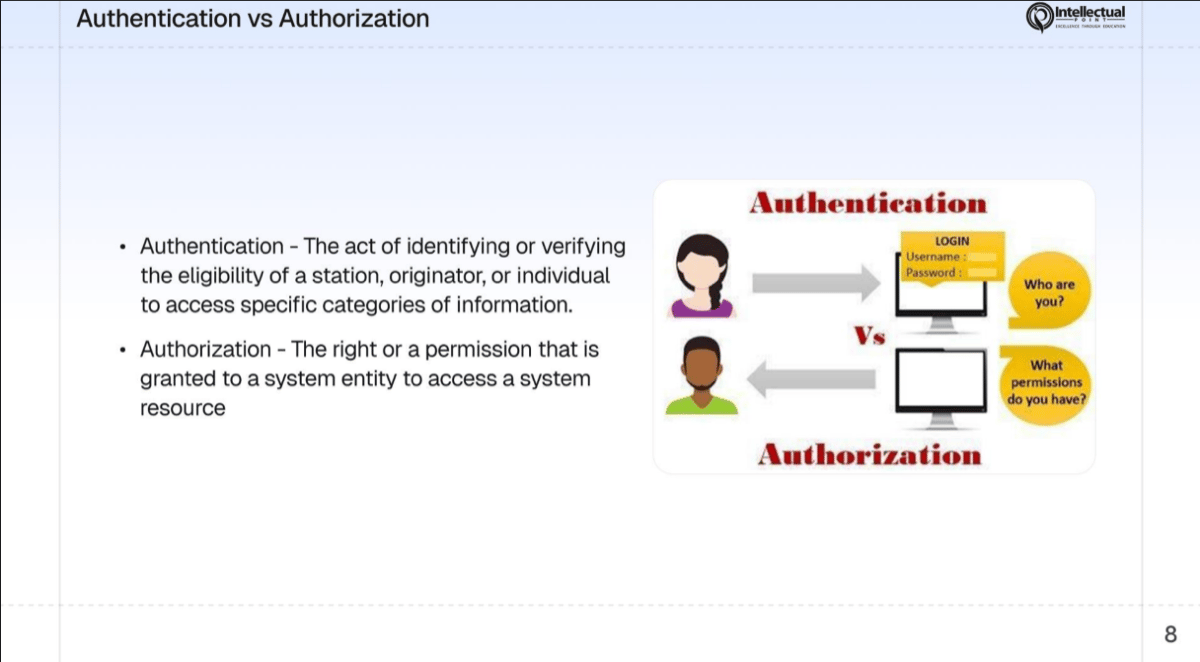 ## Authentication vs authorization
| | Authentication | Authorization |
| ---------------------- | ------------------------------------------ | ----------------------------------------------- |
| **Question answered** | "Who are you?" | "What are you allowed to do?" |
| **When it happens** | First - before access is granted | Second - after identity is confirmed |
| **Example** | Logging in with your username and password | Being allowed to view files but not delete them |
| **Analogy** | Showing your ID at the door | The bouncer checking if you're on the VIP list |
| **Failure looks like** | "Invalid username or password" | "Access denied - insufficient permissions" |
Authentication always comes first. You prove your identity, and then the system checks what permissions your identity has. Without authentication, authorization is meaningless - the system doesn't know who to authorize.
## Three authentication factors
There are three categories of evidence you can use to prove your identity. Each one represents a different **factor** of authentication.
**Biometric authentication** - physical or behavioral characteristics unique to you.
Your body is the credential. You can't forget it, lose it, or lend it to someone else (in most cases).
| Biometric | How it works |
| ------------------- | ------------------------------------------------------------------------------------- |
| Fingerprint scanner | Maps the unique ridges and patterns on your fingertip |
| Facial recognition | Analyzes the geometry of your face (distance between eyes, nose shape, jawline) |
| Retina / iris scan | Maps the unique blood vessel pattern in your retina or the color pattern in your iris |
| Voice recognition | Analyzes vocal characteristics like pitch, cadence, and tone |
| Gait analysis | Identifies you by the way you walk (used in advanced surveillance) |
| Typing patterns | Measures your keystroke dynamics - how fast you type and the pauses between keys |
**Strengths:**
* Extremely difficult to forge or steal
* You always have it with you
* Fast and convenient for users
**Weaknesses:**
* Can't be changed if compromised (you can't get a new fingerprint)
* Can be fooled in some cases (photos tricking facial recognition)
* Privacy concerns - biometric data is highly sensitive
## Authentication vs authorization
| | Authentication | Authorization |
| ---------------------- | ------------------------------------------ | ----------------------------------------------- |
| **Question answered** | "Who are you?" | "What are you allowed to do?" |
| **When it happens** | First - before access is granted | Second - after identity is confirmed |
| **Example** | Logging in with your username and password | Being allowed to view files but not delete them |
| **Analogy** | Showing your ID at the door | The bouncer checking if you're on the VIP list |
| **Failure looks like** | "Invalid username or password" | "Access denied - insufficient permissions" |
Authentication always comes first. You prove your identity, and then the system checks what permissions your identity has. Without authentication, authorization is meaningless - the system doesn't know who to authorize.
## Three authentication factors
There are three categories of evidence you can use to prove your identity. Each one represents a different **factor** of authentication.
**Biometric authentication** - physical or behavioral characteristics unique to you.
Your body is the credential. You can't forget it, lose it, or lend it to someone else (in most cases).
| Biometric | How it works |
| ------------------- | ------------------------------------------------------------------------------------- |
| Fingerprint scanner | Maps the unique ridges and patterns on your fingertip |
| Facial recognition | Analyzes the geometry of your face (distance between eyes, nose shape, jawline) |
| Retina / iris scan | Maps the unique blood vessel pattern in your retina or the color pattern in your iris |
| Voice recognition | Analyzes vocal characteristics like pitch, cadence, and tone |
| Gait analysis | Identifies you by the way you walk (used in advanced surveillance) |
| Typing patterns | Measures your keystroke dynamics - how fast you type and the pauses between keys |
**Strengths:**
* Extremely difficult to forge or steal
* You always have it with you
* Fast and convenient for users
**Weaknesses:**
* Can't be changed if compromised (you can't get a new fingerprint)
* Can be fooled in some cases (photos tricking facial recognition)
* Privacy concerns - biometric data is highly sensitive
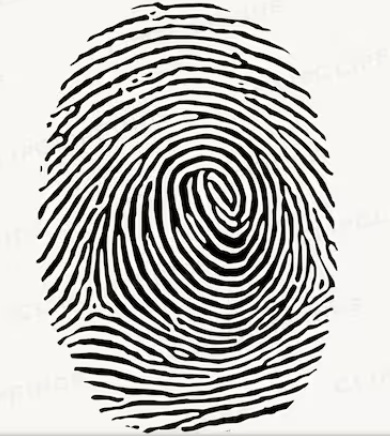 If your password is stolen, you change it. If your biometric data is stolen, you can't change your fingerprint or your face. That's why biometric databases require the highest level of protection.
**Possession-based authentication** - a physical object you carry.
The system verifies that you have a specific item in your possession. Without the item, you can't authenticate.
If your password is stolen, you change it. If your biometric data is stolen, you can't change your fingerprint or your face. That's why biometric databases require the highest level of protection.
**Possession-based authentication** - a physical object you carry.
The system verifies that you have a specific item in your possession. Without the item, you can't authenticate.
 | Item | How it works |
| ---------------------------- | ------------------------------------------------------------------------------------------ |
| Smart card | A card with an embedded chip that stores cryptographic keys - swiped or tapped at a reader |
| Security token (RSA key fob) | A device that generates a new one-time code every 30-60 seconds |
| Phone (for MFA codes) | Receives SMS codes, push notifications, or runs an authenticator app |
| USB security key (YubiKey) | A physical key you plug into your computer or tap via NFC to authenticate |
| Badge / access card | Swiped or held near a reader to unlock doors or systems |
**Strengths:**
* Adds a physical layer that remote attackers can't easily bypass
* Can be combined with other factors for strong authentication
**Weaknesses:**
* Can be lost, stolen, or forgotten at home
* Costs money to issue and replace
* SMS codes can be intercepted through SIM swapping attacks
Hardware security keys (like YubiKey) are considered the most secure form of "something you have" because they are resistant to phishing. Even if you enter your password on a fake website, the key won't authenticate with the wrong server.
**Knowledge-based authentication** - information stored in your memory.
This is the most common and oldest form of authentication. You prove your identity by demonstrating you know a secret.
| Item | How it works |
| ---------------------------- | ------------------------------------------------------------------------------------------ |
| Smart card | A card with an embedded chip that stores cryptographic keys - swiped or tapped at a reader |
| Security token (RSA key fob) | A device that generates a new one-time code every 30-60 seconds |
| Phone (for MFA codes) | Receives SMS codes, push notifications, or runs an authenticator app |
| USB security key (YubiKey) | A physical key you plug into your computer or tap via NFC to authenticate |
| Badge / access card | Swiped or held near a reader to unlock doors or systems |
**Strengths:**
* Adds a physical layer that remote attackers can't easily bypass
* Can be combined with other factors for strong authentication
**Weaknesses:**
* Can be lost, stolen, or forgotten at home
* Costs money to issue and replace
* SMS codes can be intercepted through SIM swapping attacks
Hardware security keys (like YubiKey) are considered the most secure form of "something you have" because they are resistant to phishing. Even if you enter your password on a fake website, the key won't authenticate with the wrong server.
**Knowledge-based authentication** - information stored in your memory.
This is the most common and oldest form of authentication. You prove your identity by demonstrating you know a secret.
 | Item | How it works |
| ------------------------------------ | ------------------------------------------------------------------------------------ |
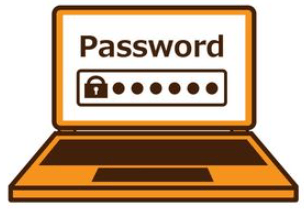
| Password | A secret string of characters you type to log in |
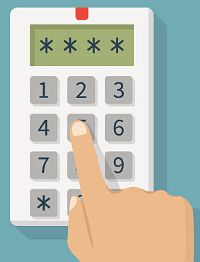
| PIN (Personal Identification Number) | A short numeric code, typically 4-8 digits |
| Security questions | Pre-set questions like "What was your first pet's name?" |
| Passphrase | A longer sequence of words used as a password (e.g., "correct-horse-battery-staple") |
| Pattern lock | A shape drawn on a grid of dots (common on Android phones) |
| Item | How it works |
| ------------------------------------ | ------------------------------------------------------------------------------------ |
| Password | A secret string of characters you type to log in |
| PIN (Personal Identification Number) | A short numeric code, typically 4-8 digits |
| Security questions | Pre-set questions like "What was your first pet's name?" |
| Passphrase | A longer sequence of words used as a password (e.g., "correct-horse-battery-staple") |
| Pattern lock | A shape drawn on a grid of dots (common on Android phones) |
 **Strengths:**
* Free to implement - no hardware required
* Easy for users to understand
* Can be changed instantly if compromised
**Weaknesses:**
* Can be guessed, cracked, phished, or shoulder-surfed
* People reuse passwords across multiple sites
* People choose weak passwords ("password123", "qwerty", birth dates)
* Security questions often have guessable answers (especially from social media)
## Multi-Factor Authentication (MFA)
**Multi-Factor Authentication** requires you to prove your identity using **two or more different factors**. The key word is *different* - using two passwords (both "something you know") is not MFA.
**Password** (something you know) + **Authenticator app code** (something you have) = MFA
Two different factor categories are used together.
**Password** (something you know) + **Security question** (something you know) = Not MFA
Both are the same factor category. An attacker who compromises one may compromise both.
### Why passwords alone aren't enough
Consider these statistics:
| Fact | Source |
| ---------------------------------------------------------------------- | ------------ |
| 81% of data breaches involve weak or stolen passwords | Verizon DBIR |
| The average person has 80+ online accounts | LastPass |
| 65% of people reuse the same password across multiple sites | Google |
| A 6-character password can be cracked in under 1 second | Hive Systems |
| An 8-character password with complexity can be cracked in \~39 minutes | Hive Systems |
If all you have is a password, a single phishing email, a data breach on another site, or a brute-force attack can give an attacker full access to your account. MFA adds a second barrier: even if the attacker has your password, they still need your phone, your fingerprint, or your security key.
The strongest MFA combines factors from different categories. **Fingerprint + security key** is stronger than **password + SMS code** because both factors in the first combination are harder to steal remotely.
## Access control models
Once you're authenticated (the system knows who you are), **access control** determines what you're allowed to do. There are five major models, each with different rules for how permissions are assigned and enforced.
To make these concrete, we'll use examples from a fictional business you might recognize: **Donuts & Dragons** - the donut shop from the Cyber Defense Challenge.
**How it works:** Access is determined by your **role** in the organization. Each role has a set of permissions, and you inherit the permissions of your assigned role.
**The principle:** You get access based on your job title, not who you are personally.
**Donuts & Dragons example:**
| Role | Permissions |
| ------------- | ------------------------------------------------------------------------------------------------------- |
| Barista | Use the POS system, view the menu, clock in/out |
| Shift manager | Everything a barista can do + view sales reports, approve refunds |
| Store manager | Everything a shift manager can do + view payroll, modify employee schedules, access the office computer |
| Owner | Full access to all systems, financial records, and security settings |
The store manager can view payroll on the office computer, but a barista cannot - because their **role** doesn't include that permission. If the barista gets promoted to shift manager, they automatically gain the new role's permissions.
**Where you see it:** Most companies, schools, and organizations use RBAC. Your school email probably gives teachers different permissions than students - that's RBAC.
RBAC is the most common access control model in business. It's easy to manage because you assign roles, not individual permissions. When someone changes jobs, you change their role - done.
**How it works:** The **owner** of a resource decides who gets access. It's discretionary because the owner has full discretion - they can share access with anyone they choose.
**The principle:** If you own it, you control who can use it.
**Donuts & Dragons example:**
The store manager has an office computer with the password. They decide to share the password with the assistant manager so they can access sales reports on weekends. The manager made a discretionary decision to share access - no system policy required it, and no administrator approved it.
**Where you see it:** Google Docs, Dropbox, and most file-sharing systems use DAC. When you share a document and choose "anyone with the link can edit," you're using discretionary access control - you, as the owner, decide who gets access.
**The risk:** DAC is flexible but dangerous. If the assistant manager writes the password on a sticky note and leaves it on the desk, anyone who finds it gets access. The owner's judgment is the only safeguard.
DAC gives users significant power - and significant responsibility. In high-security environments, DAC is often considered too risky because a single user's bad judgment can expose sensitive data.
**How it works:** A **central authority** (the system or an administrator) enforces access rules based on security classifications. Individual users cannot change these rules - they are mandatory.
**The principle:** The system enforces access based on clearance levels and data classifications. No exceptions.
**Donuts & Dragons example:**
This model doesn't naturally fit a donut shop - it's designed for high-security environments. But imagine a military scenario:
| Classification | Who can access |
| -------------- | ----------------------------------------------- |
| Unclassified | Anyone |
| Confidential | Personnel with Confidential clearance or higher |
| Secret | Personnel with Secret clearance or higher |
| Top Secret | Only personnel with Top Secret clearance |
A soldier with Secret clearance can read Confidential and Unclassified documents, but cannot access Top Secret documents - even if a general verbally tells them it's okay. The system enforces the rules, not the people.
**Where you see it:** Military systems, intelligence agencies, and some government networks. The operating system SELinux (Security-Enhanced Linux) implements MAC.
The key difference between MAC and DAC: in DAC, the owner decides who gets access. In MAC, the system decides - and no individual can override it.
**How it works:** Access is determined by **attributes** - characteristics of the user, the resource, and the environment. These attributes are evaluated by rules at the time of the request.
**The principle:** Access depends on context - who you are, what you're requesting, when, where, and how.
**Donuts & Dragons example:**
The baker at Donuts & Dragons can access the kitchen inventory system - but only during their scheduled shift hours (6 AM - 2 PM) and only from the kitchen terminal. If the baker tries to log into the inventory system at 10 PM from their home laptop, access is denied.
**Attributes evaluated:**
| Attribute type | Example |
| --------------------- | ------------------------------------------------------------------- |
| User attribute | Role = Baker, Department = Kitchen |
| Resource attribute | System = Kitchen Inventory |
| Environment attribute | Time = 6 AM - 2 PM, Location = Kitchen terminal |
| Action attribute | Action = View inventory (allowed), Action = Delete records (denied) |
**Where you see it:** Cloud platforms like AWS use ABAC extensively. An IAM policy might say: "Allow access to S3 buckets tagged with `department=engineering` only for users tagged with `department=engineering`."
ABAC is the most flexible model. It can express any rule that RBAC, DAC, or MAC can - plus rules based on time, location, device type, and other context that the simpler models can't handle.
**How it works:** Access is determined by **predefined rules** configured by an administrator. These rules apply to all users equally, regardless of identity or role.
**The principle:** The rule applies to everyone, no exceptions.
**Donuts & Dragons example:**
The Donuts & Dragons store has a firewall with a rule: **block all incoming traffic from IP addresses outside the United States**. This rule applies to everyone - customers, employees, vendors, even the owner. If the owner travels to Europe and tries to access the POS system remotely, the firewall blocks them. The rule doesn't care who you are.
**More examples:**
* A router rule that blocks all traffic on port 23 (Telnet)
* A time-based rule that disables Wi-Fi access after business hours
* A content filter that blocks access to social media sites on the company network
**Where you see it:** Firewalls, routers, and content filters are the most common implementations. The rules are configured once and applied universally.
RuBAC and RBAC sound similar but are fundamentally different. **RBAC** assigns permissions based on your role (manager, barista). **RuBAC** applies rules universally regardless of your role (the firewall blocks port 23 for everyone).
## Comparison of access control models
| Model | Who decides? | Based on | Flexibility | Best for |
| ----- | -------------------------- | ------------------------------------------ | ----------- | ------------------------------------ |
| RBAC | Administrator | Job role | Medium | Most businesses and organizations |
| DAC | Resource owner | Owner's discretion | High | File sharing, personal devices |
| MAC | System / central authority | Security classification | Low | Military, intelligence, government |
| ABAC | Policy engine | User, resource, and environment attributes | Very high | Cloud platforms, complex enterprises |
| RuBAC | Administrator | Predefined rules | Low | Firewalls, routers, network devices |
## Exercise: match the model
For each scenario, identify which access control model is the best fit.
**RBAC (Role-Based Access Control)**
Access is determined by the user's role - doctor vs nurse. Each role has different permissions. The system doesn't care who the individual is, only what their role is.
**DAC (Discretionary Access Control)**
The teacher (the resource owner) decides who gets access. They can share with anyone they choose, revoke access at any time, and set permissions (view, comment, edit).
**MAC (Mandatory Access Control)**
Access is enforced by the system based on the document's classification level and the user's clearance level. No individual can override this - even a general can't grant access to someone without the proper clearance.
**ABAC (Attribute-Based Access Control)**
Access depends on multiple attributes: time (8 AM - 6 PM), device type (company laptop), and location (United States). ABAC is the only model that evaluates this many contextual factors simultaneously.
**RuBAC (Rule-Based Access Control)**
A predefined rule applies universally to all traffic. The firewall doesn't know or care about the user's identity - it enforces the rule on every packet.
**RBAC (Role-Based Access Control)**
Permissions are tied to the role (cashier vs manager), not to individual users. A new cashier automatically gets cashier permissions; a promoted manager automatically gets refund authority.
## Key takeaways
Systems verify who you are using three factors: something you **know** (password), something you **have** (phone), or something you **are** (fingerprint).
Multi-Factor Authentication requires two or more different factor types. Two passwords is not MFA - you need factors from different categories.
After authentication, access control models decide what you can and can't do. The five major models (RBAC, DAC, MAC, ABAC, RuBAC) each handle this differently.
The best access control model depends on the organization's needs. A donut shop uses RBAC. A military base uses MAC. A cloud platform uses ABAC. There is no single right answer.
**Strengths:**
* Free to implement - no hardware required
* Easy for users to understand
* Can be changed instantly if compromised
**Weaknesses:**
* Can be guessed, cracked, phished, or shoulder-surfed
* People reuse passwords across multiple sites
* People choose weak passwords ("password123", "qwerty", birth dates)
* Security questions often have guessable answers (especially from social media)
## Multi-Factor Authentication (MFA)
**Multi-Factor Authentication** requires you to prove your identity using **two or more different factors**. The key word is *different* - using two passwords (both "something you know") is not MFA.
**Password** (something you know) + **Authenticator app code** (something you have) = MFA
Two different factor categories are used together.
**Password** (something you know) + **Security question** (something you know) = Not MFA
Both are the same factor category. An attacker who compromises one may compromise both.
### Why passwords alone aren't enough
Consider these statistics:
| Fact | Source |
| ---------------------------------------------------------------------- | ------------ |
| 81% of data breaches involve weak or stolen passwords | Verizon DBIR |
| The average person has 80+ online accounts | LastPass |
| 65% of people reuse the same password across multiple sites | Google |
| A 6-character password can be cracked in under 1 second | Hive Systems |
| An 8-character password with complexity can be cracked in \~39 minutes | Hive Systems |
If all you have is a password, a single phishing email, a data breach on another site, or a brute-force attack can give an attacker full access to your account. MFA adds a second barrier: even if the attacker has your password, they still need your phone, your fingerprint, or your security key.
The strongest MFA combines factors from different categories. **Fingerprint + security key** is stronger than **password + SMS code** because both factors in the first combination are harder to steal remotely.
## Access control models
Once you're authenticated (the system knows who you are), **access control** determines what you're allowed to do. There are five major models, each with different rules for how permissions are assigned and enforced.
To make these concrete, we'll use examples from a fictional business you might recognize: **Donuts & Dragons** - the donut shop from the Cyber Defense Challenge.
**How it works:** Access is determined by your **role** in the organization. Each role has a set of permissions, and you inherit the permissions of your assigned role.
**The principle:** You get access based on your job title, not who you are personally.
**Donuts & Dragons example:**
| Role | Permissions |
| ------------- | ------------------------------------------------------------------------------------------------------- |
| Barista | Use the POS system, view the menu, clock in/out |
| Shift manager | Everything a barista can do + view sales reports, approve refunds |
| Store manager | Everything a shift manager can do + view payroll, modify employee schedules, access the office computer |
| Owner | Full access to all systems, financial records, and security settings |
The store manager can view payroll on the office computer, but a barista cannot - because their **role** doesn't include that permission. If the barista gets promoted to shift manager, they automatically gain the new role's permissions.
**Where you see it:** Most companies, schools, and organizations use RBAC. Your school email probably gives teachers different permissions than students - that's RBAC.
RBAC is the most common access control model in business. It's easy to manage because you assign roles, not individual permissions. When someone changes jobs, you change their role - done.
**How it works:** The **owner** of a resource decides who gets access. It's discretionary because the owner has full discretion - they can share access with anyone they choose.
**The principle:** If you own it, you control who can use it.
**Donuts & Dragons example:**
The store manager has an office computer with the password. They decide to share the password with the assistant manager so they can access sales reports on weekends. The manager made a discretionary decision to share access - no system policy required it, and no administrator approved it.
**Where you see it:** Google Docs, Dropbox, and most file-sharing systems use DAC. When you share a document and choose "anyone with the link can edit," you're using discretionary access control - you, as the owner, decide who gets access.
**The risk:** DAC is flexible but dangerous. If the assistant manager writes the password on a sticky note and leaves it on the desk, anyone who finds it gets access. The owner's judgment is the only safeguard.
DAC gives users significant power - and significant responsibility. In high-security environments, DAC is often considered too risky because a single user's bad judgment can expose sensitive data.
**How it works:** A **central authority** (the system or an administrator) enforces access rules based on security classifications. Individual users cannot change these rules - they are mandatory.
**The principle:** The system enforces access based on clearance levels and data classifications. No exceptions.
**Donuts & Dragons example:**
This model doesn't naturally fit a donut shop - it's designed for high-security environments. But imagine a military scenario:
| Classification | Who can access |
| -------------- | ----------------------------------------------- |
| Unclassified | Anyone |
| Confidential | Personnel with Confidential clearance or higher |
| Secret | Personnel with Secret clearance or higher |
| Top Secret | Only personnel with Top Secret clearance |
A soldier with Secret clearance can read Confidential and Unclassified documents, but cannot access Top Secret documents - even if a general verbally tells them it's okay. The system enforces the rules, not the people.
**Where you see it:** Military systems, intelligence agencies, and some government networks. The operating system SELinux (Security-Enhanced Linux) implements MAC.
The key difference between MAC and DAC: in DAC, the owner decides who gets access. In MAC, the system decides - and no individual can override it.
**How it works:** Access is determined by **attributes** - characteristics of the user, the resource, and the environment. These attributes are evaluated by rules at the time of the request.
**The principle:** Access depends on context - who you are, what you're requesting, when, where, and how.
**Donuts & Dragons example:**
The baker at Donuts & Dragons can access the kitchen inventory system - but only during their scheduled shift hours (6 AM - 2 PM) and only from the kitchen terminal. If the baker tries to log into the inventory system at 10 PM from their home laptop, access is denied.
**Attributes evaluated:**
| Attribute type | Example |
| --------------------- | ------------------------------------------------------------------- |
| User attribute | Role = Baker, Department = Kitchen |
| Resource attribute | System = Kitchen Inventory |
| Environment attribute | Time = 6 AM - 2 PM, Location = Kitchen terminal |
| Action attribute | Action = View inventory (allowed), Action = Delete records (denied) |
**Where you see it:** Cloud platforms like AWS use ABAC extensively. An IAM policy might say: "Allow access to S3 buckets tagged with `department=engineering` only for users tagged with `department=engineering`."
ABAC is the most flexible model. It can express any rule that RBAC, DAC, or MAC can - plus rules based on time, location, device type, and other context that the simpler models can't handle.
**How it works:** Access is determined by **predefined rules** configured by an administrator. These rules apply to all users equally, regardless of identity or role.
**The principle:** The rule applies to everyone, no exceptions.
**Donuts & Dragons example:**
The Donuts & Dragons store has a firewall with a rule: **block all incoming traffic from IP addresses outside the United States**. This rule applies to everyone - customers, employees, vendors, even the owner. If the owner travels to Europe and tries to access the POS system remotely, the firewall blocks them. The rule doesn't care who you are.
**More examples:**
* A router rule that blocks all traffic on port 23 (Telnet)
* A time-based rule that disables Wi-Fi access after business hours
* A content filter that blocks access to social media sites on the company network
**Where you see it:** Firewalls, routers, and content filters are the most common implementations. The rules are configured once and applied universally.
RuBAC and RBAC sound similar but are fundamentally different. **RBAC** assigns permissions based on your role (manager, barista). **RuBAC** applies rules universally regardless of your role (the firewall blocks port 23 for everyone).
## Comparison of access control models
| Model | Who decides? | Based on | Flexibility | Best for |
| ----- | -------------------------- | ------------------------------------------ | ----------- | ------------------------------------ |
| RBAC | Administrator | Job role | Medium | Most businesses and organizations |
| DAC | Resource owner | Owner's discretion | High | File sharing, personal devices |
| MAC | System / central authority | Security classification | Low | Military, intelligence, government |
| ABAC | Policy engine | User, resource, and environment attributes | Very high | Cloud platforms, complex enterprises |
| RuBAC | Administrator | Predefined rules | Low | Firewalls, routers, network devices |
## Exercise: match the model
For each scenario, identify which access control model is the best fit.
**RBAC (Role-Based Access Control)**
Access is determined by the user's role - doctor vs nurse. Each role has different permissions. The system doesn't care who the individual is, only what their role is.
**DAC (Discretionary Access Control)**
The teacher (the resource owner) decides who gets access. They can share with anyone they choose, revoke access at any time, and set permissions (view, comment, edit).
**MAC (Mandatory Access Control)**
Access is enforced by the system based on the document's classification level and the user's clearance level. No individual can override this - even a general can't grant access to someone without the proper clearance.
**ABAC (Attribute-Based Access Control)**
Access depends on multiple attributes: time (8 AM - 6 PM), device type (company laptop), and location (United States). ABAC is the only model that evaluates this many contextual factors simultaneously.
**RuBAC (Rule-Based Access Control)**
A predefined rule applies universally to all traffic. The firewall doesn't know or care about the user's identity - it enforces the rule on every packet.
**RBAC (Role-Based Access Control)**
Permissions are tied to the role (cashier vs manager), not to individual users. A new cashier automatically gets cashier permissions; a promoted manager automatically gets refund authority.
## Key takeaways
Systems verify who you are using three factors: something you **know** (password), something you **have** (phone), or something you **are** (fingerprint).
Multi-Factor Authentication requires two or more different factor types. Two passwords is not MFA - you need factors from different categories.
After authentication, access control models decide what you can and can't do. The five major models (RBAC, DAC, MAC, ABAC, RuBAC) each handle this differently.
The best access control model depends on the organization's needs. A donut shop uses RBAC. A military base uses MAC. A cloud platform uses ABAC. There is no single right answer.