> ## Documentation Index
> Fetch the complete documentation index at: https://stem-docs.intellectualpoint.com/llms.txt
> Use this file to discover all available pages before exploring further.
# Upgrades
> Optional upgrades that improve print quality, expand materials, and make your printer quieter and easier to use.
## Making a great printer even better
Your Adventurer 5M is capable out of the box, but part of the fun of 3D printing is upgrading your machine over time. Upgrades can improve quality, unlock new materials, reduce noise, and make printing more convenient. Here is what is worth knowing.
 ## Popular upgrades
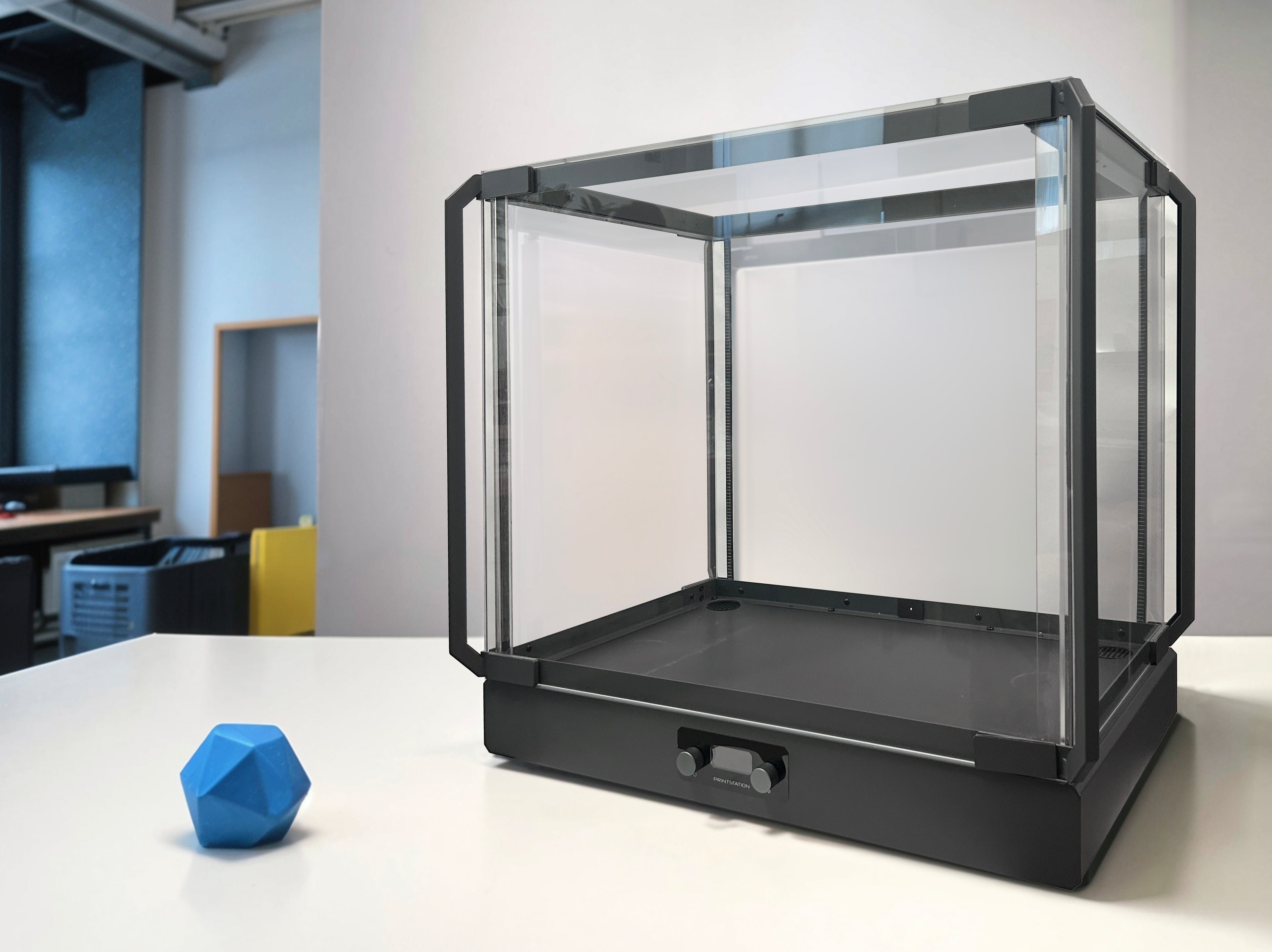
A cover that keeps the print area at a stable, warm temperature. Essential for warp-prone materials like ABS and Nylon, and it also reduces noise and dust. Turns an open-frame printer into an all-rounder.
Stores and gently heats filament so it stays dry while you print. A big quality boost for PETG, Nylon, and TPU.
Watch your prints live from the Flash Maker app anywhere with internet, and stop a print remotely if something goes wrong.
Let you print abrasive filaments (carbon fiber, glow, metal-fill) without wearing out your nozzle.
Lights up the print area so you (and your camera) can see the first layer and progress clearly.
Reduce motor noise and vibration for quieter operation and slightly smoother prints.
## Upgrades by goal
Pick upgrades based on what you want to improve.
| Goal | Suggested upgrades |
| ------------------------------ | --------------------------------------------------------- |
| Improve print quality | Better cooling, fine-tuned calibration, quality filament |
| Reduce print noise | Vibration dampers, silent fans |
| Print advanced filaments | Enclosure, hardened nozzles, filament dryer |
| Boost speed and control | Upgraded extruder, optimized slicer profiles |
| Print flexible materials (TPU) | Direct-drive extruder, smooth PEI plate, tuned retraction |
| Better user experience | Camera, LED lighting, filament runout awareness |
The Adventurer 5M already includes several features people used to upgrade for: automatic bed leveling, a flexible PEI plate, a filament runout sensor, Wi-Fi printing, and vibration compensation. You are starting from a strong base.
## Should you upgrade now?
Master calibration, slicing, and troubleshooting first. Good technique beats expensive hardware on a stock machine.
Add an enclosure when you actually want to print ABS, or a hardened nozzle when you buy abrasive filament. Upgrade to solve a problem you have hit.
The most valuable "upgrade" this week is you. The better you understand your printer, the more you can get out of it - with or without new parts.
You know the common upgrade paths, what problems each one solves, and that your Adventurer 5M already includes many features as standard. Upgrade to meet a real need, not just for the sake of it.
## Popular upgrades
A cover that keeps the print area at a stable, warm temperature. Essential for warp-prone materials like ABS and Nylon, and it also reduces noise and dust. Turns an open-frame printer into an all-rounder.
Stores and gently heats filament so it stays dry while you print. A big quality boost for PETG, Nylon, and TPU.
Watch your prints live from the Flash Maker app anywhere with internet, and stop a print remotely if something goes wrong.
Let you print abrasive filaments (carbon fiber, glow, metal-fill) without wearing out your nozzle.
Lights up the print area so you (and your camera) can see the first layer and progress clearly.
Reduce motor noise and vibration for quieter operation and slightly smoother prints.
## Upgrades by goal
Pick upgrades based on what you want to improve.
| Goal | Suggested upgrades |
| ------------------------------ | --------------------------------------------------------- |
| Improve print quality | Better cooling, fine-tuned calibration, quality filament |
| Reduce print noise | Vibration dampers, silent fans |
| Print advanced filaments | Enclosure, hardened nozzles, filament dryer |
| Boost speed and control | Upgraded extruder, optimized slicer profiles |
| Print flexible materials (TPU) | Direct-drive extruder, smooth PEI plate, tuned retraction |
| Better user experience | Camera, LED lighting, filament runout awareness |
The Adventurer 5M already includes several features people used to upgrade for: automatic bed leveling, a flexible PEI plate, a filament runout sensor, Wi-Fi printing, and vibration compensation. You are starting from a strong base.
## Should you upgrade now?
Master calibration, slicing, and troubleshooting first. Good technique beats expensive hardware on a stock machine.
Add an enclosure when you actually want to print ABS, or a hardened nozzle when you buy abrasive filament. Upgrade to solve a problem you have hit.
The most valuable "upgrade" this week is you. The better you understand your printer, the more you can get out of it - with or without new parts.
You know the common upgrade paths, what problems each one solves, and that your Adventurer 5M already includes many features as standard. Upgrade to meet a real need, not just for the sake of it.