> ## Documentation Index
> Fetch the complete documentation index at: https://stem-docs.intellectualpoint.com/llms.txt
> Use this file to discover all available pages before exploring further.
# Filament drying and storage
> Why filament absorbs water, how to spot wet filament, and how to dry and store it correctly.
## The hidden print killer: moisture
Most filaments are **hygroscopic** - they absorb water from the air. PLA, PETG, ABS, Nylon, and TPU all soak up moisture over time. When wet filament reaches the hot nozzle, the trapped water flashes to steam, and that ruins your print.
 **Nylon and PC** can absorb enough moisture to cause problems within **hours** of being exposed to air. Even PLA degrades in a few days in a humid room. Moisture control is not optional for serious printing.
## What wet filament does
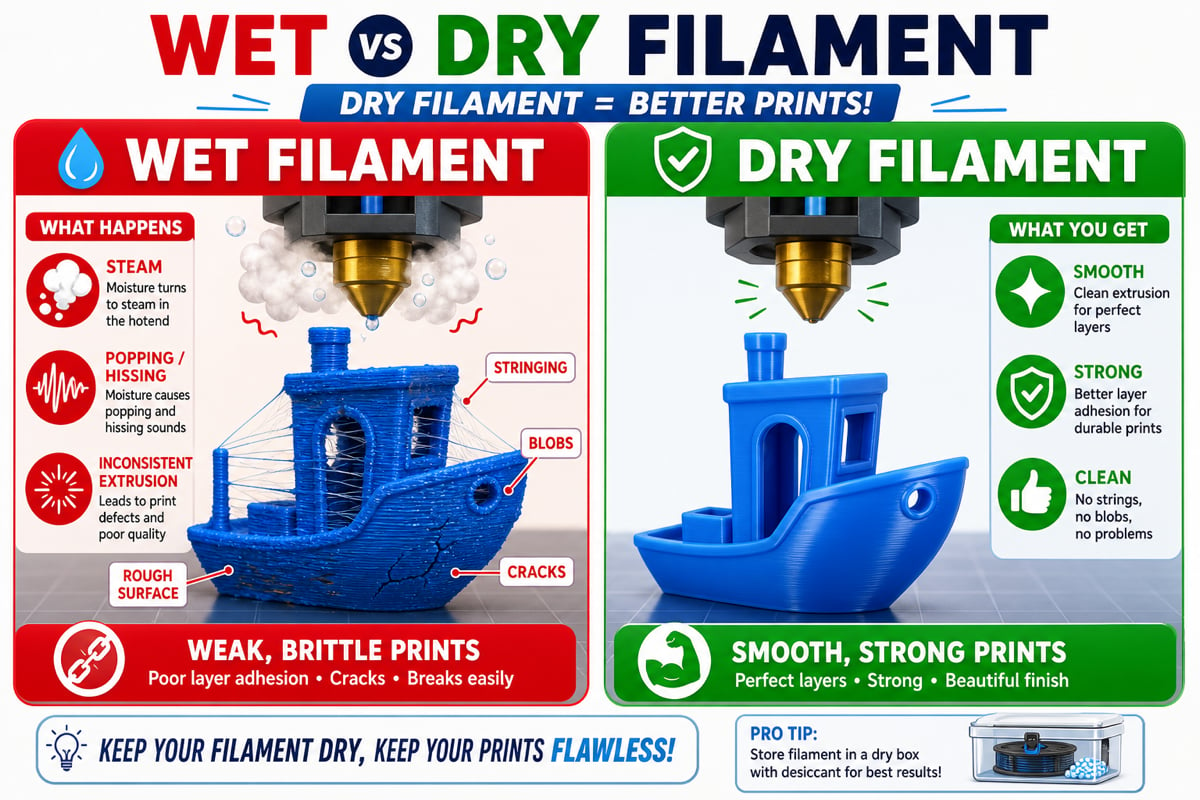
When water in the filament turns to steam inside the hotend, you get:
You can literally hear steam escaping the nozzle as it prints.
Escaping steam drags plastic into wispy strings and rough blobs.
Steam creates tiny voids, so layers bond poorly and parts snap easily.
Bubbling extrusion leaves a pitted finish and can jam the nozzle.
**Nylon and PC** can absorb enough moisture to cause problems within **hours** of being exposed to air. Even PLA degrades in a few days in a humid room. Moisture control is not optional for serious printing.
## What wet filament does
When water in the filament turns to steam inside the hotend, you get:
You can literally hear steam escaping the nozzle as it prints.
Escaping steam drags plastic into wispy strings and rough blobs.
Steam creates tiny voids, so layers bond poorly and parts snap easily.
Bubbling extrusion leaves a pitted finish and can jam the nozzle.
 ## How to spot wet filament
* You hear **popping or hissing** while printing
* The surface looks **fuzzy or stringy** even at good settings
* Prints feel **brittle** and break along layer lines
* Extrusion looks **inconsistent** or bubbly
If a spool that used to print fine suddenly prints badly, moisture is a likely culprit - especially after the spool has been sitting out for a while.
## Storing filament
The goal is to keep filament **dry and sealed** when it is not printing.
## How to spot wet filament
* You hear **popping or hissing** while printing
* The surface looks **fuzzy or stringy** even at good settings
* Prints feel **brittle** and break along layer lines
* Extrusion looks **inconsistent** or bubbly
If a spool that used to print fine suddenly prints badly, moisture is a likely culprit - especially after the spool has been sitting out for a while.
## Storing filament
The goal is to keep filament **dry and sealed** when it is not printing.
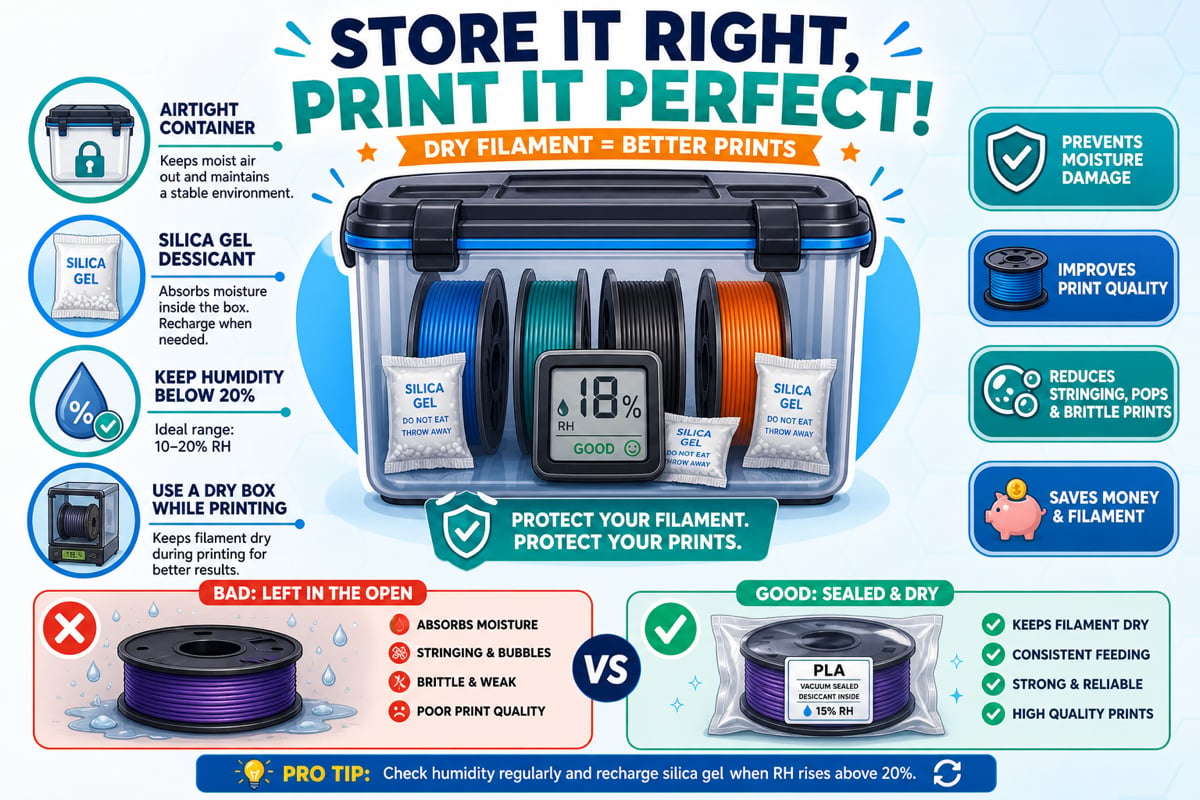 Store spools in **airtight containers** or vacuum bags. A large sealed bin or dry box works great.
Toss in **silica gel** packs to absorb any trapped moisture. Rechargeable desiccant packs change color when they are full.
Keep humidity below about **20%**. A cheap **hygrometer** inside the container tells you if your storage is working.
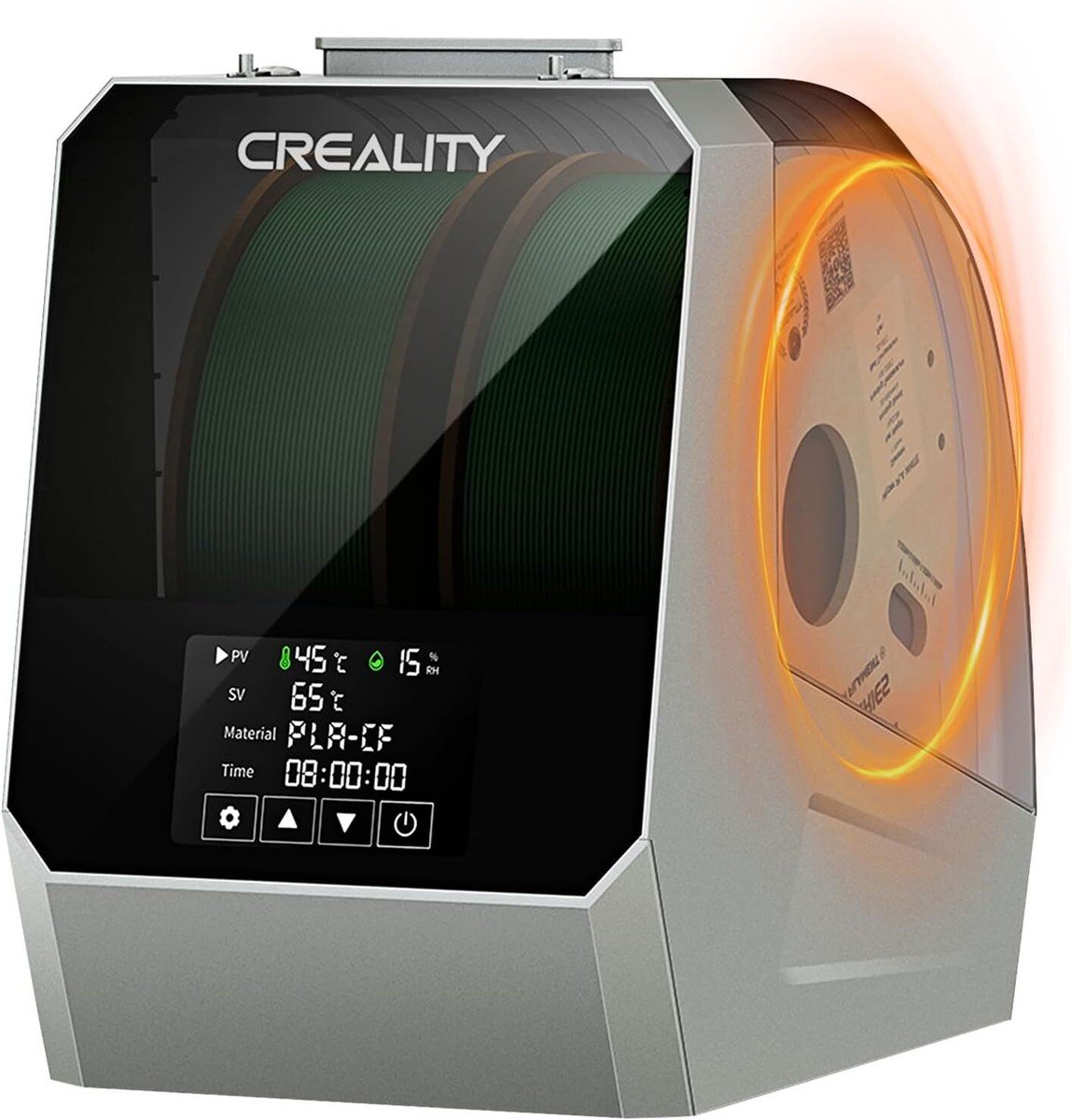
A **dry box** (eSUN eBox, Sunlu FilaDryer, PrintDry, or Creality) both stores and gently heats filament so it stays dry even mid-print.
## How to dry filament
If filament is already wet, you can dry it out and recover it.
| Method | How it works | Notes |
| ------------------- | ----------------------------------------- | --------------------------------------------------------- |
| Filament dryer box | Purpose-built, with material presets | Easiest and safest - set it and forget it |
| Food dehydrator | Circulates warm air at 50 - 70 C | Cheap and effective for most filaments |
| Oven | Only if it holds low, stable temperatures | Risky - watch closely so filament does not melt or deform |
| Desiccant (passive) | Silica gel slowly pulls moisture out | Good for maintenance, slow for rescue |
Ovens are the riskiest method. Home ovens often run hotter than their dial says, and too much heat will fuse or warp your spool. Prefer a dryer box or dehydrator whenever possible.
## Drying temperatures and times
| Filament | Drying temp | Drying time |
| -------- | ----------- | ----------- |
| PLA | 40 - 45 C | 4 - 6 hrs |
| PETG | 55 - 65 C | 4 - 6 hrs |
| TPU | 50 - 60 C | 4 - 6 hrs |
| ABS | 65 - 70 C | 4 - 6 hrs |
| Nylon | 70 - 80 C | 6 - 12 hrs |
| PC | 75 - 90 C | 6 - 8 hrs |
Dry temperatures are always **below** printing temperatures. You want to bake out water, not soften the plastic. When in doubt, dry cooler for longer.
You understand why filament absorbs moisture, how to recognize wet filament, and how to store and dry it. Keep your PLA sealed with desiccant when you are not printing.
Store spools in **airtight containers** or vacuum bags. A large sealed bin or dry box works great.
Toss in **silica gel** packs to absorb any trapped moisture. Rechargeable desiccant packs change color when they are full.
Keep humidity below about **20%**. A cheap **hygrometer** inside the container tells you if your storage is working.
A **dry box** (eSUN eBox, Sunlu FilaDryer, PrintDry, or Creality) both stores and gently heats filament so it stays dry even mid-print.
## How to dry filament
If filament is already wet, you can dry it out and recover it.
| Method | How it works | Notes |
| ------------------- | ----------------------------------------- | --------------------------------------------------------- |
| Filament dryer box | Purpose-built, with material presets | Easiest and safest - set it and forget it |
| Food dehydrator | Circulates warm air at 50 - 70 C | Cheap and effective for most filaments |
| Oven | Only if it holds low, stable temperatures | Risky - watch closely so filament does not melt or deform |
| Desiccant (passive) | Silica gel slowly pulls moisture out | Good for maintenance, slow for rescue |
Ovens are the riskiest method. Home ovens often run hotter than their dial says, and too much heat will fuse or warp your spool. Prefer a dryer box or dehydrator whenever possible.
## Drying temperatures and times
| Filament | Drying temp | Drying time |
| -------- | ----------- | ----------- |
| PLA | 40 - 45 C | 4 - 6 hrs |
| PETG | 55 - 65 C | 4 - 6 hrs |
| TPU | 50 - 60 C | 4 - 6 hrs |
| ABS | 65 - 70 C | 4 - 6 hrs |
| Nylon | 70 - 80 C | 6 - 12 hrs |
| PC | 75 - 90 C | 6 - 8 hrs |
Dry temperatures are always **below** printing temperatures. You want to bake out water, not soften the plastic. When in doubt, dry cooler for longer.
You understand why filament absorbs moisture, how to recognize wet filament, and how to store and dry it. Keep your PLA sealed with desiccant when you are not printing.