> ## Documentation Index
> Fetch the complete documentation index at: https://stem-docs.intellectualpoint.com/llms.txt
> Use this file to discover all available pages before exploring further.
# Capstone contest kickoff
> Choose your capstone project, understand the rules and judging, and present your plan to the class.
## The 3D Printing Capstone Contest
Welcome to the Capstone Challenge! Over the five days of camp, you will choose, plan, print, and present a 3D object that showcases everything you learn. The goal is a meaningful, creative, well-executed print that you are proud of.
You choose your project **today (Day 1)** and present it on **Day 5**. Picking early gives you the most time to print, fix problems, and iterate.
## Project timeline
Decide what you want to make, get it approved by your instructor, and present your plan to the class.
Build your printer, then design or download your model, slice it, and print it. Optionally post-process it.
Present your finished project (or what you learned if it failed) and see how you scored.
## Rules and requirements
* Choose your print on **Day 1** and explain your idea to the class.
* You may **create your own model** in CAD software **or download one** from a site like Thingiverse, Printables, or MakerWorld.
* Your project must be **approved by your instructor** for feasibility - it has to fit the printer, finish in time, and use available materials.
* Complete your print by **Day 5**. If it fails, that is okay - present what you learned.
* You may use **multiple printed parts**, but they must all be finished and assembled by the deadline.
* You may sand, glue, paint, or assemble your print.
* Always do post-processing **safely and under supervision**.
## Your Day 5 presentation
On Day 5, each contestant presents their project and explains:
Describe your print and what it does.
Tell us what made this project interesting to you.
Walk through your process from design or download through slicing to completion.
Share what went wrong and how you fixed it. This is worth real points.
You are encouraged to iterate and "fail forward." Mistakes are part of the process - the best presentations honestly explain problems and how they were solved. You are judged on **effort, not just perfection**.
## Judging criteria
Projects are scored out of **100 base points**, with optional bonuses that can push you above 100.
| Category | Points | What it means |
| ----------------------------- | ------ | ------------------------------------------------------------ |
| Creativity and originality | 20 | A unique idea, interesting choice, or creative design |
| Effort and complexity | 20 | The challenge level, multiple parts, or intricate detail |
| Execution and print quality | 20 | Completed successfully with good settings |
| Problem solving and iteration | 15 | Resilience - you fixed issues and made adjustments |
| Presentation and explanation | 20 | Clearly explained your idea, process, and results |
| Modeling bonus | +10 | Created your own model from scratch or with meaningful edits |
| Multiple parts bonus | +5 | More than one printed part, assembled or functional |
| Post-processing bonus | +5 | Sanding, painting, gluing, polishing, or finishing |
Notice that **problem solving is worth 15 points on its own**. A print that failed but taught you a lot can still score very well if you explain what happened and how you responded.
## The prizes
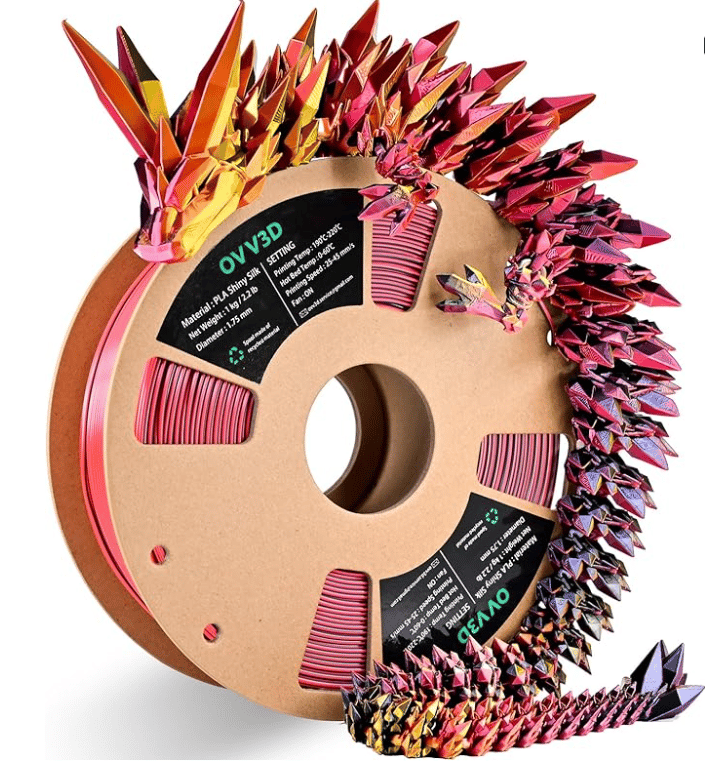
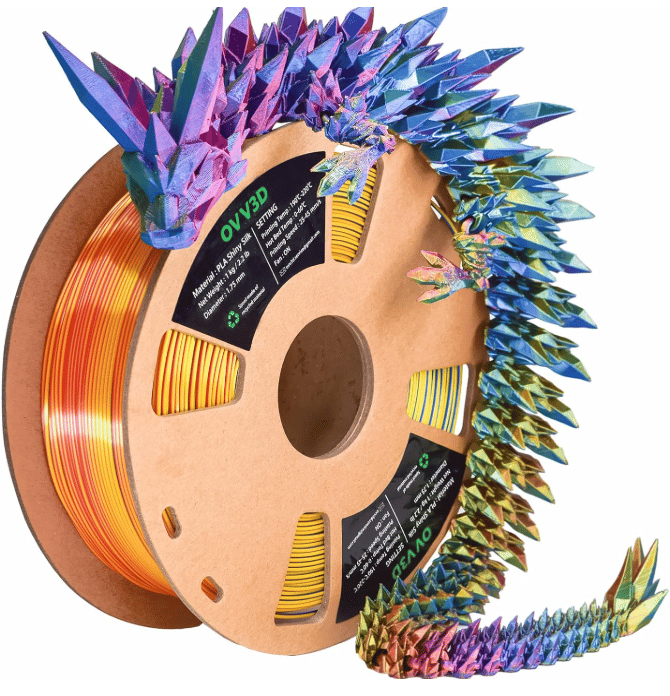
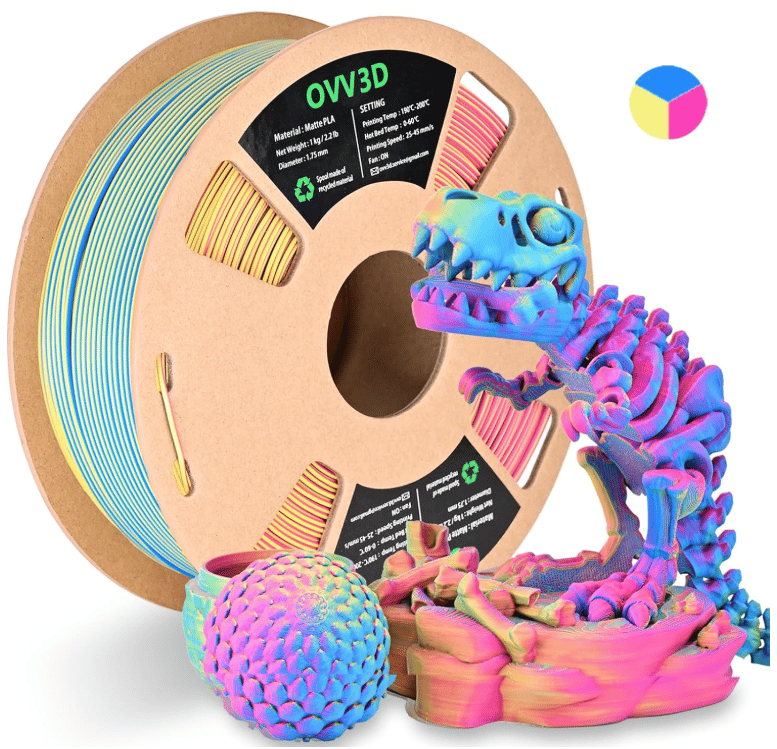
First, second, and third place winners each choose one of three premium **tri-color co-extrusion silk PLA** spools - the kind that produce stunning multi-color prints like the dragons and dinosaurs below.
 ## Ideas to get you started
Not sure what to print? Here are some project directions at different difficulty levels.
Nameplate, keychain, phone stand, desk organizer, or a low-poly animal.
Articulated dragon, a multi-part box with a lid, a functional gear toy, or a cosplay prop.
A custom-designed CAD model, a working mechanism, or an assembly of several printed parts.
Think about what you want to make and what is realistic to finish this week. A well-executed simple print beats an ambitious print that never finishes. When in doubt, ask your instructor to help scope your idea.
Before the end of Day 1, you should have: a project idea, instructor approval, and a short plan ready to present to the class.
## Ideas to get you started
Not sure what to print? Here are some project directions at different difficulty levels.
Nameplate, keychain, phone stand, desk organizer, or a low-poly animal.
Articulated dragon, a multi-part box with a lid, a functional gear toy, or a cosplay prop.
A custom-designed CAD model, a working mechanism, or an assembly of several printed parts.
Think about what you want to make and what is realistic to finish this week. A well-executed simple print beats an ambitious print that never finishes. When in doubt, ask your instructor to help scope your idea.
Before the end of Day 1, you should have: a project idea, instructor approval, and a short plan ready to present to the class.